
Permissions
Every permission node DialogForge registers, and the three modes a menu or a page can ask for.
Admin nodes
| Node | Default |
|---|---|
dialogforge.admin | op |
dialogforge.reload | op |
dialogforge.open.others | op |
dialogforge.admin is a parent covering the other two. dialogforge.reload gates
/dialogforge reload, and dialogforge.open.others gates opening a menu for a different
player with /dialogforge open.
Menu and page nodes
| Node | Default |
|---|---|
dialogforge.menu.<id> | true, when the mode is optional |
dialogforge.page.<menu>.<page> | true, when the mode is optional |
Dots replace slashes in the id, so staff/reports becomes
dialogforge.menu.staff.reports. These are registered when the menu loads and removed
again on reload, which matters on Bukkit: an unregistered node is treated as operator only,
so without this step every page would vanish for normal players even with a default of
true.
The three modes
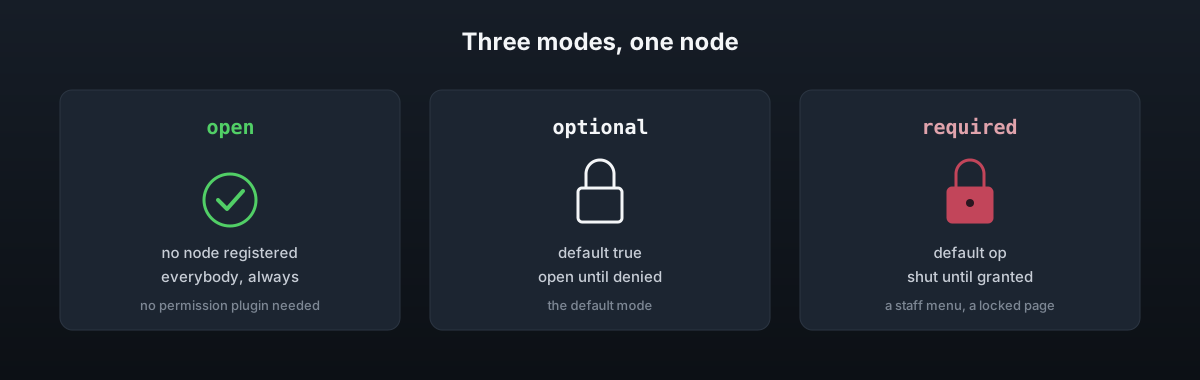
permission-mode: openSet on a whole menu, on a single page, or left out to use permissions.mode in
config.yml.
| Mode | Node | Behaviour |
|---|---|---|
open | None registered | Everybody, whatever a permission plugin is doing |
optional | Default true | Open until the node is denied. The default |
required | Default op | Shut until the node is granted |
open exists so a public guide needs no permission plugin at all. optional and
required both go through the same node, they only differ in the default Bukkit gives it.
An unset optional node is always treated as allowed, since a permission plugin that does
not apply Bukkit's own defaults would otherwise make a category vanish that nobody meant to
restrict.
A menu whose own mode is open passes that down to every page in it. A required menu
does not, on the basis that granting the menu node is meant to open the whole menu, and a
page that needs more than that says so for itself:
# staff.yml
permission-mode: required

pages:
  - id: punishments
    permission-mode: required
Here, dialogforge.menu.staff gets someone into the menu, and
dialogforge.page.staff.punishments is still needed for that one page.
Using your own node
permission: 'group.mod'Naming your own permission on a menu or a page skips the built in node entirely, no
dialogforge.menu.<id> or dialogforge.page.<menu>.<page> is registered for it, and that
node is checked directly instead.
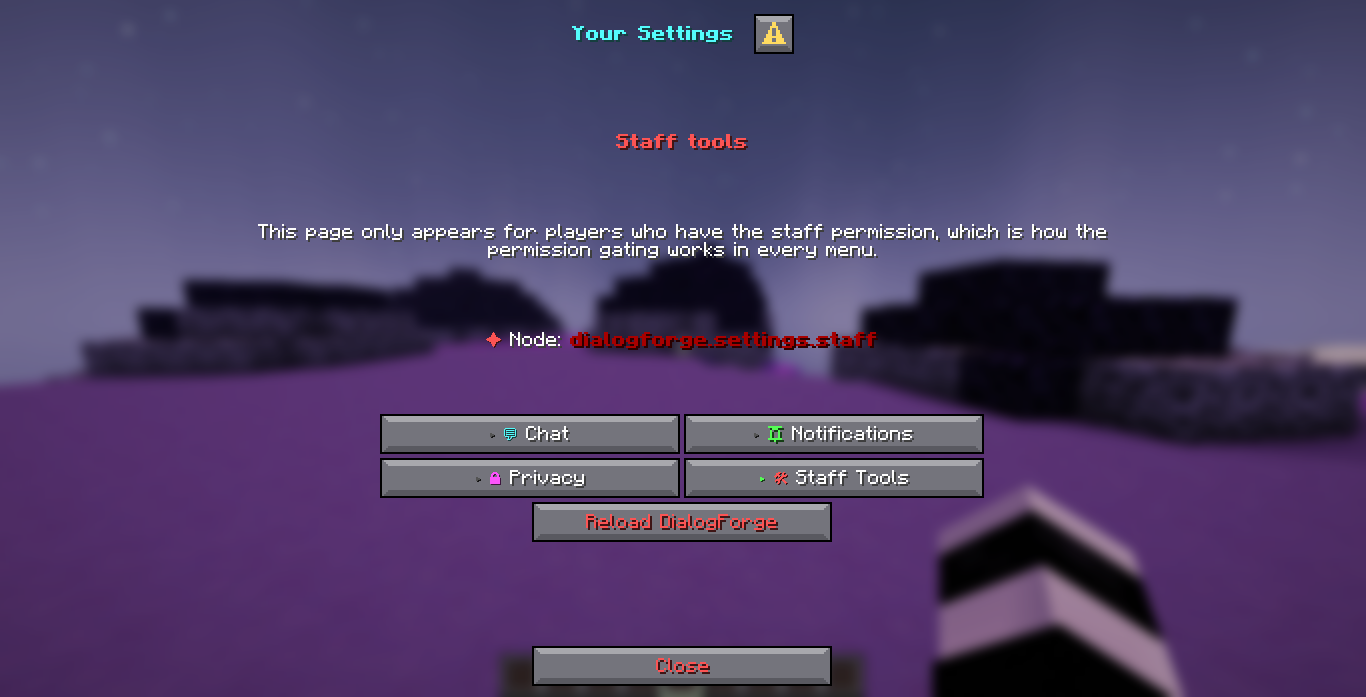
The Staff Tools page of the shipped settings menu does exactly this. It names
dialogforge.settings.staff and sets hide-when-locked: true, so a player without the
node never sees the category button at all, and the Reload button on it carries
dialogforge.reload of its own:
The old key
require-permission: trueRead only where permission-mode is absent. true means required, false means open.
permission-mode is the key to reach for now, since it also covers optional.