
Configuration
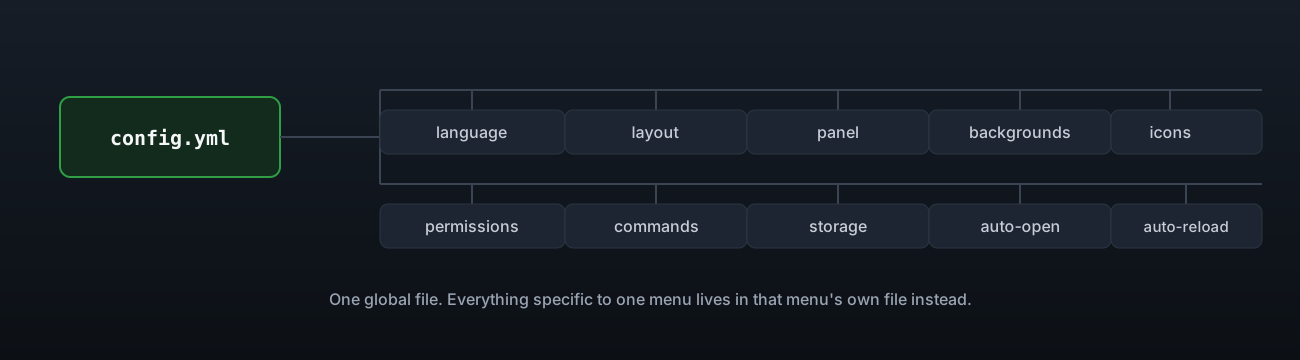
A walk through config.yml section by section, everything that applies across the whole plugin.
config.yml holds every setting that is not specific to one menu. It is read through
BoostedYAML, so comments survive an update and a new key arrives with its own explanation
the first time you start a newer version.
Every text value in it, and in every menu file, takes MiniMessage. The old colour codes work
too: &c, &l, &r and &#ff8800 all mean what they mean in any other plugin, and &&
gives you a literal ampersand in front of a letter that would otherwise read as a code.
Language
language: enWhich file in lang/ to use, by name without the .yml. Drop your own lang/de.yml in and
point this at de. See Messages & language.
Layout
layout:
  mode: stacked
  columns: 2
  button-width: 150
  body-width: 440
  stable-height: true
  min-lines: 0
  child-indent: '   '
  always-expand: false
  active-marker: '<green>▸ </green>'
  inactive-marker: '<dark_gray>▸ </dark_gray>'
  show-locked-pages: false
  locked-page-prefix: '<dark_gray>✖ </dark_gray>'
Covered in full on Layout modes.
Behaviour
behaviour:
  close-with-escape: true
  pause: false
  resume-last-page: true
pause only matters in singleplayer testing, since a server makes no distinction either
way. resume-last-page reopens a returning player on the page they were last looking at.
Panel
panel:
  aligned: false
  content-column: 120
  content-width: 0
  shift: 0
  glyph-width: 9
  icon-width: 0
  glyph-widths: {}
  lines-per-category: 2
  divider: ''
  divider-padding: 6
  sidebar-prefix: ''
  sidebar-spacer: '  '
  content-indent: '  '
  sidebar-rows: 0
  use-commands: false
  resource-pack:
    send-on-join: false
    url: ''
    sha1: ''
    required: false
    itemsadder:
      merge: false
      folder: dialogforge
Every key here only matters when layout.mode is panel. Full detail on
Layout modes.
Backgrounds and icons
backgrounds: {}
icons: {}
Both start empty. See Backgrounds and Icons for the shape of an entry.
Permissions
permissions:
  mode: optional
What a menu file that says nothing about permissions asks for. Full detail on Permissions.
Commands
commands:
  override-conflicts: false
What to do when a menu wants a command another plugin already registered, for example
/rules with EssentialsX installed. Off, the other plugin keeps it and the menu answers to
/dialogforge:rules instead. On, the menu takes the command and the other plugin keeps its
own prefixed form. A menu file can override this with its own override-command key.
Storage
storage:
  type: sqlite
  table-prefix: dialogforge_
  mysql:
    host: 127.0.0.1
    port: 3306
    database: dialogforge
    username: root
    password: ''
    use-ssl: false
    pool-size: 6
Full detail, including what each table holds, on Storage.
Auto open and auto reload
auto-open:
  enabled: false
  menu: guide
  delay-ticks: 40

auto-reload:
  enabled: true
  interval-ticks: 40
auto-open shows a menu to a player the very first time they join, once per player per
menu, never again even after a restart. auto-reload watches config.yml, lang/ and
menus/ and reloads the moment a file has been unchanged for one whole check, so a half
written save is never read as a broken one.
The rest
update-checker: true
debug: false
config-version: 8
update-checker prints one line on startup if a newer DialogForge is out, without
downloading anything. debug logs a line every time a menu is drawn, useful while you are
working on one, best left off on a live server. config-version is used by the plugin
itself to know when to add new keys and should not be edited by hand.