
DialogForge
Configuration driven menus built on Paper's Dialog API. Write YAML in menus/, players get a real screen, not a chest GUI.
- Paper 1.21.7 build 17+
- Java 21
- Stacked or panel layout
- SQLite or MySQL
Features
What is in the box
Every card goes to the page that documents it, config keys and all.
Menus & pages
One YAML file per menu. Categories down the side, content for the one selected filling the rest.
Read moreLayout modes
Stacked works everywhere with no setup. Panel draws a real sidebar next to the text, measured to the pixel.
Read moreBackgrounds
A picture of your own drawn behind the menu, any size, tiled and stitched together automatically.
Read moreIcons
Your own small pictures inline in a label or a line of content, at a width the plugin knows exactly.
Read moreInputs & actions
Text fields, toggles, sliders and dropdowns, wired to eleven action types with conditions on top.
Read moreLocks
Hold a player on one page, like a rules screen, until the answer they gave says they can go.
Read morePermissions
Open, optional or required, on a whole menu or on one page inside it. Every node registers itself.
Read morePlaceholders
Player, server and menu placeholders built in, plus every PlaceholderAPI expansion on the server.
Read moreWhy this one
Three things most menu plugins do not do
A screen, not a chest
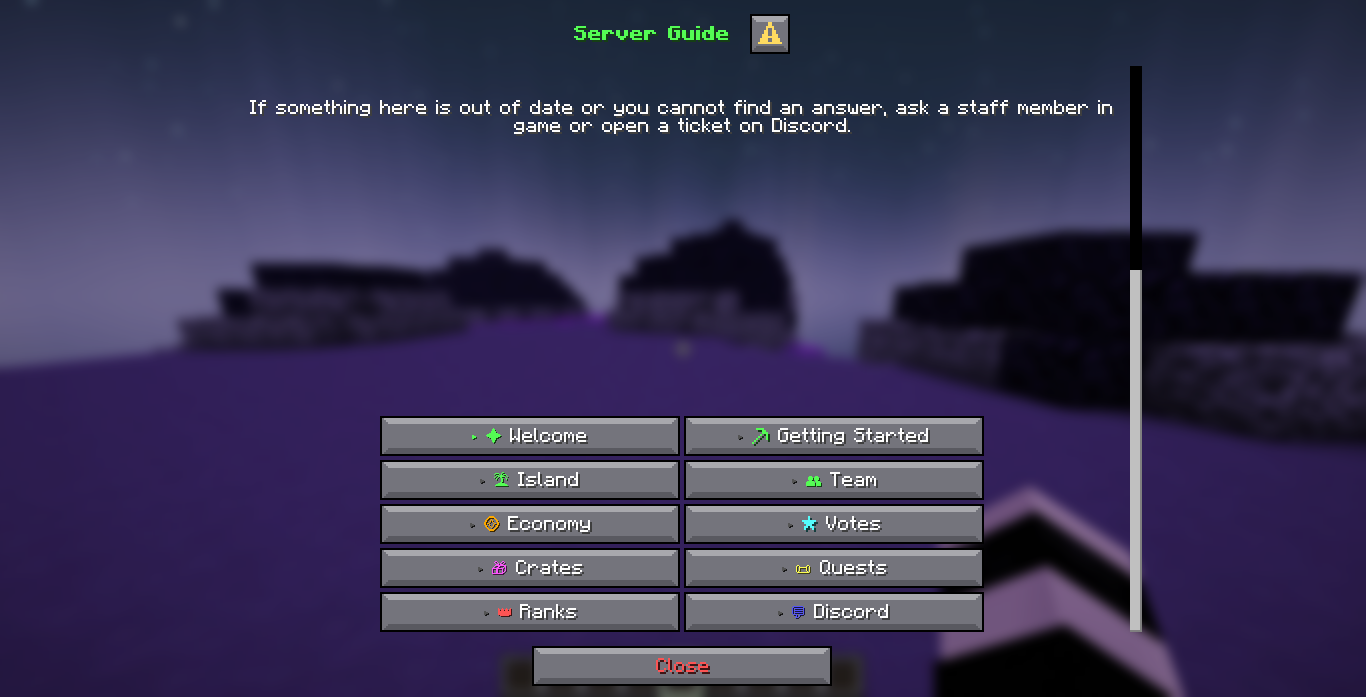
Every menu is Minecraft's native Dialog screen: a title, a readable content area, real buttons and real input fields. Nothing is drawn inside an inventory with item lore standing in for text.
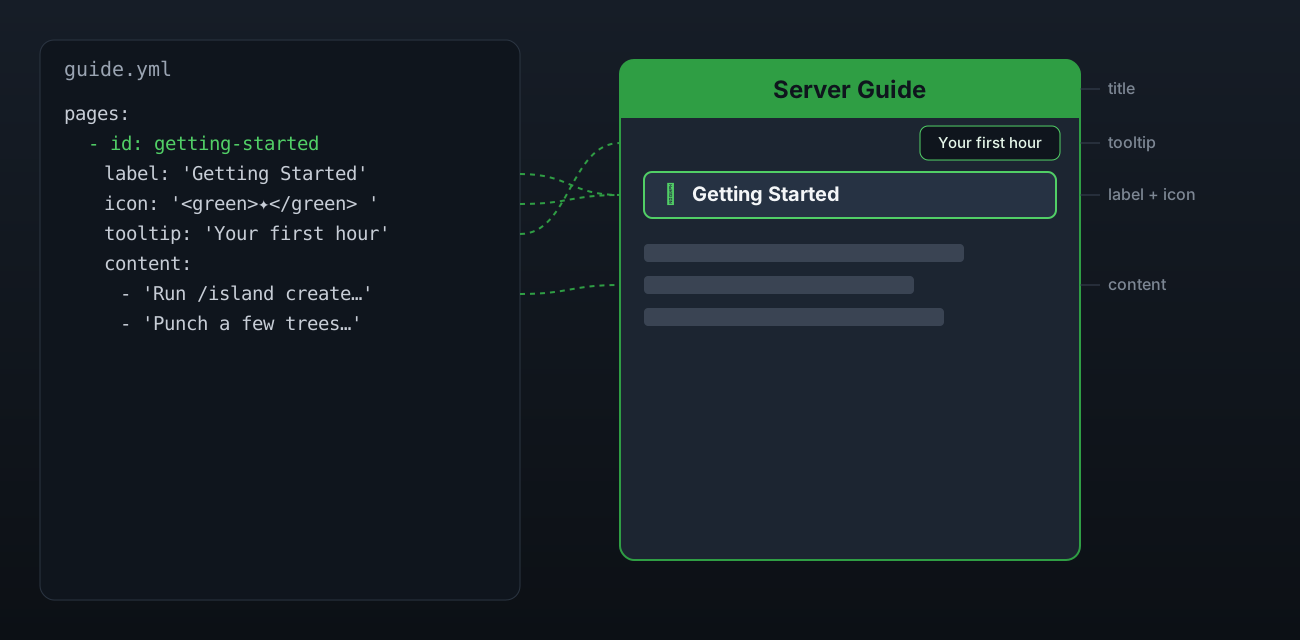
A menu is one YAML file under menus/. Pages, buttons, inputs, permissions and actions are all config, so a new category is a new block in the file, not a rebuild.
The panel layout is measured, not guessed
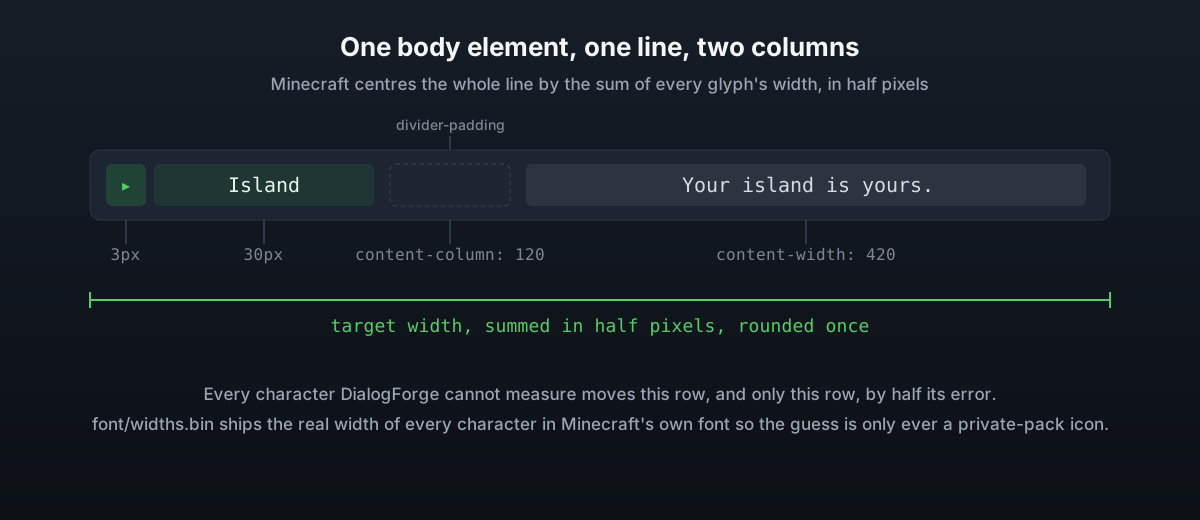
A dialog button cannot sit beside a paragraph, so the optional panel layout draws the sidebar and the content as one line of text per row. Minecraft centres that line by the exact pixel width of every character in it.
DialogForge ships the real width of every character in Minecraft's own font, read out of the client's own files, so a row lands exactly where it is supposed to instead of drifting sideways as the player changes category.
Paper only, on purpose
The Dialog API this plugin is built on is Paper's own, and Spigot has no equivalent and will not get one. Rather than fake a screen for servers that cannot show one, DialogForge simply asks for Paper.
It is built against the oldest supported release, Paper 1.21.7 build 17, so it stays usable on everything from there up to the current line without reaching for API a 1.21.7 server does not have.
- Server software
- Paper only
- Minimum version
- 1.21.7, build 17
- Java
- 21
- Client
- 1.21.6 or newer to see a dialog
Inside the docs
Drawn, not just described
The pages carry diagrams of the parts that are easier to see than to read.
A picture behind the menu
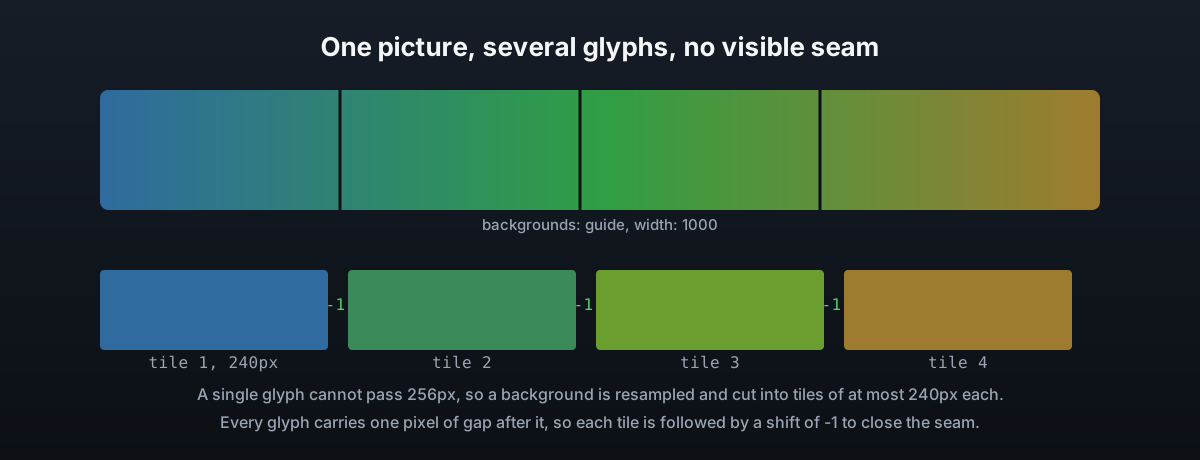
Any size image, resized and cut into tiles small enough for the client, then stitched back together seamlessly.
Open the page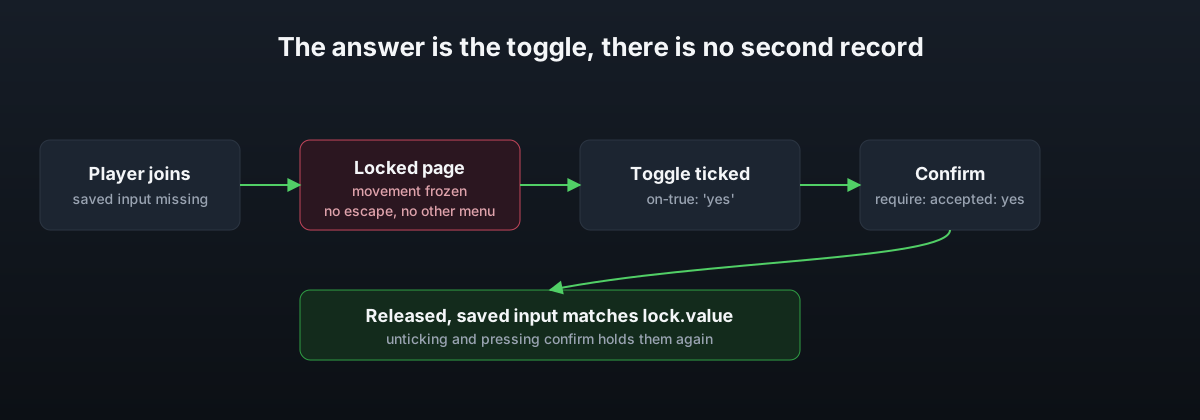
Holding a player until they answer
A rules screen that will not let go until the box is ticked and confirm is pressed, movement frozen the whole time.
Open the pageQuick start
Running in about two minutes
The shipped menus are a working guide, not a blank slate.
- 1
Drop in the jar
One jar for Paper 1.21.7 build 17 and newer. There is nothing to configure before the first start.
- 2
Start the server
The first run writes config.yml, three language files and four example menus, every line commented.
- 3
Open /guide
The shipped server guide is a real menu you can read right away, and a template for your own.
- 4
Edit menus/*.yml
Save the file and the change appears on screen straight away, for anyone already looking at it.
SQLite works with no setup at all. MySQL is there if you are running a network.
Everything is documented
Every config key, every menu key, every command and every permission has a page. If something is still unclear, ask in the Discord.
DialogForge is by zArrowTan. The Discord is the only support channel, there is no public issue tracker.