
Locks
Hold a player on one page, like a rules screen, until an answer they gave says they can go.
A menu file may carry a lock block, which is the menu saying that a player who has not
answered it is not playing yet. The shipped rules.yml is built around one.
Setting one up
lock:
  enabled: true
  page: agree
  input: accepted
  value: 'yes'
  button: confirm
  freeze: true
  message: '<red>You have to accept the rules before you can play here.</red>'
  message-interval: 60
  open-delay: 40
recheck-interval: 40| Key | What it does |
|---|---|
page | Which page the answer lives on |
input | The input key on that page, which must have persist: true |
value | The answer that counts as agreed |
button | Which button on that page counts as answering, so ticking the box alone is not enough. Leave it out and any button on the page will do |
freeze | Stops the player moving while they have not answered. Looking around still works |
message | What they are told when they try to leave. Leave it out to use the language file's own line |
message-interval | How long to wait before repeating the message, in ticks |
open-delay | How long after joining the menu appears |
recheck-interval | How often to check the menu is still on their screen |
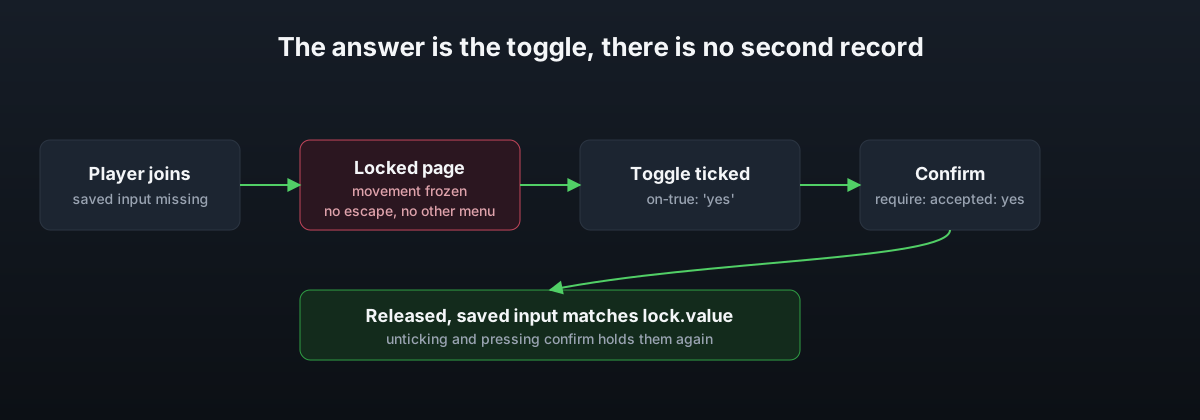
The answer is not a record of its own. It is the same saved input the player can see and change, which is what makes unticking the box and pressing confirm hold them again if their agreement is ever cleared.
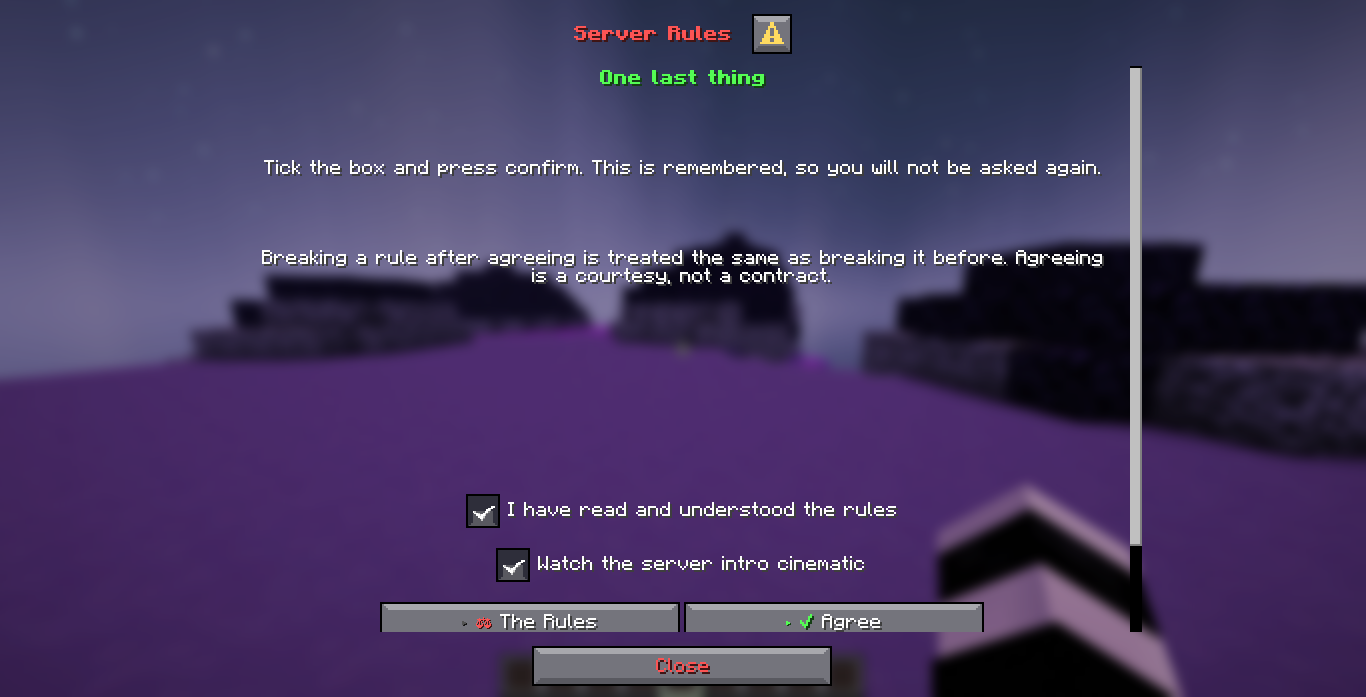
The page that block points at, as the shipped rules.yml draws it. The first toggle is
the answer the lock reads. The second is an ordinary input beside it, and an if: block on
the confirm button reads that one:
What being locked changes
- The menu opens on join automatically, after
open-delayticks, unless the saved answer already matches. - Escape does nothing, and the close button becomes a button that goes to the page holding the answer, since a dialog needs at least one button and simply removing it is not an option.
- A repeating task puts the menu back whenever it stops being the screen the player has open, and every other menu redirects to it, so no command steps around it.
- With
freeze: true, movement is cancelled and the message is repeated no more often thanmessage-interval.
Requirements
The input named in lock.input has to exist on lock.page and has to carry
persist: true, otherwise there would be nowhere for the answer to be read back from on
the player's next join. DialogForge refuses a menu file where any of these do not line up
when it is loaded, rather than holding every player on the server with nothing in the
console explaining why.
inputs:
  accepted:
    type: toggle
    label: '<white>I have read and understood the rules</white>'
    initial: false
    on-true: 'yes'
    on-false: 'no'
    persist: true
Pair the input with a require: block on the confirm button so nothing on it runs before
the box is ticked. See Inputs & actions for how require reads
a toggle's answer.