
DialogForge
Configuration driven menus for Paper, built on Minecraft's native Dialog system instead of chest inventories.
A menu here is a real screen with a title, a readable content area, buttons and input
fields, because it is built on Paper's Dialog API rather than drawn inside a chest.
Server owners write YAML in menus/ and players get a screen.
Everything a player sees comes out of that YAML. There is no material, no sentence and no layout baked into the jar.
New here? Start with Installation. It covers the requirements, the install steps and what the first run writes to disk. If you do not have the jar yet, Download is the page you want first.
What it looks like
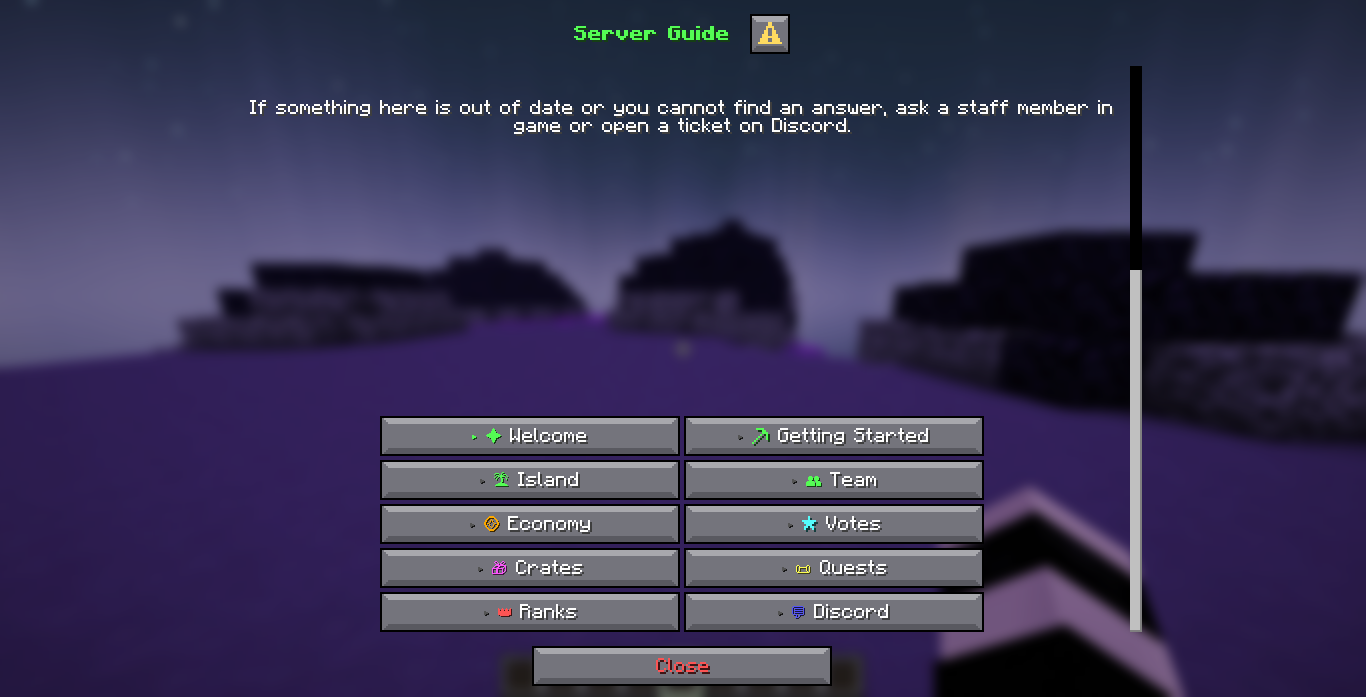
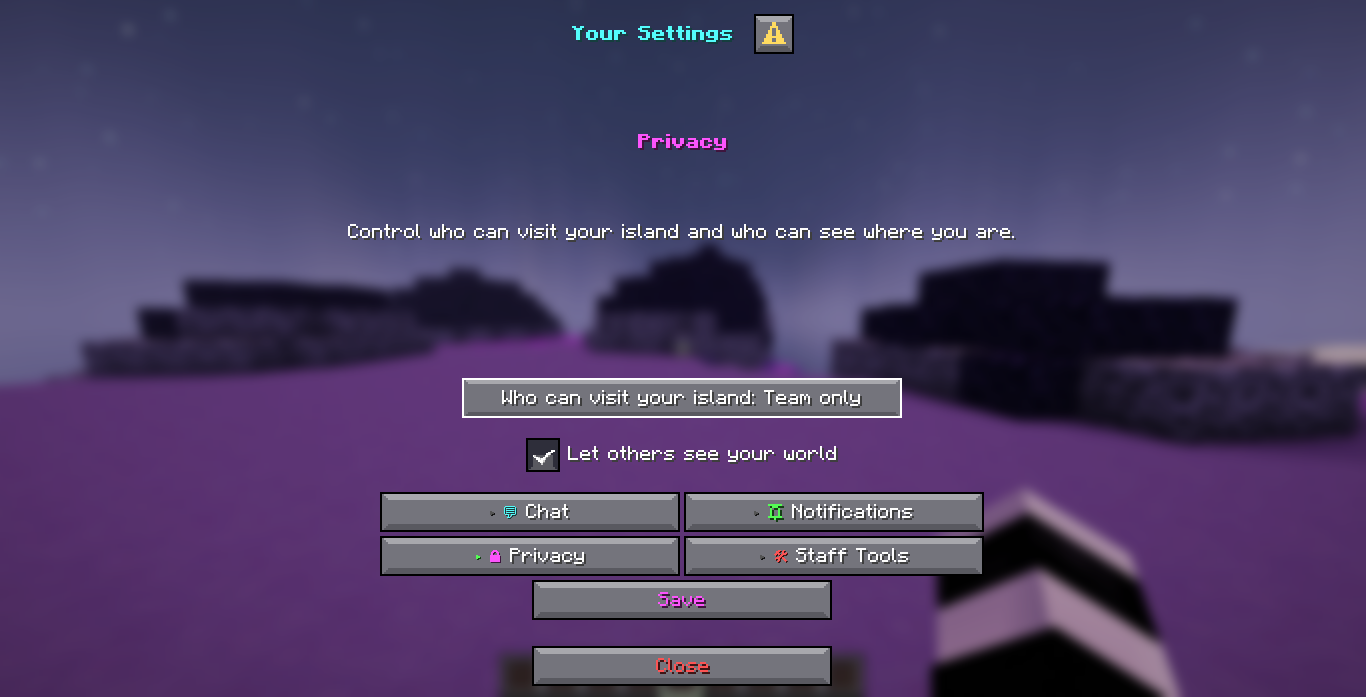
The shipped guide.yml and settings.yml in the default stacked layout, on a plain
1.21.7 server with no resource pack.
Quick facts
| Server software | Paper only |
| Minimum version | 1.21.7, build 17 |
| Client | 1.21.6 or newer, to see a dialog at all |
| Java | 21 |
| Storage | SQLite or MySQL |
| Layout | Stacked, works everywhere, or panel, an aligned two column sidebar |
| Author | zArrowTan |
Spigot, Bukkit and Purpur have no Dialog API and will not get one, so they are not supported. See Installation for the full detail.
Getting started
Download
Where to get DialogForge and what to do once you have the jar.
Installation
Requirements, the install steps, the first run and what the plugin folder looks like afterwards.
Features
Menus & pages
One YAML file per menu. Categories, subcategories, shortcuts, buttons and inputs, all config.
Layout modes
Stacked category buttons by default, or an optional panel layout with a measured sidebar next to the text.
Backgrounds
A picture of your own behind the menu, any size, tiled and stitched together for you.
Icons
Your own small pictures inline in a label or a line of content, at a width the plugin knows exactly.
Inputs & actions
Text, toggle, slider and dropdown inputs, wired to eleven action types with conditions on top.
Locks
Hold a player on one page, like a rules screen, until the answer they gave says they can go.
Configuration
Configuration
A walk through config.yml section by section: layout, panel, backgrounds, icons and
storage.
Messages & language
Edit the built in messages, or add a translation of your own alongside English.
Permissions
Open, optional or required, on a whole menu or on one page inside it, and every node it registers.
Storage
SQLite by default, MySQL for a network, and what each of the four tables holds.
Reference and help
Commands
/dialogforge and the command every menu registers for itself, with the permission each
one needs.
Placeholders
The built in placeholders, plus every PlaceholderAPI expansion already on the server.
FAQ
The questions that come up most often about installing, configuring and running the plugin.
Support
Where to get help and what to include so you get an answer on the first reply.
The panel layout is measured, not guessed
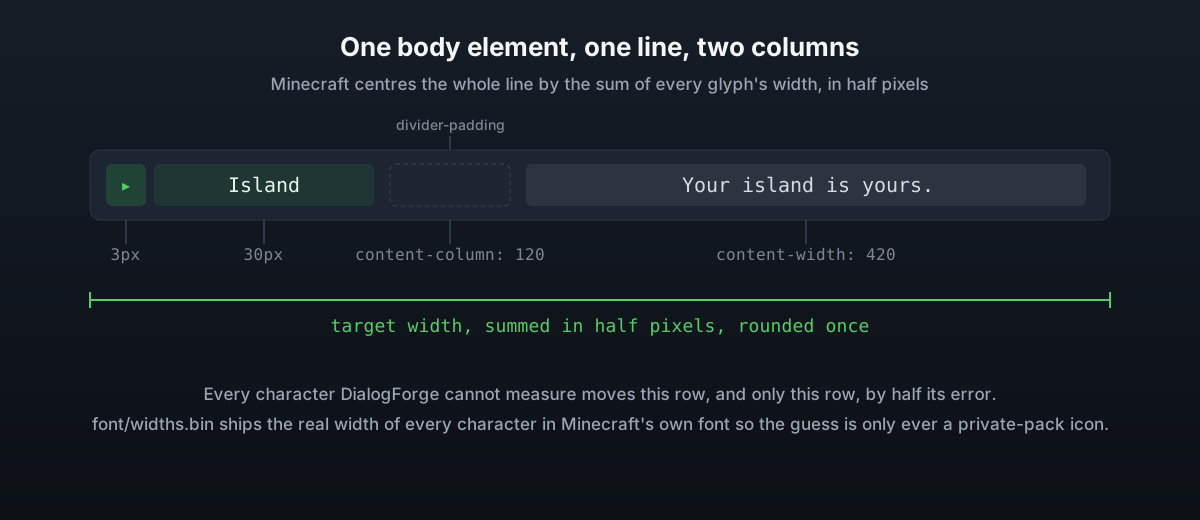
A dialog button always sits in a grid below the body, so a sidebar next to a paragraph has to be drawn as text rather than as buttons. Text drawn that way only lines up if the plugin knows, to the pixel, how wide every character on the row is.
DialogForge ships the real width of every character in Minecraft's own font, read out of the client's own files by a tool that ran once against an installed client. What is left to guess at is a character your own resource pack draws, and the console names those on startup so you know which ones are worth measuring yourself.
Reload without kicking anyone out
Editing a menu file, config.yml or a language file and saving it is enough. The file
watcher reloads the plugin on its own, and anyone with a menu open at the time is shown the
same page again once the files have been read, so they stay where they were instead of
being thrown out of the screen.