
Icons
Your own small pictures drawn inline in a label, a line of content or a button, at a width the plugin already knows.
An icon declared under icons: in config.yml solves one specific problem: the
aligned panel layout has to know the exact pixel width of everything
on a row to line the two columns up, and a picture out of your own resource pack is the one
thing nothing on the server can measure by reading the pack. An icon DialogForge draws
itself is one whose width it already knows, because it wrote the file.
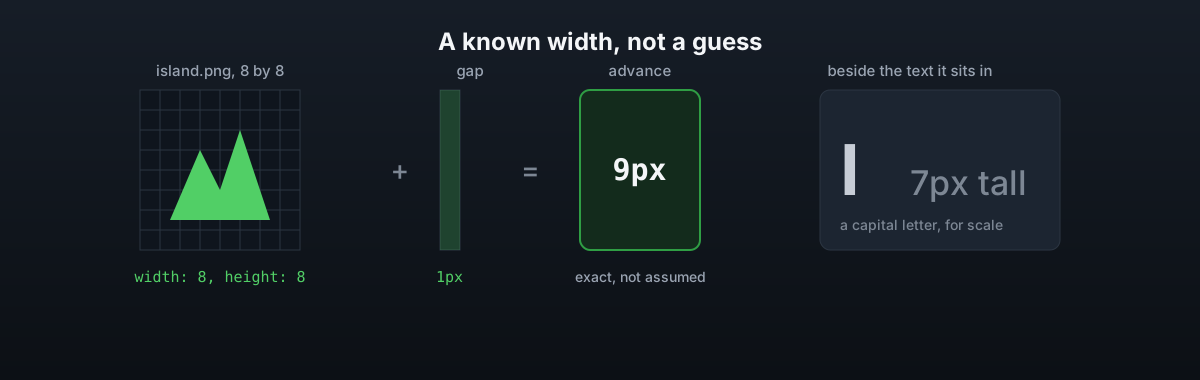
Declaring one
# config.yml
icons:
  island:
    image: 'island.png'
    width: 8
    height: 8
    fit: contain
    offset: 1
Drop island.png into plugins/DialogForge/icons/, then write %icon:island% anywhere a
menu file takes text: a page's icon, its label, a line of content, or a button.
- id: island
  label: '%icon:island% Island'
A name that is not declared is left standing rather than replaced with nothing, so a typo reads as itself instead of vanishing.
Sizing
| Key | What it does |
|---|---|
width / height | The size to draw it at. A capital letter is 7 pixels tall and most letters are 5 or 6 wide, so 8 by 8 matches the text beside it |
fit | contain, the default, shrinks the whole picture in. cover crops the middle, stretch uses the exact size given |
offset | Pixels further down the line. 1 lines the bottom of the picture up with the bottom of the letters, 0 raises it a pixel, and it cannot be negative |
Adding or resizing an icon changes the pack and its hash, the same as a
background does, so players need the new zip or /iazip before they
see it.
Why this exists at all
Every character in Minecraft's own font is already measured exactly, out of a table DialogForge ships. What that table cannot know about is a character your own resource pack draws, which on a real server is almost always the small picture in front of a category name. Left unmeasured, that one character moves the row it sits on, and only that row, by half of however wrong the guess was.
panel.icon-width and panel.glyph-widths in config.yml exist for the icons you have not
declared here, either a picture in a pack you do not control or one you have not gotten
around to moving over. An icon declared under icons: never touches either setting: its
width is arithmetic, not a guess, so there is nothing left to configure for it. See
Layout modes for the rest of that arithmetic.