
Taking and working jobs
How workers find jobs, make progress, deliver items, hand in and abandon.
Workers find jobs on the job board (/hirehall board) or in their offers (/hirehall offers). Taking a job needs hirehall.take, which everyone has by default.
Taking a job
Open a job from the board and press Take this Job. Community jobs are not taken, you deliver any part of them straight from the job details. Right clicking a job on the board opens the employer's profile instead, handy for checking their rating first.
A job can be taken when:
- it is still open and its deadline has not passed
- you are not its employer
- you hold fewer jobs than your job limit (
hirehall.jobs.<n>, orlimits.default-job-slots, 3 by default) - the employer has fewer workers than their hire limit (
hirehall.limit.<n>, orlimits.default-employ-slots, 3 by default)
See Permissions for how the limits work.
Your jobs are in /hirehall contracts. Click one to open the contract, which shows the progress bar, the pay, the deadline and the employer's note.
Delivery jobs
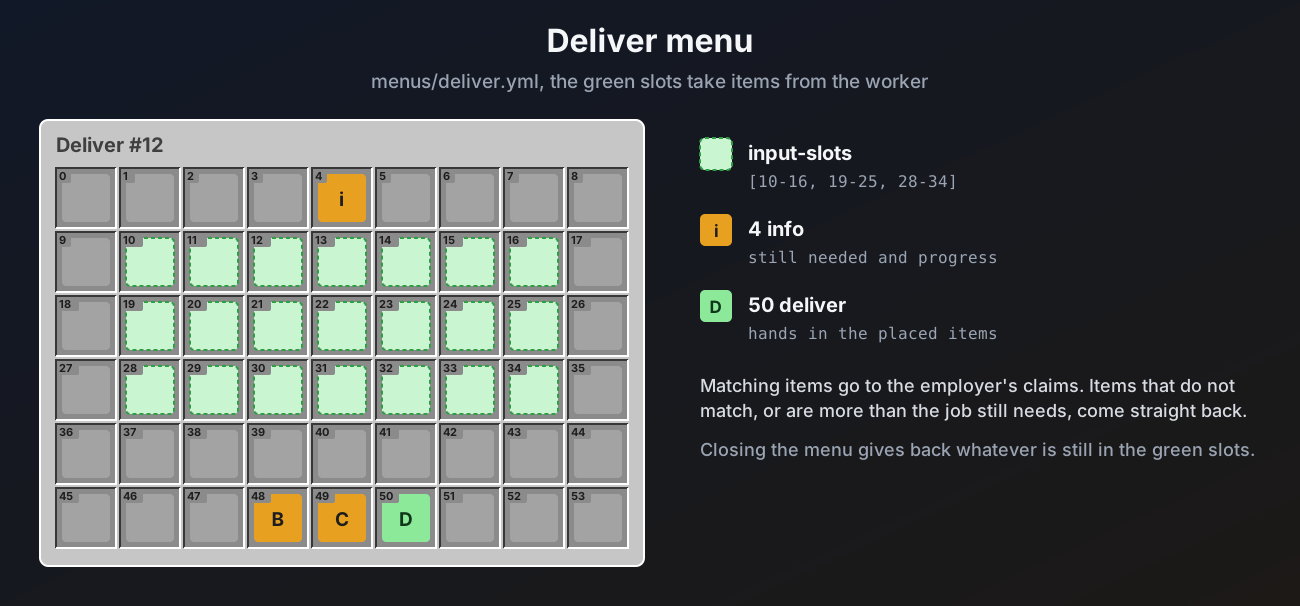
Delivery jobs are GATHER jobs, and any other job whose type is set to mode: DELIVERY (for example a mining job where you hand in the raw iron). See Activity or delivery.
- Collect the items anywhere.
- Open the contract and press Deliver Items.
- Put the items in the empty slots, or shift click them in.
- Press Deliver.
Or skip steps 3 and 4 and press Deliver from Inventory (slot 51 in the default menu). It hands in every matching item from your inventory at once, up to what the job still needs.
What matches is handed in straight to the employer's claims. Items that do not match, or go past what the job still needs, come back to you. You can deliver in as many parts as you like, and the job completes by itself with the last delivery.
An item matches when it is the right material (or the right ItemsAdder or Nexo item), and, unless the job type allows it, is not renamed and not enchanted. See Jobs and job types.
Task jobs
Mining, hunting, farming, fishing, crafting and smelting jobs whose type is in ACTIVITY mode count up while you play. Nothing needs to be handed in until the goal is reached. When it is, you get a message and the job shows Ready to hand in. Open the contract and press Hand In to finish the job and get paid.
A job that is ready to hand in no longer expires, so you do not lose it if you log off.
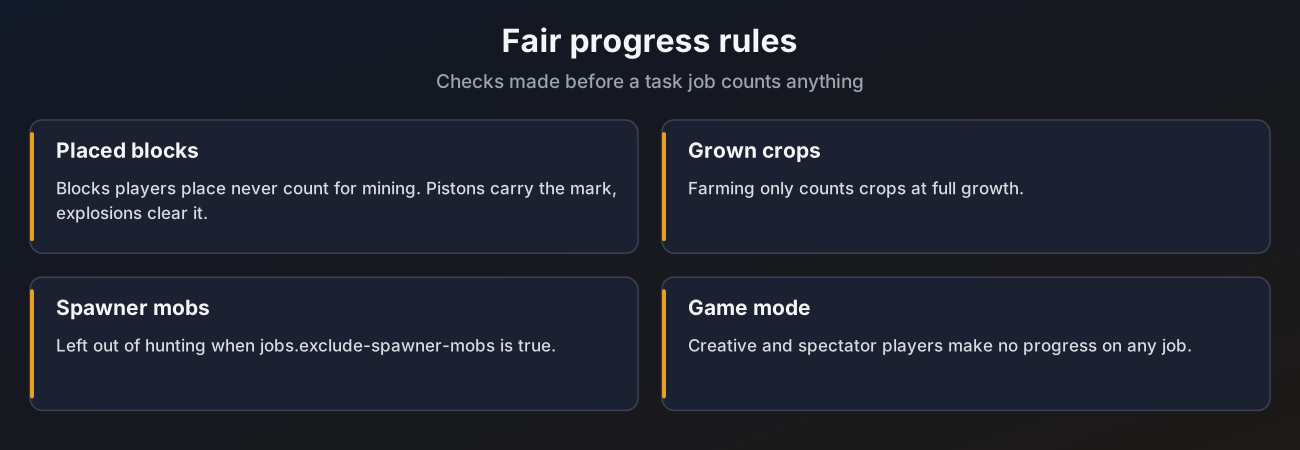
| Goal | Counts | Does not count |
|---|---|---|
| Mining | Each natural block you break | Blocks a player placed (tracked for the blocks your mining job types use) |
| Hunting | Each mob you kill | Spawner mobs, when jobs.exclude-spawner-mobs is true |
| Farming | Each fully grown crop you break | Crops that are still growing |
| Fishing | Every item you reel in, by stack size | |
| Crafting | The items that actually land in your inventory, so shift clicking a stack counts in full | |
| Smelting | Items you take out of a furnace |
Nothing counts in creative or spectator mode. Progress from one action counts toward every matching job you hold.
Deadline warning
When a job you are working on is close to its deadline you get a warning. The time is set by jobs.deadline-warning-minutes (30 by default). If the deadline passes, the job expires, it counts as a failed job for you and the pay goes back to the employer.
Abandoning a job
Open the contract and press Abandon. The job goes back on the job board for someone else, and it counts as a failed job on your profile.
- On a task job, progress resets to zero.
- On a delivery job, items you already delivered stay with the employer and still count, so the next worker only delivers the rest.
Only jobs in progress can be abandoned. A job that is ready to hand in can only be handed in.