
Installation
Requirements, first run, the plugin folder and optional plugins.
Buy links are on the Download page.
Requirements
| Need | Details |
|---|---|
| Server | Paper, Purpur or Folia. Spigot is not supported |
| Minecraft | 1.21.1 and newer, including the 26.x line |
| Java | 21 for 1.21.x servers, 25 for 26.x servers |
| Internet on first start | The server downloads two small libraries (BoostedYAML and HikariCP) the first time HireHall loads |
No other plugins are needed. To pay with money you need one of the supported currency plugins.
Install
Stop the server
Shut it down fully before adding the jar.
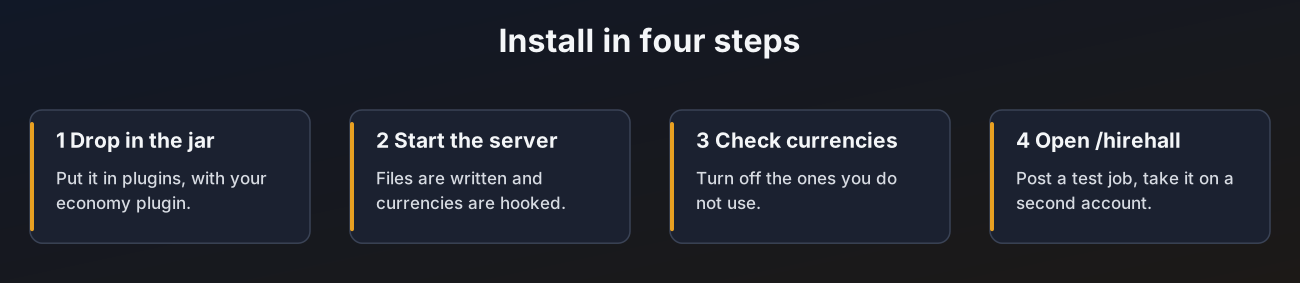
Drop in the jar
Move the HireHall jar into your plugins folder, next to your economy plugin.
Start the server
HireHall writes its files, creates the database and logs a line such as Currencies ready: vault, points. A currency only loads when its plugin is installed, the others are skipped quietly.
Check currencies
Open currencies.yml, set enabled: false on currencies you do not want and check min-pay and max-pay. Run /hirehall admin reload. See Currencies.
Try it
Run /hirehall, post a small job and take it with a second account.
The plugin folder
| Path | What it is |
|---|---|
config.yml | Main settings. See Configuration |
currencies.yml | Every currency players can pay with. See Currencies |
job-types.yml | The job types employers pick from. See Jobs and job types |
lang/ | Message files. See Messages and language |
menus/ | One file per menu. See Menus |
backups/ | Old menus saved by /hirehall admin resetmenus. Only there after you run it |
logs/admin.log | Admin actions. See Admin tools |
data.db | Jobs, claims and stats when using SQLite. See Storage |
Optional plugins
| Plugin | What it adds |
|---|---|
| Vault, PlayerPoints, CoinsEngine, ExcellentEconomy, TokenManager, BeastTokens, GemsEconomy, UltraEconomy, EcoBits | Money payments. See Currencies |
| PlaceholderAPI | The %hirehall_...% placeholders everywhere, other placeholders inside HireHall menus, and the custom currency. See Placeholders |
| ItemsAdder or Nexo | Custom items as job targets and as menu icons. See ItemsAdder and Nexo |
Updating
Replace the jar and restart. New settings are added to config.yml, currencies.yml, job-types.yml, the bundled menus and the bundled language files automatically, your own values stay as they are. New database tables and columns are added on startup too.
Changed your language and want the menus to match? Run /hirehall admin resetmenus, see Menu language.