
Admin tools
The admin menu, inspecting and wiping players, force completing and cancelling jobs, and the admin log.
Admins can step into any job: finish it and pay the worker, cancel it and refund the employer, look at a player's jobs and claims, or wipe a player's HireHall data. All of it needs hirehall.admin, which operators have by default.
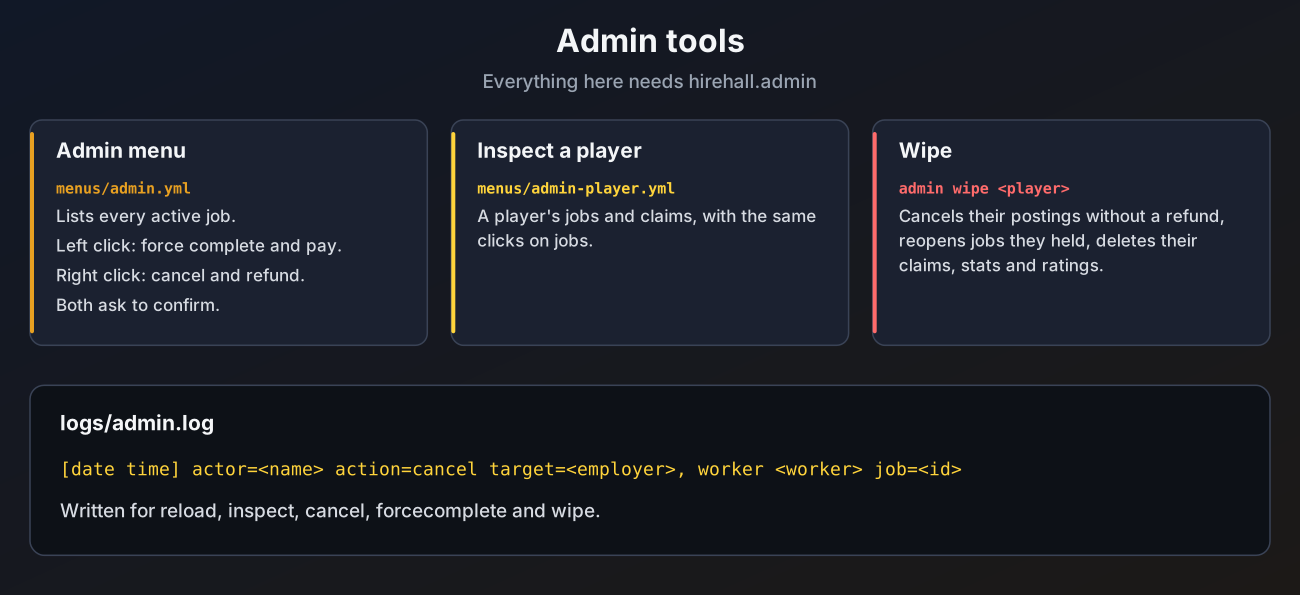
Admin menu
Open /hirehall and click Admin (only shown to admins). It lists every active job.
| Click | Does |
|---|---|
| Left click a job | Force complete: the job completes and the worker is paid. Only for jobs someone is working on |
| Right click a job | Cancel: the job is cancelled and the employer gets the pay back |
| Inspect a Player | Pick an online player to inspect |
| Reload | Reloads the files, like /hirehall admin reload |
Both job clicks ask for confirmation first.
Inspecting a player
/hirehall admin inspect <player>, or Inspect a Player in the admin menu, opens the player's page. It lists every active job they posted, work on or were offered, and all their waiting claims. Jobs there have the same left and right clicks as in the admin menu. The command works for offline players who have used HireHall before.
Force complete and cancel by id
Job numbers show in every job menu (for example Job #12).
/hirehall admin forcecomplete 12
/hirehall admin cancel 12
A # in front of the number is fine. Both commands also work from the console.
- Force complete only works when a worker holds the job. It counts as a completed job for the worker, even if the work was not done.
- Cancel works on any active job, including jobs in progress. The worker (or offered player) is told.
Wiping a player
/hirehall admin wipe <player>, or Wipe Data on the inspect page, asks for confirmation and then:
- cancels every active job the player posted, without a refund
- puts jobs they were working on or were offered back on the job board, resetting task progress
- deletes all their claims, their posted, completed and failed counts, their paid and earned totals, and the ratings they received
Wiping cannot be undone. The pay held for the player's own postings and everything waiting in their claims is deleted.
Reloading
/hirehall admin reload reloads config.yml, currencies.yml, job-types.yml, the language file and all menus, and closes open HireHall menus. Two things need a full restart instead: changes under storage, and jobs.expiry-check-seconds.
Resetting the menus
/hirehall admin resetmenus copies every file in menus/ to backups/menus-<date>, makes a fresh set of the bundled menus in the menu language and reloads. Use it after switching language, or to start over after a menu edit went wrong. See Menu language.
Admin log
When admin-log.enabled is true, every reload, menu reset, inspect, cancel, force complete and wipe is written to plugins/HireHall/logs/admin.log:
[2026-01-15 18:04:22] actor=Steve action=cancel target=Alex, worker Notch job=12
[2026-01-15 18:06:10] actor=Steve action=wipe target=Griefer job=- detail=2 postings cancelled, 1 jobs reopened| Key | What it does | Default |
|---|---|---|
admin-log.enabled | Write the log | true |
admin-log.max-size-kb | Size at which admin.log is renamed to admin.1.log and a new file starts | 512 |
admin-log.keep-files | Old files kept (admin.1.log up to admin.5.log) | 5 |
Actions from the console are logged with actor=CONSOLE.