
Introduction
What HireHall does, how a job plays out, and where to go next.

HireHall lets players hire each other. A player posts a job, the pay is held safely straight away, another player takes the job, does the work and gets paid. Everything happens in menus, so players never have to remember commands.
New here? Start with Installation.
Quick facts
| Server software | Paper, Purpur and Folia |
| Minecraft | 1.21.1 and newer, including the 26.x line |
| Java | 21 for 1.21.x servers, 25 for 26.x servers |
| Required plugins | None |
| Optional plugins | An economy plugin (Vault, PlayerPoints, CoinsEngine and others), PlaceholderAPI, ItemsAdder, Nexo |
| Languages | English, French, Spanish, plus your own |
| Storage | SQLite (default) or MySQL |
Without any currency plugin HireHall still works, jobs can then only pay with items.
How a job plays out
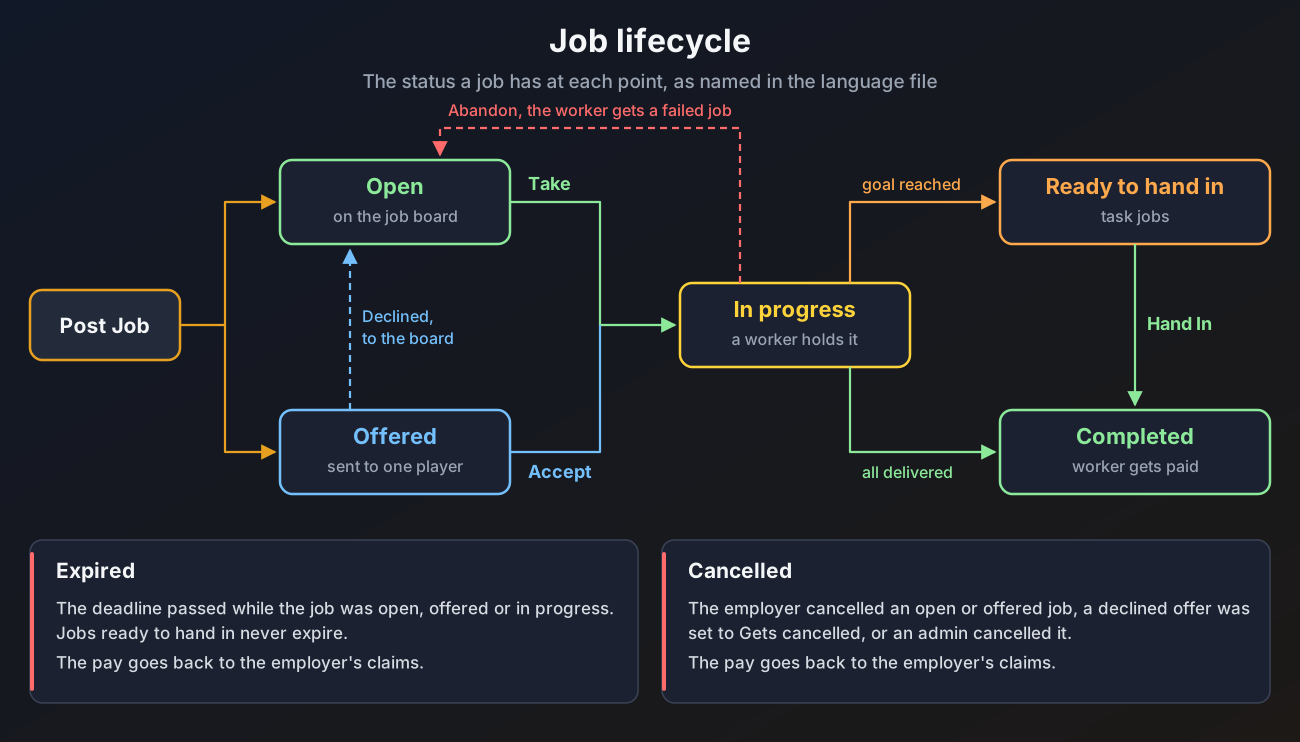
- An employer opens
/hirehall, picks a job type (for example Gather Ores or Hunt Mobs), the target, the amount, the pay and a deadline. - The money and items are taken from the employer at once and held in escrow.
- The job appears on the job board, goes to one player as a direct offer, or opens as a community job that anyone can deliver part of.
- A worker takes the job. Delivery jobs are handed in through a menu, task jobs (mining, hunting, farming, fishing, crafting, smelting) count up by themselves.
- When the work is done the worker is paid through claims. If the job is cancelled or runs out of time, the employer gets the pay back.
- The employer can rate the work from one to five stars, which shows on the worker's profile.
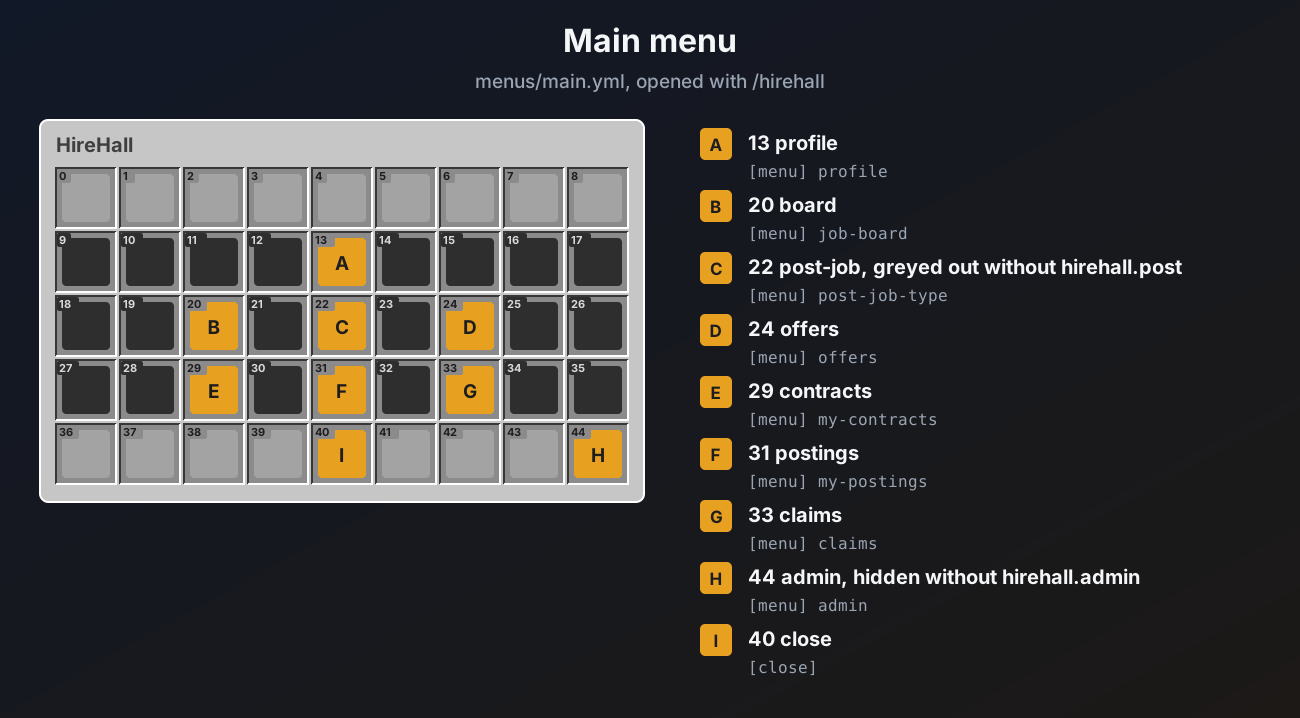
The main menu
Where to go next
Installation
Put the plugin on your server and do the first run.
Jobs and job types
The seven job goals and how to add your own job types.
Community jobs
Orders many players fill together, each paid per unit.
Payments, escrow and claims
Where the money and items go at every step.
Menus
Change any menu, or add your own.