
ItemsAdder and Nexo
Using ItemsAdder and Nexo items as delivery job targets and as menu icons.
When ItemsAdder or Nexo is installed, HireHall can use their custom items in two places: as the target of a delivery job, and as icons anywhere in the menus. Nothing needs to be turned on, HireHall hooks into them by itself on startup.
Item ids
| Plugin | Write it as |
|---|---|
| ItemsAdder | ia:namespace:id or itemsadder:namespace:id |
| Nexo | nexo:id |
As a delivery job target
Custom items work as targets of GATHER job types only:
types:
  gather-gems:
    goal: GATHER
    icon: EMERALD
    name: "<#e8a021>Gather Gems"
    min-quantity: 1
    max-quantity: 256
    targets:
      ruby:
        match: ia:myitems:ruby
        name: "<white>Ruby"
      sapphire:
        match: nexo:sapphire
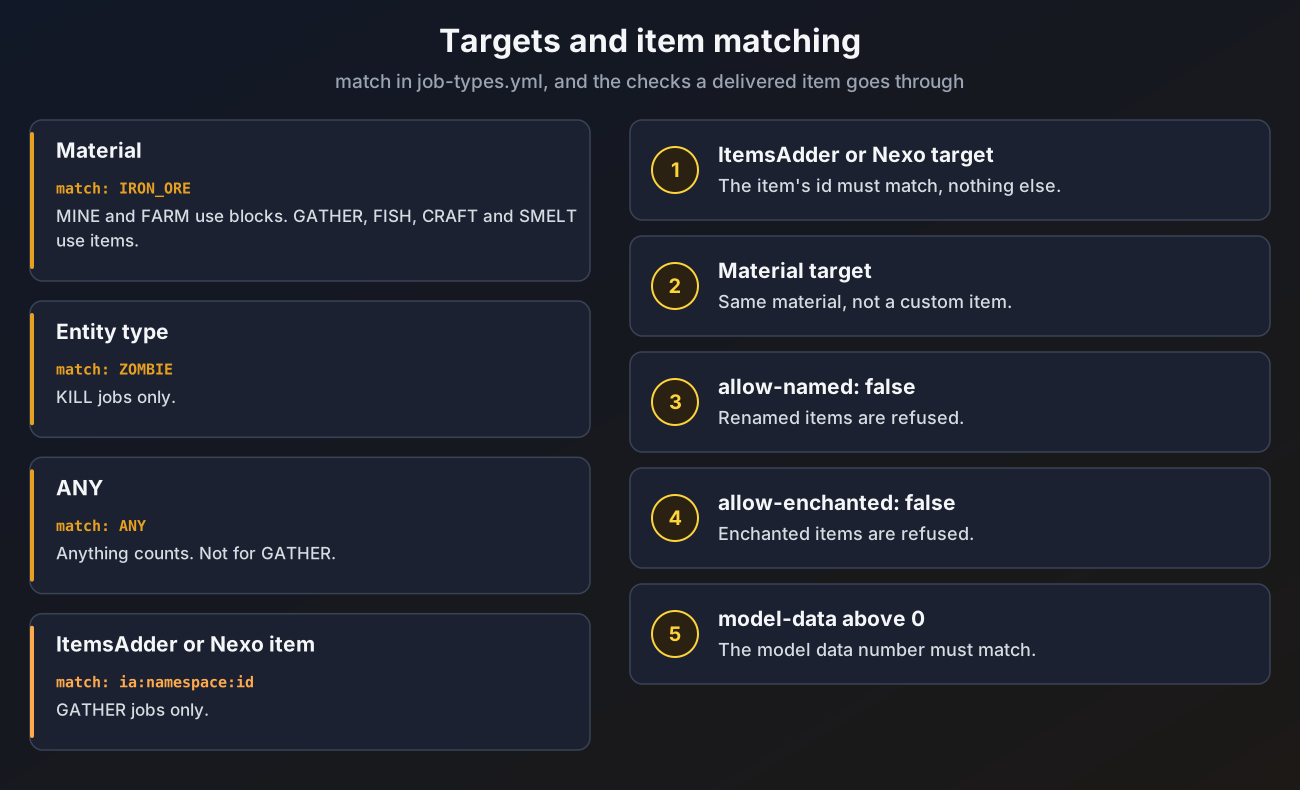
name: "<white>Sapphire"- A delivered item counts when its ItemsAdder or Nexo id is the same as the target. Renaming, enchantments and
model-dataare not checked for custom item targets. - The other way round, a custom item never counts toward a plain material target, even when it is made from that material. A Ruby made from an emerald does not count as an Emerald.
- Mining, hunting, farming, fishing, crafting and smelting jobs cannot use custom items. A custom id on those goals is skipped with a warning.
- The target icon defaults to the custom item itself.
As a menu icon
Any material in a menu file accepts the same ids:
items:
  board:
    slot: 20
    material: "ia:myitems:job_board_icon"
    name: "<#e8a021>Job Board"
Fillers accept them too, for example a custom glass pane.
Loading order
ItemsAdder and Nexo load their items after the server starts. Until they are done, their items show as barriers in HireHall menus. Reopen the menu once they have finished loading.
An id that does not exist shows as a barrier named after the id, with a warning in the console.
Vanilla custom model data
Without either plugin you can still use resource pack models:
modelon menu items and fillers sets the custom model data.model-dataon aGATHERtarget makes deliveries only count items with that exact custom model data.