
Commands
Every player and admin command, what it opens or does, and the permission it needs.
Everything starts from /hirehall, which also works as /hire, /employ and /hh. Most commands open a menu, so players rarely need more than the first one.
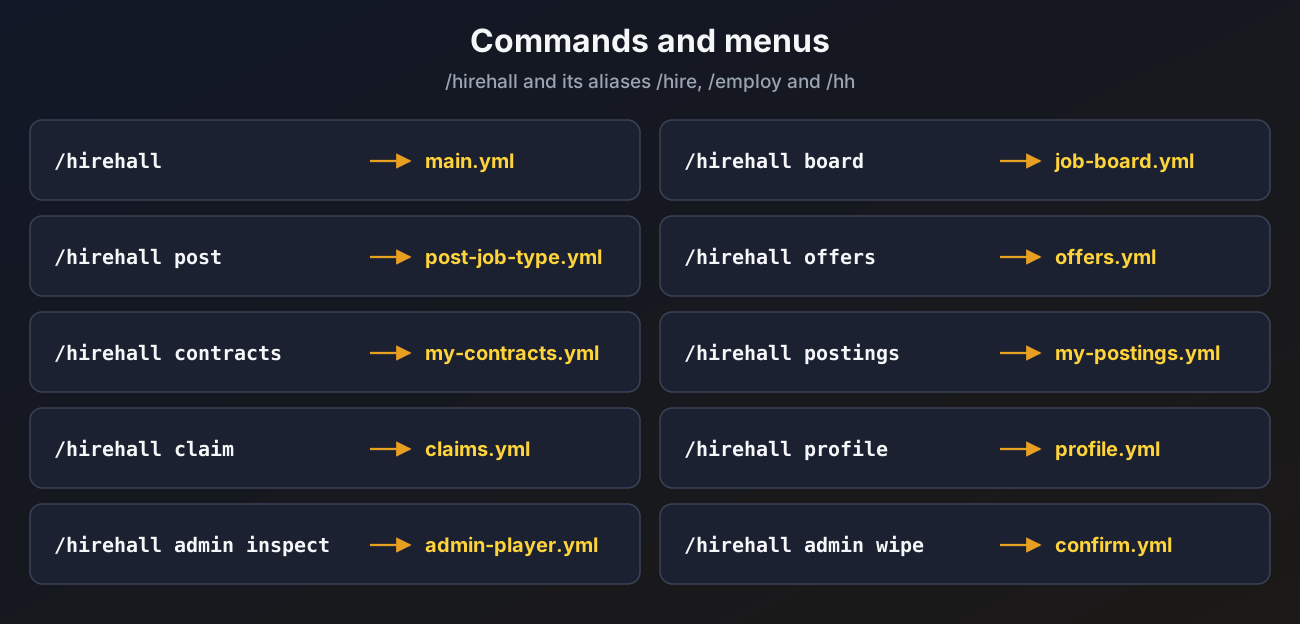
Player commands
| Command | What it does | Permission |
|---|---|---|
/hirehall | Opens the main menu | hirehall.use |
/hirehall board | Opens the job board | hirehall.use |
/hirehall post | Starts posting a job | hirehall.post |
/hirehall offers | Opens jobs offered to you | hirehall.use |
/hirehall contracts | Opens the jobs you are working on | hirehall.use |
/hirehall postings | Opens the jobs you posted | hirehall.use |
/hirehall claim | Opens your waiting payouts. /hirehall claims works too | hirehall.use |
/hirehall profile [player] | Opens your profile, or another player's | hirehall.use, plus hirehall.profile.others for someone else |
/hirehall help [page] | Shows the commands you can use, with clickable page buttons | hirehall.use |
All player commands open menus, so they only work in game.
Admin commands
All need hirehall.admin.
| Command | What it does | Console |
|---|---|---|
/hirehall admin help [page] | Shows the admin commands | yes |
/hirehall admin reload | Reloads config, currencies, job types, language and menus | yes |
/hirehall admin resetmenus | Backs up the menus to backups/menus-<date> and makes fresh ones in the menu language | yes |
/hirehall admin inspect <player> | Opens a player's jobs and claims | no |
/hirehall admin cancel <job id> | Cancels a job and refunds the employer | yes |
/hirehall admin forcecomplete <job id> | Completes a job and pays the worker | yes |
/hirehall admin wipe <player> | Wipes a player's HireHall data, after a confirmation menu | no |
See Admin tools for what each one does in detail.
Tab completion and help
- Tab completion only suggests commands you have permission for. Admin commands complete online player names and active job ids.
- The help pages only list commands you can use. Clicking a command puts it in your chat box.
- All help texts, including the usage lines, are in the language file under
help. See Messages and language.