
Checkout dialogs
The dialog players pay from, the fields it shows, and the chest menu used when a client cannot show dialogs.
When a player clicks an item, Emberstore opens a checkout dialog: a real Minecraft dialog window with the item, the price, optional fields for a code, a gift and a quantity, and one button per payment method. After they choose, a second dialog gives them the payment link.
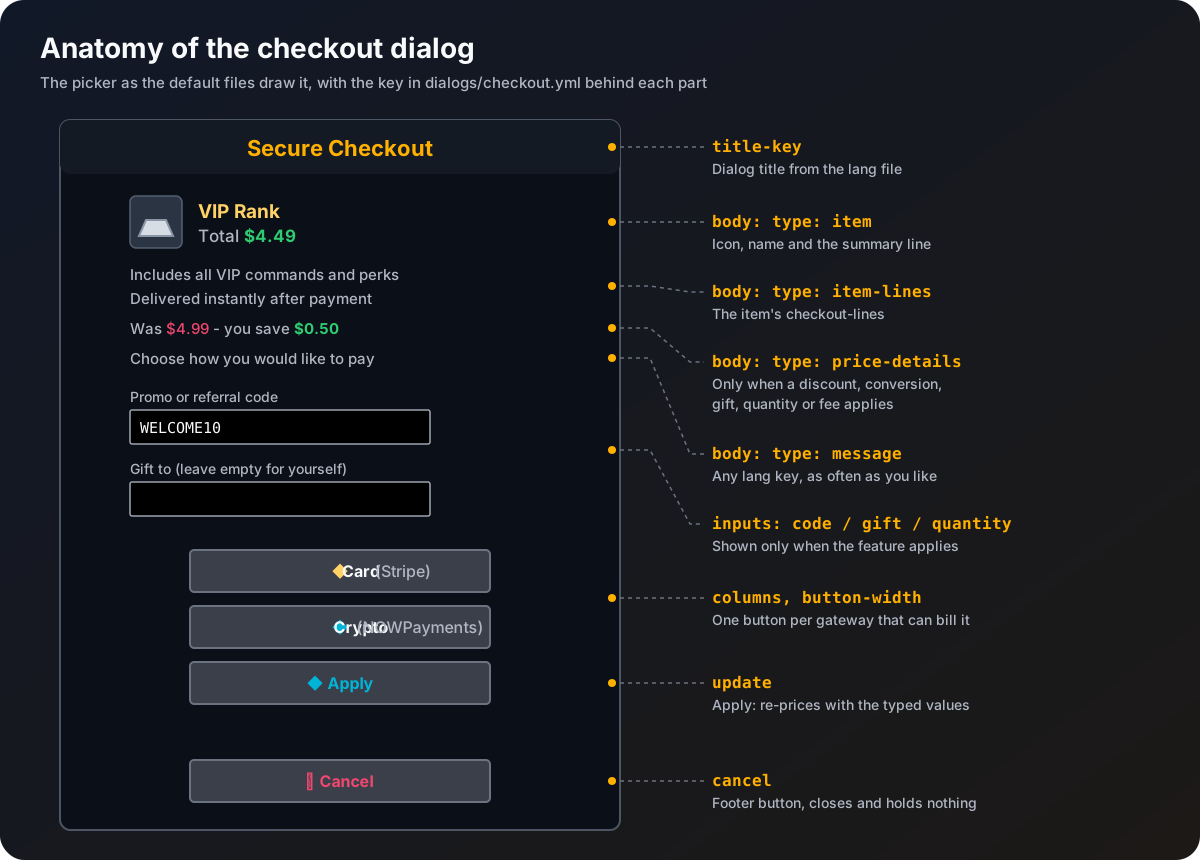
The four dialogs
| Dialog | When it shows | Built from |
|---|---|---|
| Picker | Two or more gateways can bill the item | picker in dialogs/checkout.yml |
| Confirm | Exactly one gateway can bill the item | confirm in dialogs/checkout.yml |
| Pay | The order and its payment link were created | dialogs/pay.yml |
| Error | The gateway refused to create the checkout | dialogs/error.yml |
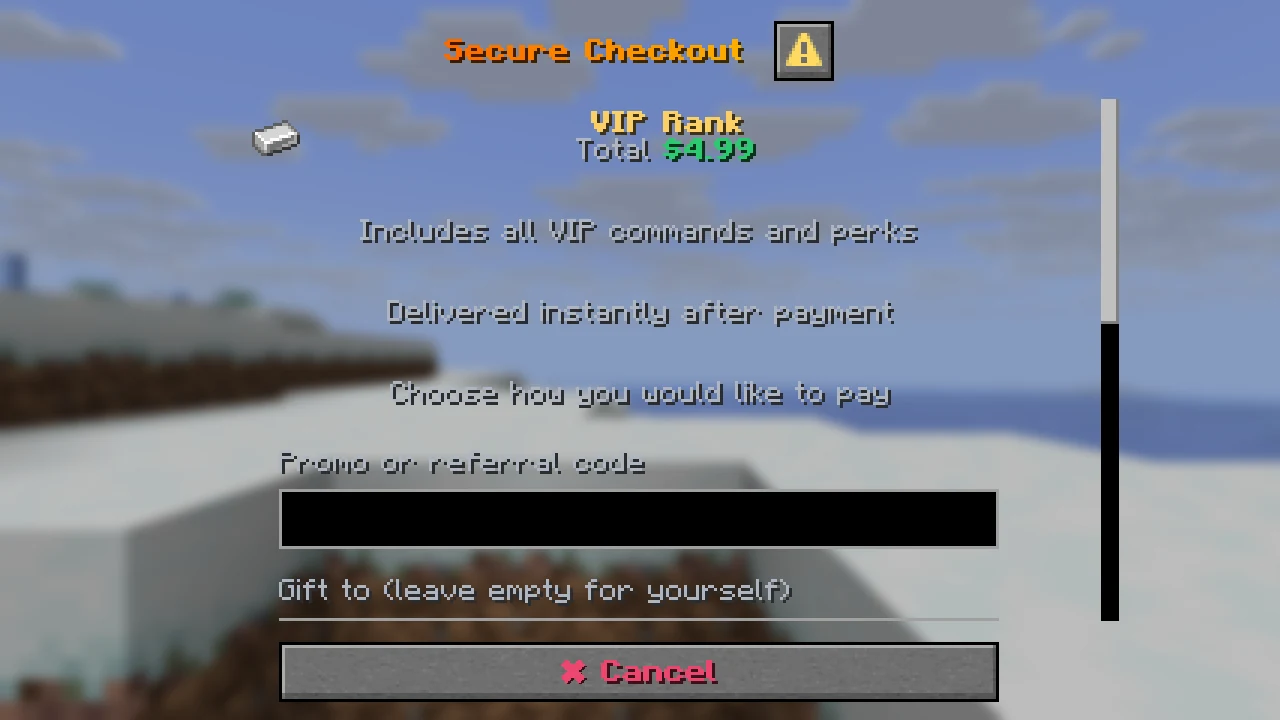
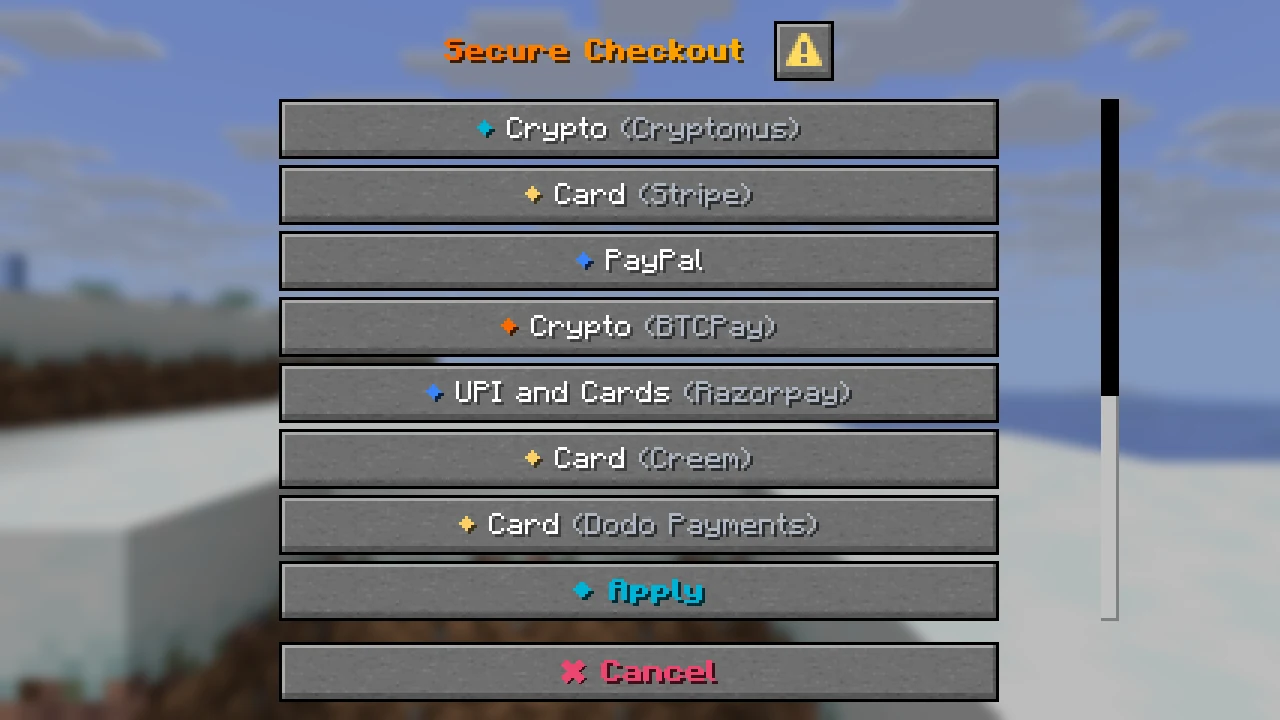
Only gateways that are turned on, have all their keys filled in, and can bill the item's price are listed. With most setups that is two to four buttons, not eleven.
What the player can type
Each field only appears when its feature applies.
| Field | Shows when | Rules |
|---|---|---|
| Promo or referral code | promotions.yml has at least one code, or referrals are on | Letters, digits, _ and -, up to 32 characters. Five wrong codes in a minute and the player has to wait. See Sales, codes and referrals. |
| Gift to | gifts.enabled: true | A player name that has joined this server before. Empty means the buyer. See Stock, limits and gifts. |
| Quantity | The item's max-quantity is above 1 | A slider from 1 to max-quantity. |
The Apply button checks what was typed, works out the new price and shows the dialog again with it. A gateway button does the same checks and then goes on to pay. Anything that is not allowed shows a red line at the top of the dialog with the reason, and nothing is created.
The confirm dialog only has room for two buttons (pay and cancel), so it cannot show Apply. If the player changed a field there, the first click on pay shows the dialog again with the new price, and a second click goes ahead.
After a gateway is chosen
- Emberstore works out the price again from your files (never from anything the client sent), holds the stock, the per-player limit and the code use, and asks the gateway for a payment link.
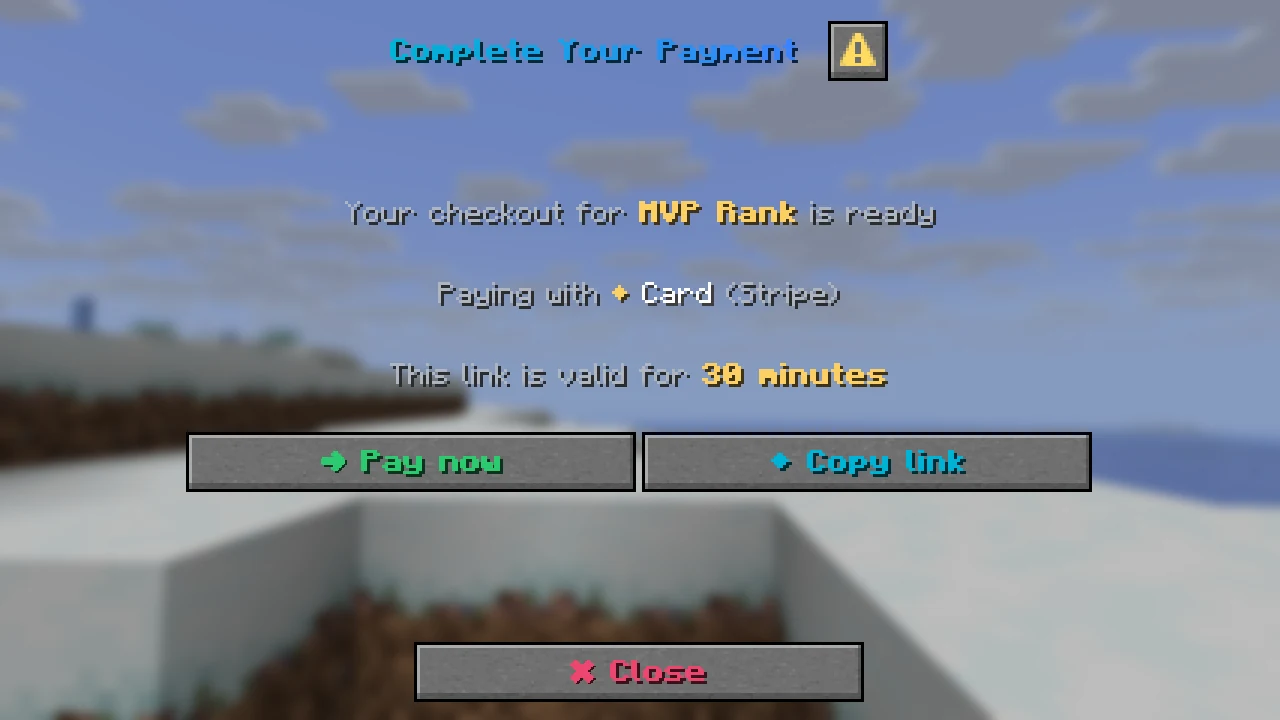
- The pay dialog opens with Pay now (opens the link), Copy link and Close. The same link is sent in chat as well, with how many minutes it stays valid (
checkout.expire-minutes). - If the price came to zero after discounts, no gateway is called and the item is given straight away.
- If the gateway refused, the error dialog opens and the player gets the
purchase.invoice-failedmessage. The order is marked failed and nothing is held.
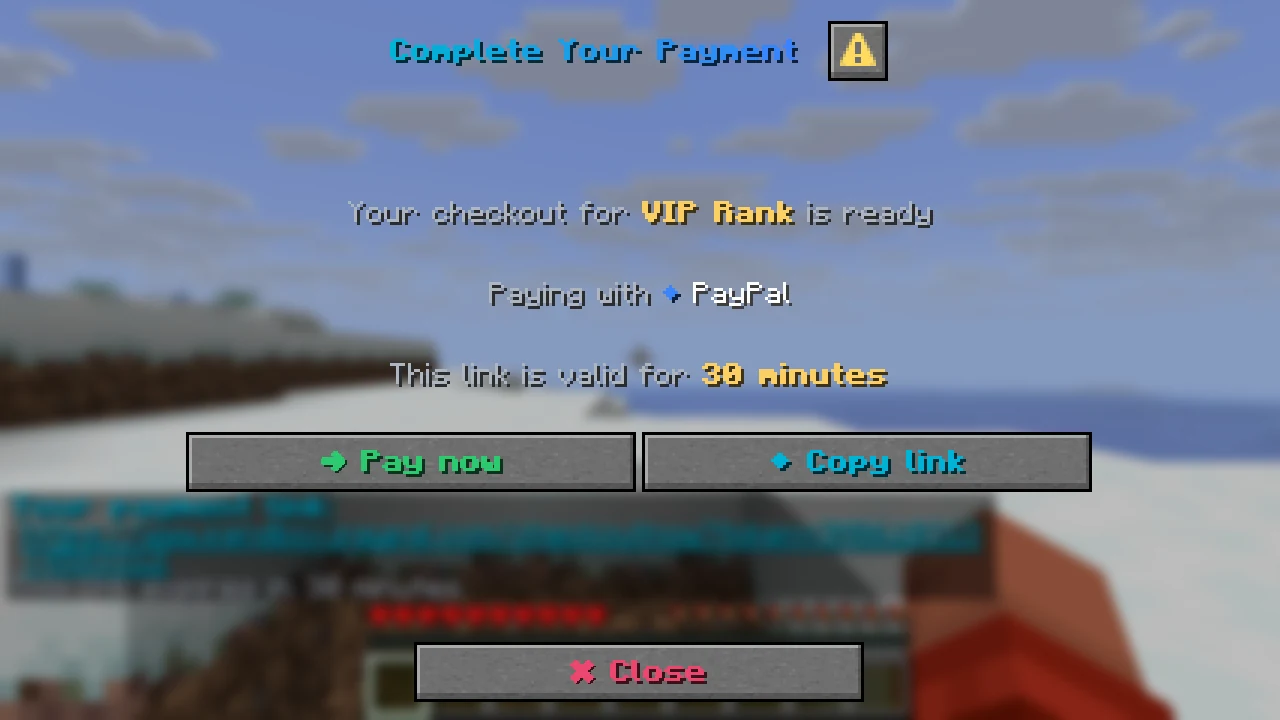
A checkout is only good for five minutes and one use. Buttons from an old or already used checkout do nothing except close the dialog and tell the player to open the store again.
The chest menu fallback
Some players cannot see dialogs. They get a chest menu titled "Choose how to pay" instead, with one icon per gateway (the gateway's icon material from config.yml) and a barrier to close. With only one gateway the menu is skipped and the link is sent straight away.
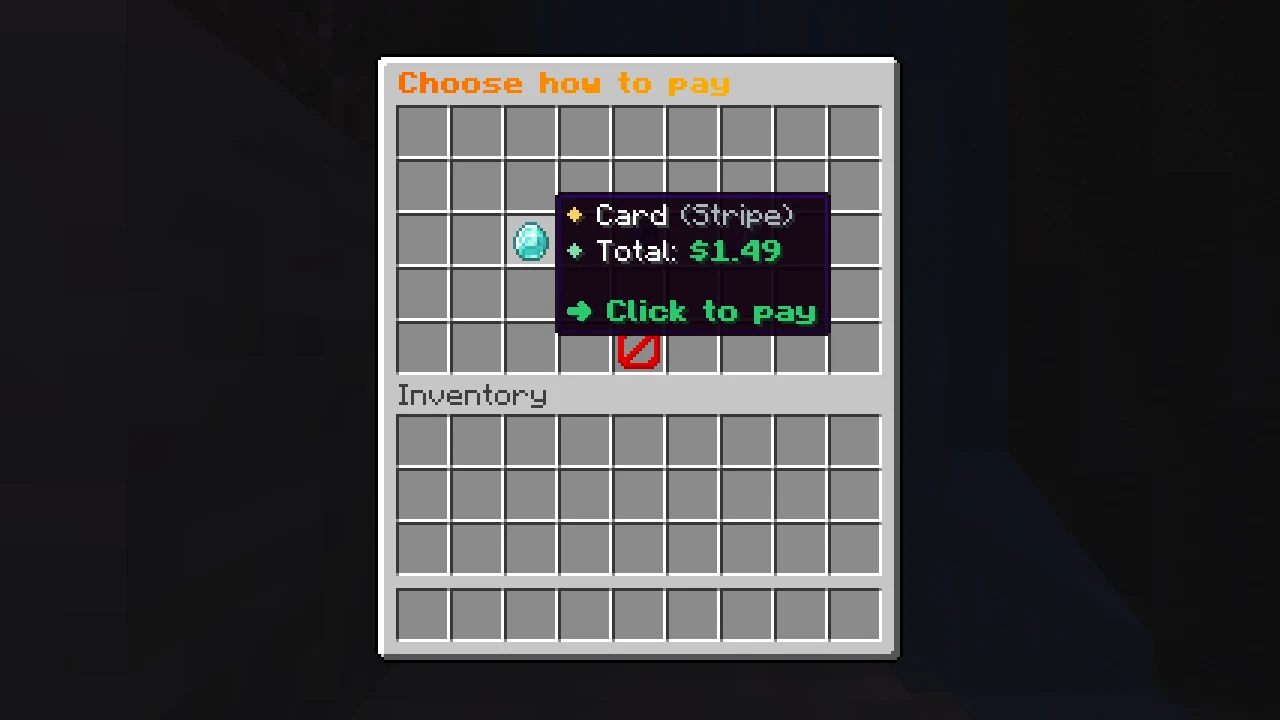
A player gets the menu when:
checkout.use-dialogsisfalseinconfig.yml, or- they play on Bedrock through Geyser or Floodgate, or
- ViaVersion reports a client older than 1.21.6.
The menu has no fields, so these players buy one of the item for themselves. They can still use a code: /store code <code> saves it for their next checkout.
Changing how the dialogs look
Every word is in the language file and every layout choice is in the dialog files. See Dialog files and Messages and language. To check a change, run /store admin reload and then /store admin preview picker (or confirm, pay, error). Preview uses sample data and its buttons only close the dialog.