
Commands
Every player and admin command, what it does and the permission it needs.
Everything is under one command, /store. Tab completion covers every subcommand and argument, including category and item names, gateway ids, recent order ids and subscription ids.
Player commands
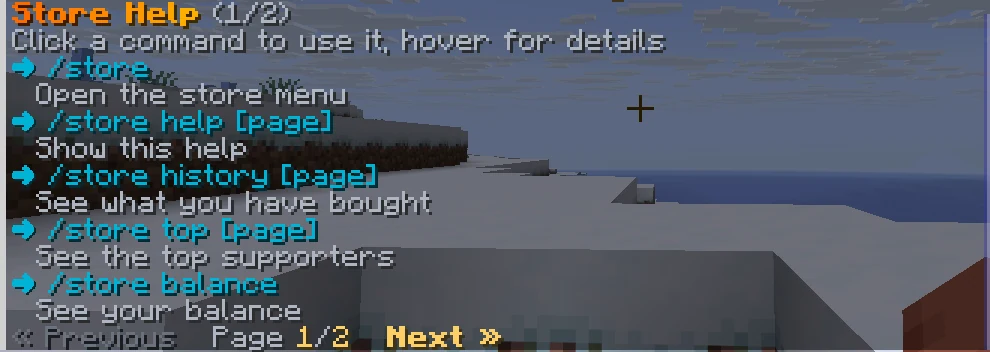
All need emberstore.use, which everyone has.
| Command | What it does |
|---|---|
/store | Opens the store menu. |
/store help [page] | Help for the commands you can use. |
/store history [page] | Your own purchases, newest first. |
/store top [page] | Top supporters, ranked by what they spent at list price. Test, refunded and disputed orders are left out. |
/store balance | Your Vault balance, when Vault is installed. |
/store code <code> | Saves a promo or referral code for your next checkout. |
/store referral | Shows your referral code and how often it was used, when referrals are on. |
/store subscriptions | Your subscriptions and timed items, with renew and cancel controls. |
/store subscriptions renew <id> | Starts a checkout to extend a timed item you bought. |
/store subscriptions cancel <id> | Cancels a recurring subscription. It keeps working until its paid time ends. |
Admin commands
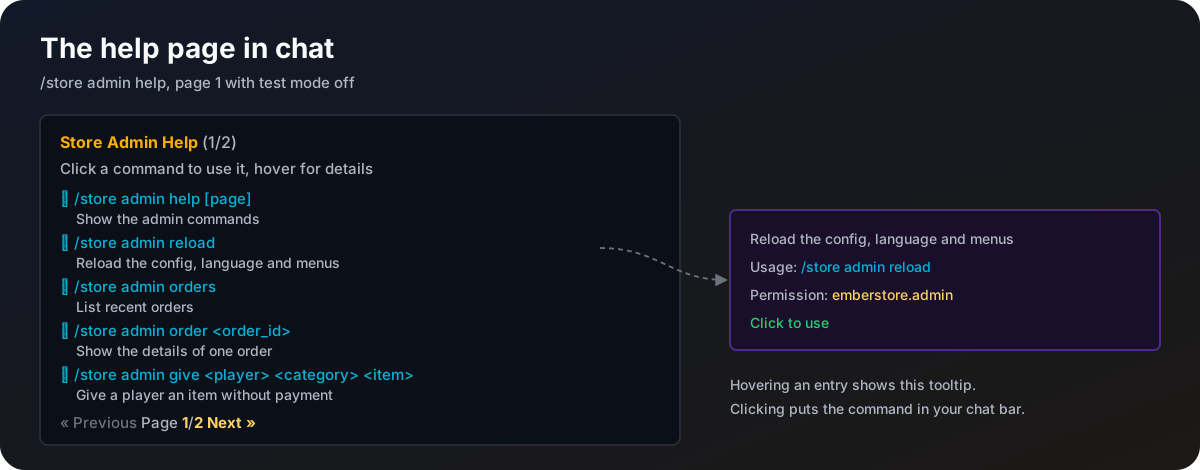
All need emberstore.admin. Bare /store admin shows the admin help.

| Command | What it does |
|---|---|
/store admin help [page] | Help for the admin commands. |
/store admin reload | Reloads config.yml, the language file, dialogs, promotions and every category file. |
/store admin orders [page] | Recent orders with player, item, price, gateway and status. Click an id for details. |
/store admin order <order_id> | Everything about one order: amounts, rate, code, sale, gateway ids, subscription, take-back and server. |
/store admin give <player> <category> <item> | Gives an item without payment, logged as given by staff. Timed items start their timer. |
/store admin refund <order_id> [local] | Refunds a completed order and takes the reward back. See Refunds. |
/store admin stats [days] | Sales for the last 30 days (or the days given): orders, revenue per currency and per gateway, best sellers, refunds, disputes and orders needing review. |
/store admin stock [category] [item] | Total, sold, reserved and left for every item with a stock limit. |
/store admin dashboard [revoke] | Sends a one-time login link for the web dashboard. revoke ends every session and cancels unused links. |
/store admin preview <dialog> | Shows picker, confirm, pay or error with sample data. Players only. |
/store admin simulate <order_id> <status> | Test mode only. Pushes a fake status for a test order. See Test mode. |
/store admin webhook-selftest [gateway] | Test mode only. Checks your public webhook address. |
The two test commands are only listed in help while test mode is on.
Order ids are long. Anywhere a command takes one, the first six or more characters are enough when only one order matches.
How the help works
- Each entry shows the usage and a short description. Hover for the permission, click to use it.
- Commands that only show something (
/store,history,top,orders,statsand so on) run when clicked. Commands that change things (reload,give,refund) are put in your chat bar for you to finish. - You only see the commands you are allowed to use.
help.entries-per-page(5) sets how many commands a page holds.- The console gets one plain page of everything it can run.
/store,history,balance,code,referral,subscriptionsandprevieware for players only.