
Test mode
Try the whole purchase flow without real money, push fake payment statuses and check your webhook address.
Test mode lets you run real purchases through the real reward code without paying. Orders are tagged as tests, and two admin tools let you pretend to be the gateway and check that gateways can reach you.
test-mode:
  # Turns on the admin test tools. Keep false on a live store
  enabled: false
  # Skip the gateway call and hand out a dummy checkout link
  fake-invoices: false
What changes while it is on
- The console warns that test mode is on at every start and reload.
- Every new order is a test order.
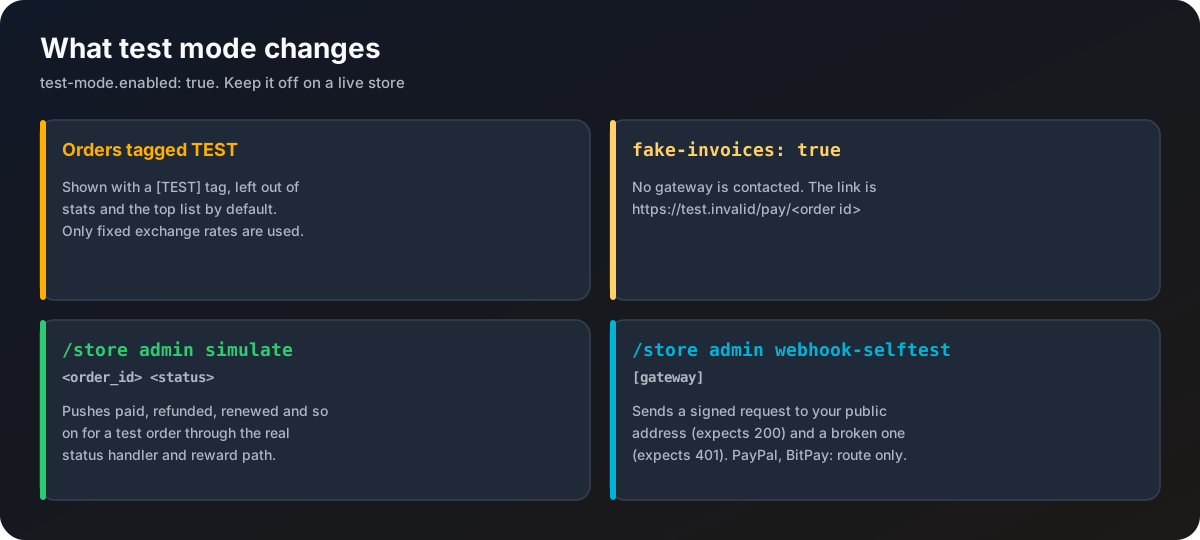
/store admin ordersand/store admin ordershow a[TEST]tag, Discord embeds end with[TEST], and the purchase log saysTEST. Test orders are left out of/store admin stats,/store history,/store topand the dashboard figures (the dashboard has a switch to show them). - Only
fixed-ratesare used for currency conversion. No rate source is contacted. - With
fake-invoices: true, no gateway is contacted. The payment link ishttps://test.invalid/pay/<order id>and everything else works as normal. Withfalse, the real gateway (or its sandbox) is used, which is how you test a gateway's own test mode.
A full test run
Turn it on
Set enabled: true and fake-invoices: true, then /store admin reload. You still need at least one gateway turned on with its keys filled in, because only listed gateways are offered at checkout.
Buy something
Open /store and buy an item. You get the pay dialog with a test link. Do not open it.
Mark it paid
Run /store admin orders, copy the order id, then:
/store admin simulate <order_id> paidThe reward runs exactly as for a real payment. Run it again and nothing happens, which is the point.
Try the rest
simulate <order_id> refunded takes the reward back. Try a gift, a code, a timed item, or log off before simulating to see offline delivery.
/store admin simulate
/store admin simulate <order_id> <status>Pushes a made-up status through the same handler that real webhooks use. Statuses: pending, confirming, paid, partial, failed, expired, refunded, disputed, renewed, cancelled. It only works while test mode is on, and only on test orders. Real orders are refused.
/store admin webhook-selftest
/store admin webhook-selftest [gateway]Checks that your public webhook address really reaches the listener. For each enabled gateway (or just the one you name), it sends a correctly signed, harmless request to <webhook.public-base-url>/webhook/<id> and expects a 200 answer, then the same request with a broken signature and expects a 401. PayPal and BitPay check their messages by asking the gateway, so for them only the route is tested.
A failure usually means public-base-url is wrong, the reverse proxy does not pass /webhook/ through, or a firewall blocks it.
Turn test mode off before taking real payments. Orders made while it was on stay test orders.