
Store menus and categories
How the store menu and category menus are built from your category files, and what players can do in them.
Players browse your store in plain chest menus. Every file in plugins/Emberstore/categories/ is one category, so you organise the store by adding, renaming or deleting files. Nothing about the menus is hard-coded.
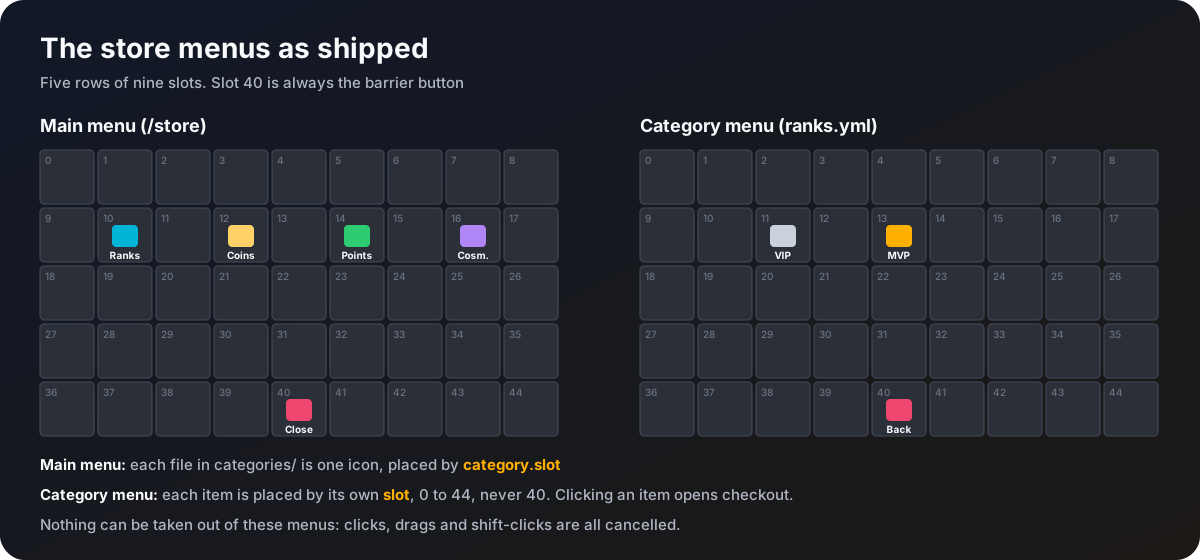
The main menu
/store opens the main menu. It is always five rows (45 slots).
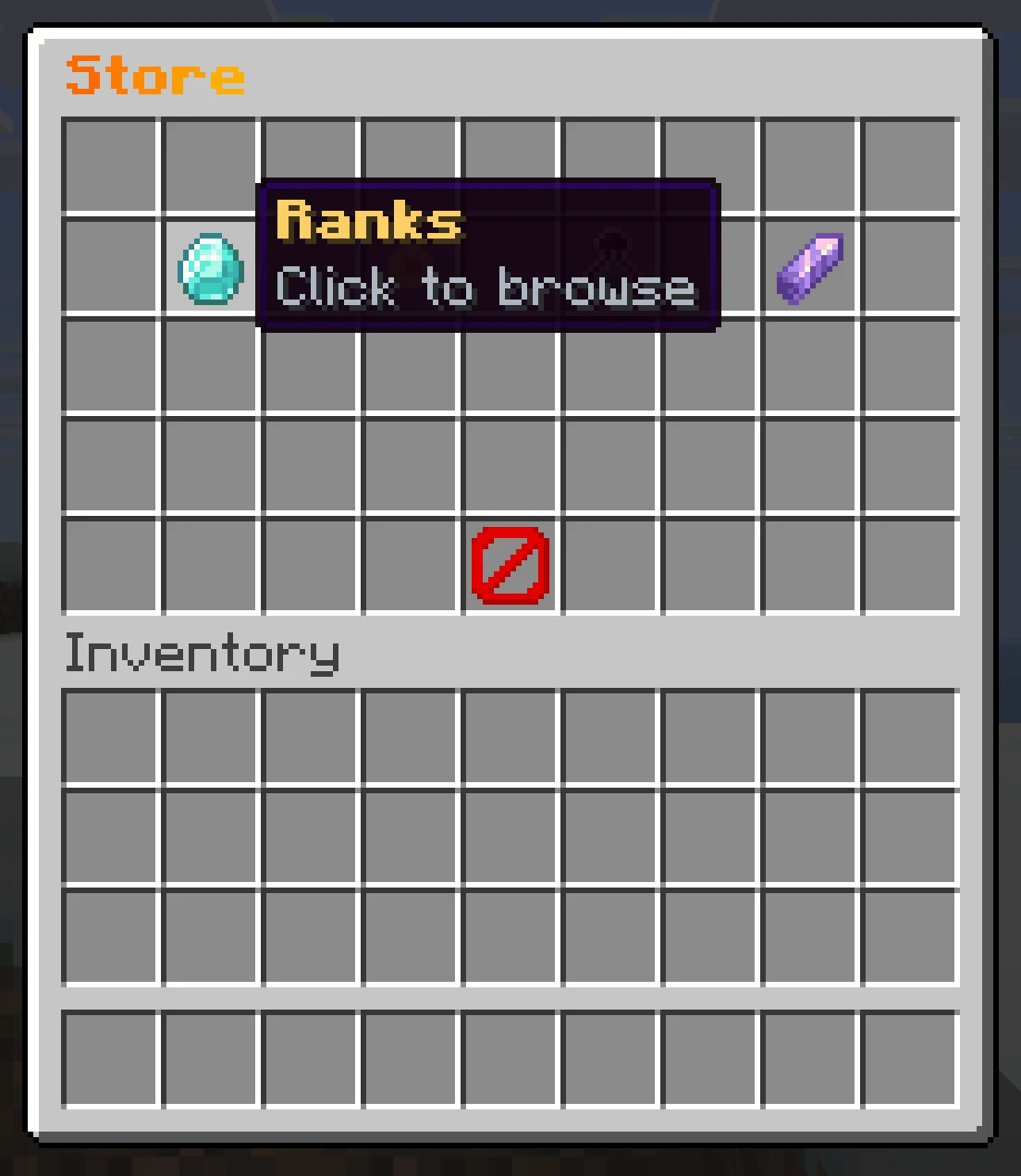
- Each category file puts one icon in the menu, at the
slotset in itscategorysection, with itsdisplay-nameandiconmaterial. - The lore under every category icon comes from
menu.category-lorein the language file. - Slot 40 is a barrier that closes the menu.
- The menu title is
menu.main-titlein the language file.
Category menus
Clicking a category opens its own menu, also five rows.
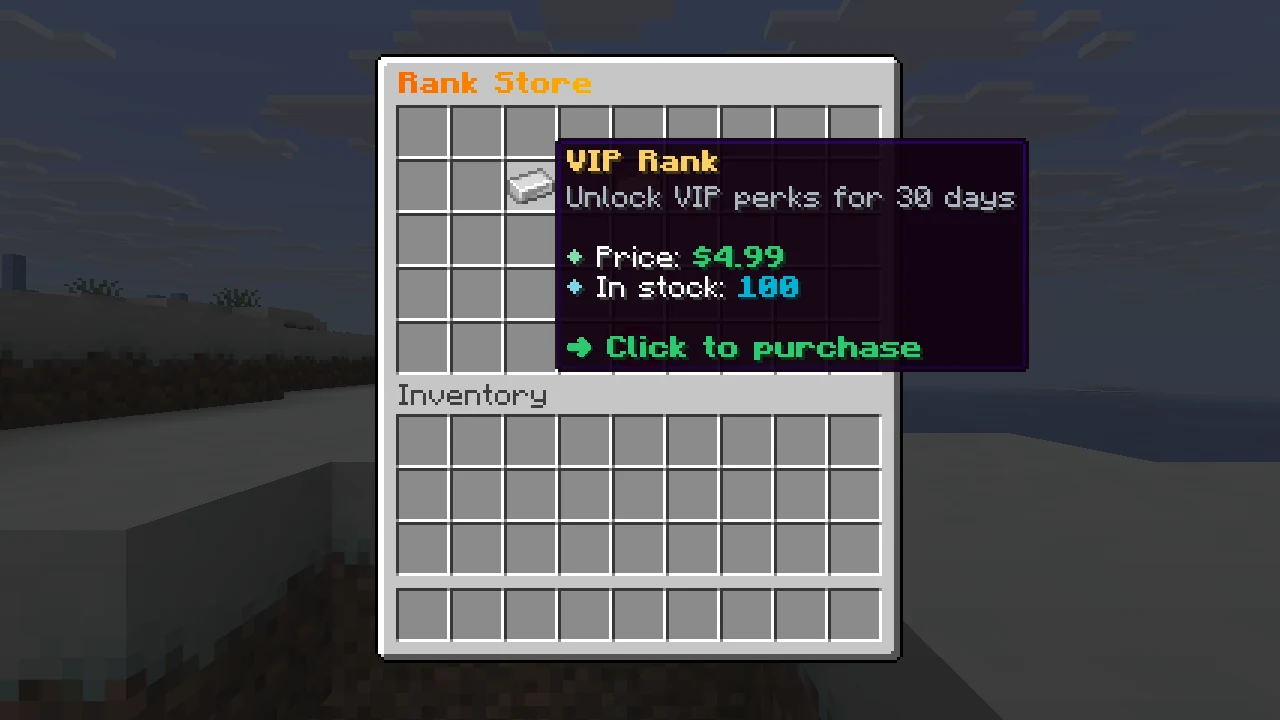
- Each item sits at its own
slot(0 to 44, but never 40). - The menu title is the category's
menu-title. - Slot 40 is a barrier that goes back to the main menu.
- Lore can show the price, the price before a sale and the stock left, through
<price>,<old-price>and<stock>. See Category files. - A sold-out item shows the
menu.sold-outtext in place of the stock. Clicking it sends thepurchase.sold-outmessage and nothing opens.
Clicking any other item closes the menu and opens checkout. See Checkout dialogs.
Nothing can be taken out
Clicks, shift-clicks, drags and hotbar swaps inside these menus are all cancelled. Items in the player's own inventory are not touched.
Adding a category
Copy a file
Copy one of the template files in categories/, for example coins.yml, and give it a new name such as crates.yml. The file name is used as the category's key in commands such as /store admin give <player> crates <item>, so keep it short.
Give it a free slot
Change category.slot to a slot no other category uses. Two categories with the same slot means the second one is skipped with a console warning.
Fill in the items
Edit the items section. Every key in it is one item. See Category files for every option.
Reload
Run /store admin reload. The console lists every category it loaded, with each item and its price.
An item with a mistake in it (no price, a slot already taken, an unknown material, a reward type that is not command or economy) is skipped and the console says exactly why. The rest of the file still loads.