
Staff Tools
The toolbar items handed out in staff mode and what each one does on right click
Staff mode gives you a hotbar of tools. Each one is a normal item with a hidden tag, so you can rename it, move it or swap its material without breaking it.
The toolbar at a glance
| Item key | Default slot | Default material | Right click does |
|---|---|---|---|
compass | 0 | COMPASS | Opens the teleport menu |
freeze | 1 | PACKED_ICE | Toggles freeze on the player you are looking at |
inspect | 2 | CHEST | Opens that player inventory, or their ender chest while sneaking |
reports | 4 | BOOK | Opens the reports menu |
vanish | 6 | LIME_DYE or GRAY_DYE | Toggles your vanish |
cps | 7 | DIAMOND_SWORD | Starts or stops watching a player clicks per second |
fly | 8 | FEATHER | Toggles your flight |
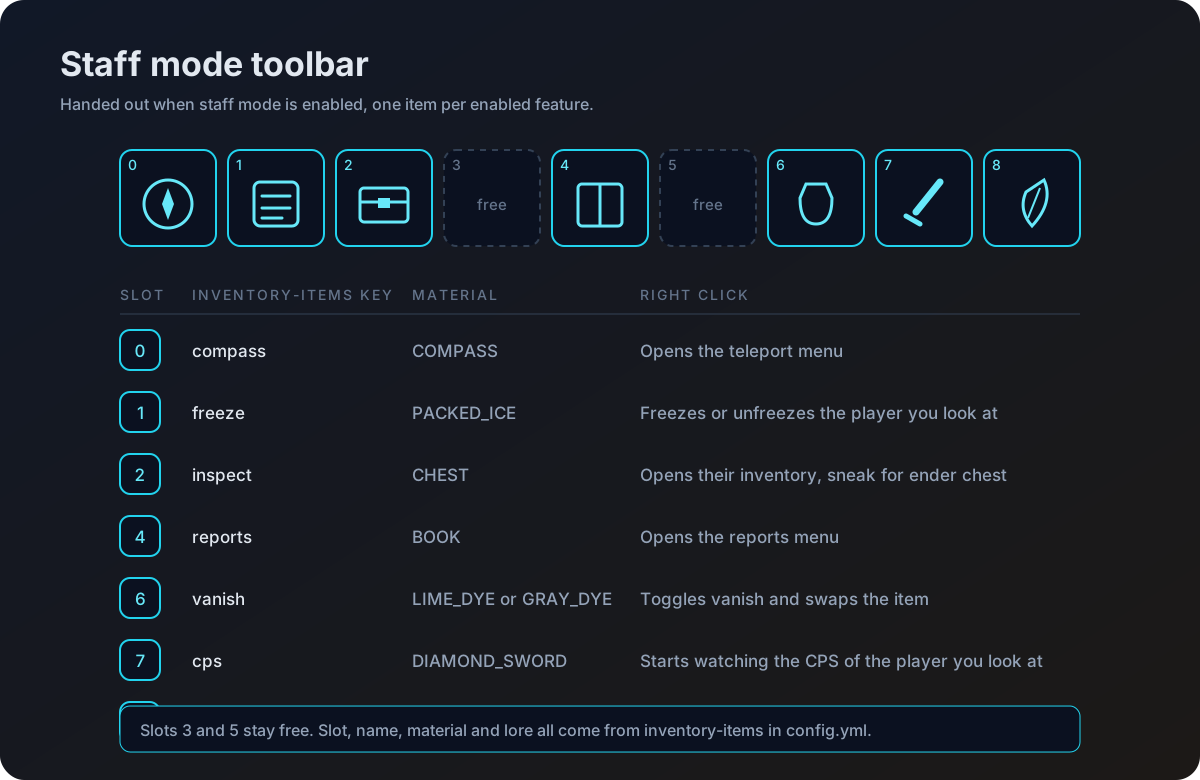
Only enabled features are handed out. If a tool is missing from the hotbar, check the preset and feature switches on Staff Mode.
How the items work
Every tool is tagged with a persistent data key when it is created. That tag, not the name or the material, is what the plugin looks for. Renaming an item or dragging it to another slot keeps it working.
Tools fire on right click only, either right click air or right click block, and only from the main hand. Left clicking a tool does nothing.
Changing an item
Each tool reads its slot, material, name and lore from inventory-items.<key> in config.yml.
inventory-items:
compass:
slot: 0
name: '�FFFFTeleport Tool'
material: COMPASS
lore:
- '&7Right click to open'
- '&7teleport menu'The vanish item is the one exception. It has an enabled and a disabled block, because it swaps appearance as you toggle.
inventory-items:
vanish:
slot: 6
enabled:
name: '�FF00Vanish: Enabled'
material: LIME_DYE
lore:
- '&7You are currently &avanished'
disabled:
name: '&#FF0000Vanish: Disabled'
material: GRAY_DYE
lore:
- '&7You are currently &cvisible'Teleport tool
Right click the compass to open the teleport menu. Player heads fill the top of the menu, 36 per page, and the bottom row holds the controls.
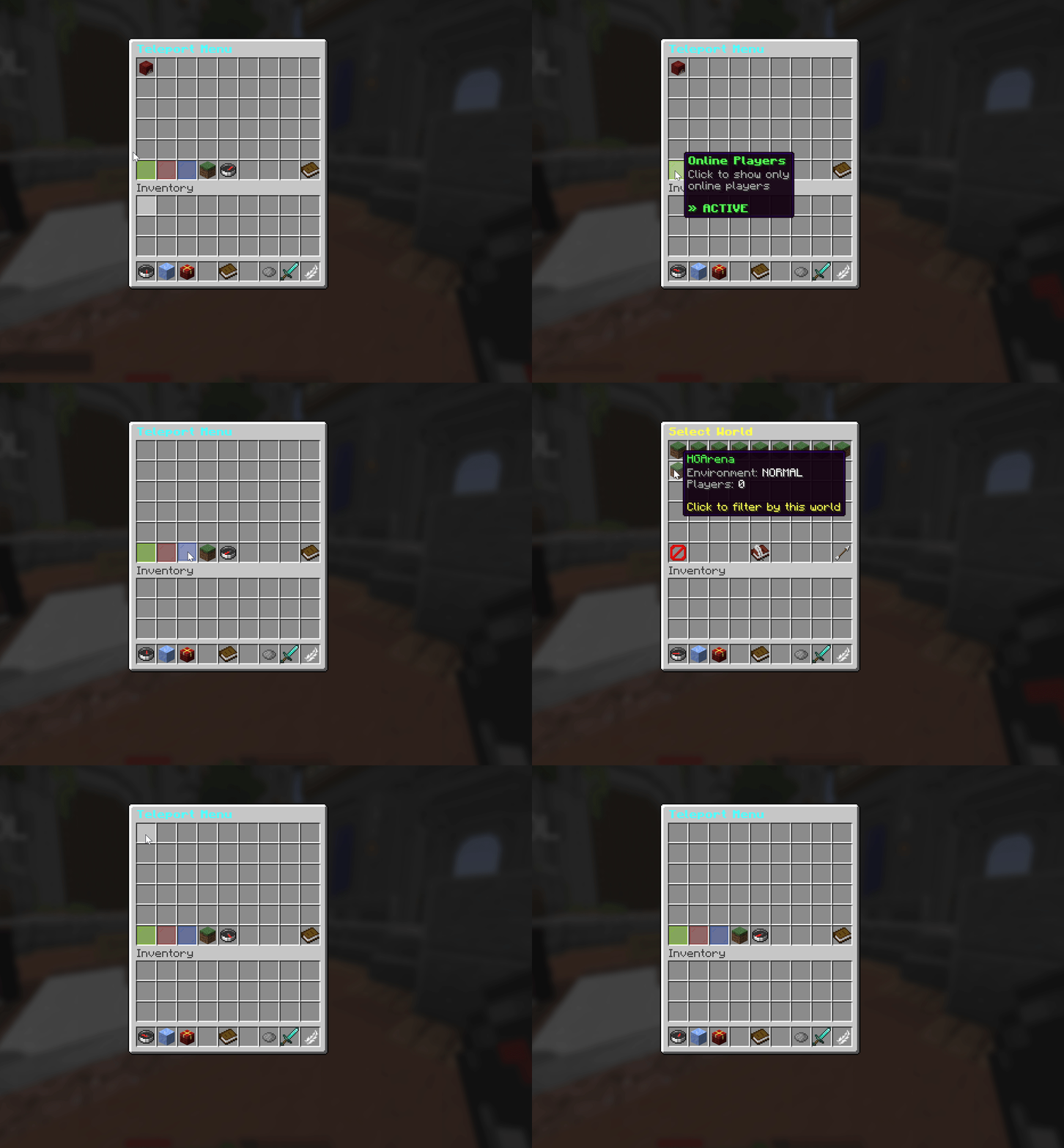
Browse all online players with world and status filters for quick navigation.
| Slot | Control |
|---|---|
| 45 | Show online players |
| 46 | Show offline players |
| 47 | Show everyone |
| 48 | World filter, shift click to reset to all worlds |
| 49 | Search by name, typed in chat |
| 51 | Previous page |
| 52 | Next page |
| 53 | Info about the current view |
Clicking an online player teleports you to them. Clicking an offline player teleports you to their last known location and confirms it with the teleport.offline-success message. Slot 49 asks you to type a name in chat, prompted by teleport.search-prompt.
The offline list is written to storage as players quit, so it survives a restart. It is complete from the moment the server is up rather than filling in slowly over a session.
Two details are worth knowing about the offline list.
- If a staff member logs out while in staff mode, the location saved is where they were before they entered staff mode. You arrive where they actually were, not at whatever spot staff mode took them to.
- A saved location in a world that no longer exists is skipped, so a deleted world does not put a broken entry in the menu.
See Storage for where the list is kept on each backend.
Freeze tool
Look at a player within 100 blocks and right click the packed ice. If they are not frozen they become frozen, and if they already are they are released. The full behaviour, the on screen spam message and the log out punishment are covered on Freeze.
Inspect tool
Right click a player while holding the chest to open their inventory. Sneak and right click to open their ender chest instead.
The view refreshes roughly every half second, and any edit you make is pushed straight to the player.
Editing requires atstaffmode.inventory.modify. Without it the menu opens read only and every click is cancelled.
Menu layout for the inventory view
| Slot | Contents |
|---|---|
| 0 to 35 | The player main inventory |
| 45 | Boots, accepts boots only |
| 46 | Leggings, accepts leggings only |
| 47 | Chestplate, accepts a chestplate or an elytra |
| 48 | Helmet, accepts a helmet, a head, a skull or a carved pumpkin |
| 49 | Off hand |
| 50 to 52 | Filler panes |
| 53 | Info head showing health, food, level and game mode |
The ender chest view shows the 27 ender chest slots.
Telling the player
inventory-inspection:
  send-inventory-msg: true
With this on, the player is told in chat whenever a staff member takes an item from or places an item into their inventory. Those same actions are also sent to the inventory webhook when it is switched on, see Discord Webhooks.
CPS checker
Right click the diamond sword while looking at a player to start watching their clicks per second on your action bar. Full details are on CPS Checker.
Reports book
Right click the book to open the reports menu. See Reports.
Vanish dye
Right click the dye to toggle vanish. The item swaps between its enabled and disabled appearance as you do. See Vanish.
Fly toggle
Right click the feather to switch your own flight on or off.