
Freeze
Lock a suspected cheater in place, talk to them privately, and punish them if they log out
Freeze stops a player moving so you can question them or run a screen share check without them running off, logging out, or hiding evidence. The frozen state is stored, so it survives a rejoin and a server restart.
Freezing a player
You have three ways in.
/freeze <player>
Toggles freeze on and off. Needs atstaffmode.freeze.
Freeze tool
The freeze item in the staff toolbar. Right click a player to toggle their freeze state.
/freezedebug <player>
Freezes a player even when they would normally be protected. Needs atstaffmode.debug.freeze.
A player who holds atstaffmode.bypass.freeze cannot be frozen by /freeze or the freeze tool. The staff member who tried gets told so, and nothing happens to the target. /freezedebug skips that check, which is what makes it useful for testing your own setup on another staff member.
See Permissions for the full node list.
What a frozen player cannot do
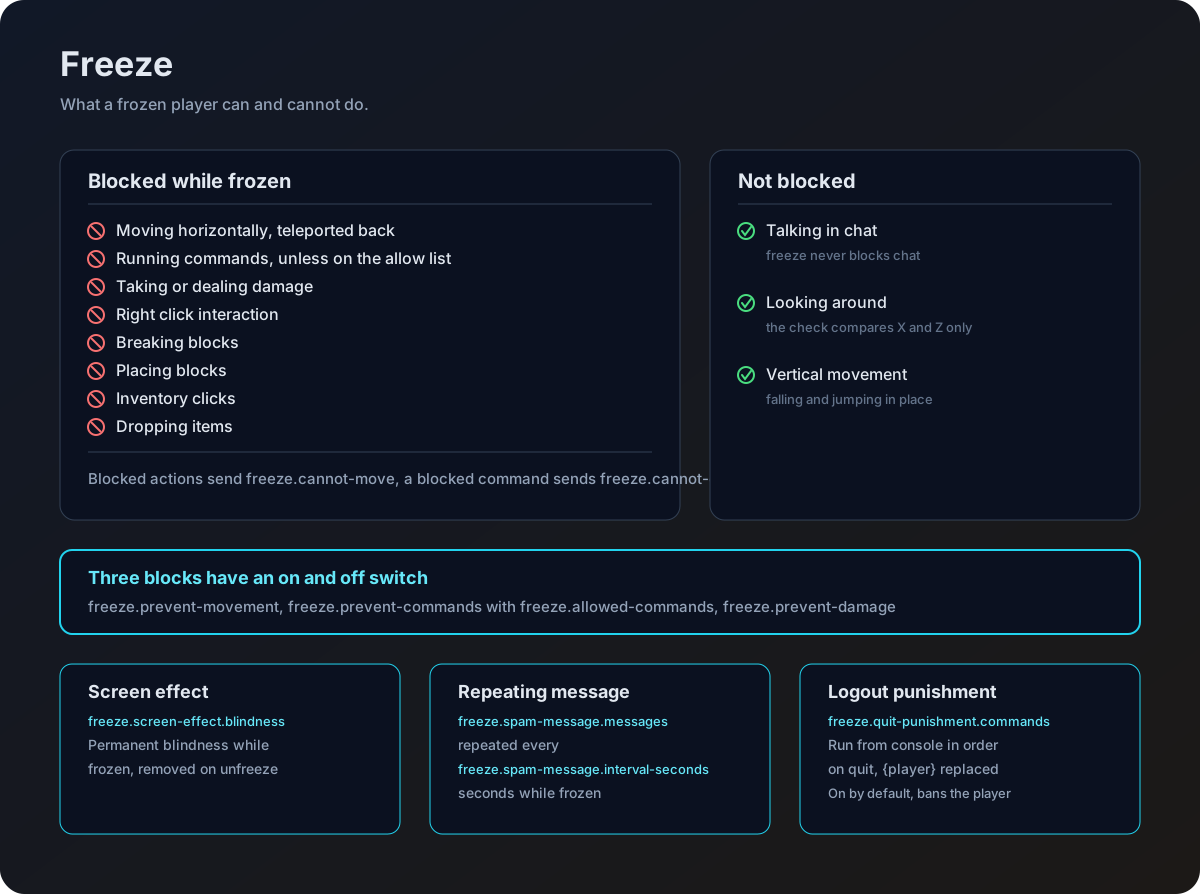
| Action | Blocked | Switched by |
|---|---|---|
| Walking or running | Yes, the player is teleported back to where they were | freeze.prevent-movement |
| Looking around, falling, jumping in place | No, only horizontal movement is reverted | |
| Running commands | Yes, unless the command is on the allow list | freeze.prevent-commands |
| Taking or dealing damage | Yes | freeze.prevent-damage |
| Right click interaction | Yes | always on |
| Breaking blocks | Yes | always on |
| Placing blocks | Yes | always on |
| Clicking in any inventory | Yes | always on |
| Dropping items | Yes | always on |
Every blocked action except a command sends the player the freeze.cannot-move message, so they know why nothing is happening. A blocked command sends freeze.cannot-command instead. Both lines live in your language file.
freeze:
  prevent-movement: true
  prevent-commands: true
  prevent-damage: true
Set any of the three to false to lift that one restriction. Movement, commands and damage are the only blocks with a switch, the rest are always on while a player is frozen.
Chat is never blocked. A frozen player can always talk to you.
Commands during a freeze
With freeze.prevent-commands on, a frozen player gets the freeze.cannot-command message for anything they type that is not on the allow list.
freeze:
  prevent-commands: true
  allowed-commands:
    - '/report'
    - '/helpop'
Two things to know about the list.
- Entries match with or without the leading slash, so
/reportandreportbehave the same. - Aliases are not resolved. Allowing
/helpopdoes not allow/ho, so list every alias you want to let through.
Leave your ticket or appeal command on the list. A player who has been frozen for ten minutes with no way to ask what is going on tends to log out, which is the outcome the freeze exists to prevent.
Screen effect
While frozen, the player gets a blindness effect that lasts until you unfreeze them. It is removed as soon as the freeze is lifted.
freeze:
  screen-effect:
    enabled: true
    blindness: true
Set enabled to false if you would rather your staff work with a player who can still see.
The repeating warning message
A frozen player gets a block of chat lines repeated on a timer. This is the right place to put your Discord voice chat link, because a frozen player who does not know what is happening tends to log out.
freeze:
spam-message:
enabled: true
interval-seconds: 5
messages:
- ''
- '&#FF0000&#l[FROZEN]'
- '&#FFFFFFYou have been frozen by a staff member!'
- ''
- '&#FFFF00Please join our Discord voice chat:'
- '�FFFFdiscord.gg/yourserver'
- ''
- '&#FF5555Disconnecting will result in a permanent ban!'
- ''Colour codes work in these lines, both the & short codes and &#RRGGBB hex codes. Blank entries give you spacing.
Freeze survives restarts
When you freeze someone, their UUID is written to storage. On startup the plugin loads that list back, and anyone on it is frozen again the moment they join, effects and repeating message included. A frozen player cannot escape by relogging or waiting out a restart.
See Storage for where that list lives on each backend.
Punishing a logout
When a frozen player quits, every command under freeze.quit-punishment.commands runs from console in the order you listed it, with {player} replaced by their name.
freeze:
  quit-punishment:
    enabled: true
    commands:
      - 'ban {player} Logging out while frozen'
      - 'broadcast &c{player} has been banned for logging out while frozen!'
This is on by default and the default commands do ban the player, so change the list or set enabled: false if that is not your policy. The commands are run by console, which means they need to be commands your punishment plugin accepts from console.
Before 1.5.0 neither of these keys was read, and no punishment ran out of the box. If you worked around that by adding a flat freeze.quit-punishment-command, it still runs, on top of the list. Delete it unless you want both. See the Config key audit.
Whether or not a punishment runs, every online player holding atstaffmode.use receives the freeze.quit-punishment message when a frozen player disconnects, so your team always finds out.
Talking to a frozen player
Use /freezechat <player> <message>, or the /fc alias, to send a line straight to a frozen player. It needs atstaffmode.freezechat, and the target has to actually be frozen. You get a copy of what you sent as confirmation.
This matters because a frozen player often has chat scrolling past with the repeating warning. A direct line cuts through.
A typical check
Freeze the player
Run /freeze <player>, or right click them with the freeze tool. They stop moving and start seeing the warning message.
Send them your voice chat link
Use /freezechat <player> Join discord.gg/yourserver now. Give them a clear deadline.
Run the check
Take them through whatever your screen share process is. They cannot move, break blocks, or clear their inventory while you do it.
Unfreeze or punish
Run /freeze <player> again to release them, or apply your punishment. If they log out first, the quit punishment handles it.
Placeholders
With PlaceholderAPI installed you can read freeze state anywhere placeholders work.
| Placeholder | Returns |
|---|---|
%atstaffmode_frozen% | True or False for the viewing player |
%atstaffmode_frozen_<player>% | True or False for a named online player |
Full list on the Placeholders page.