
Staff Chat
A private channel for your staff team, reachable by command, by toggle or by a chat prefix
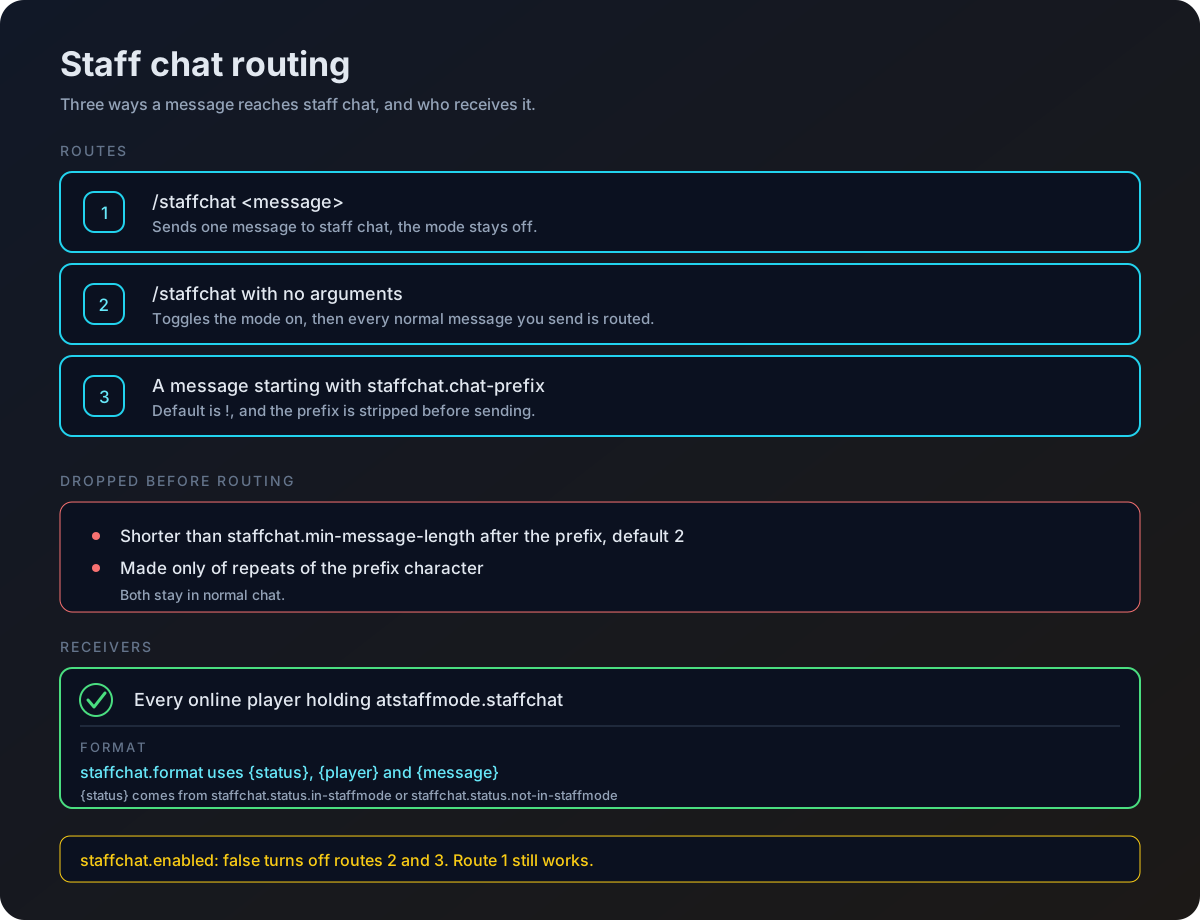
Staff chat gives your team a channel that only staff can read. There are three ways into it, so people can use whichever fits how they play.
Using it
| Command | Alias | Permission |
|---|---|---|
/staffchat | /sc | atstaffmode.staffchat |
Type the message after the command and it goes to staff chat once, leaving your normal chat alone.
/staffchat heading to spawn, cover the minesWhichever route is used, the message is delivered to every online player who holds atstaffmode.staffchat.
Settings
staffchat:
  enabled: true
  chat-prefix: '!'
min-message-length: 2| Key | What it controls |
|---|---|
enabled | Set to false to switch off both the prefix route and the toggle. |
chat-prefix | The character that sends a message to staff chat. |
min-message-length | The shortest message accepted after the prefix. |
How short messages are handled
A message shorter than min-message-length once the prefix is stripped is left alone and goes to public chat as normal. A message made only of repeats of the prefix character is also left alone, so typing !!! in public chat does not fill staff chat with noise.
Only players with atstaffmode.staffchat have their prefixed messages captured. For everyone else the prefix is just a normal character.
Changing the format
The message layout comes from staffchat.format in your language file.
staffchat:
format: '&#b19cd9[&#d4a5ff{status}&#b19cd9] &#e8b3ff{player}a7aa8: &#f5e6ff{message}'
status:
in-staffmode: '�FF00✓'
not-in-staffmode: '&#FF0000✗'| Placeholder | Replaced with |
|---|---|
{player} | The name of the sender |
{message} | What they typed |
{status} | status.in-staffmode if the sender is in staff mode, otherwise status.not-in-staffmode |
The status marker is a quick way to see who is actually on duty when a message arrives. See Messages and Language for editing language files.
Placeholder
| Placeholder | Returns |
|---|---|
%atstaffmode_staffchat% | Enabled or Disabled for the viewing player |
See Placeholders for the full list.