
Staff Mode
How staff mode saves and restores a player state, what it turns on, and how to control it with presets
Staff mode turns a normal player into a moderator with a toolbar, flight, vanish and god mode, then puts everything back exactly as it was when they turn it off.
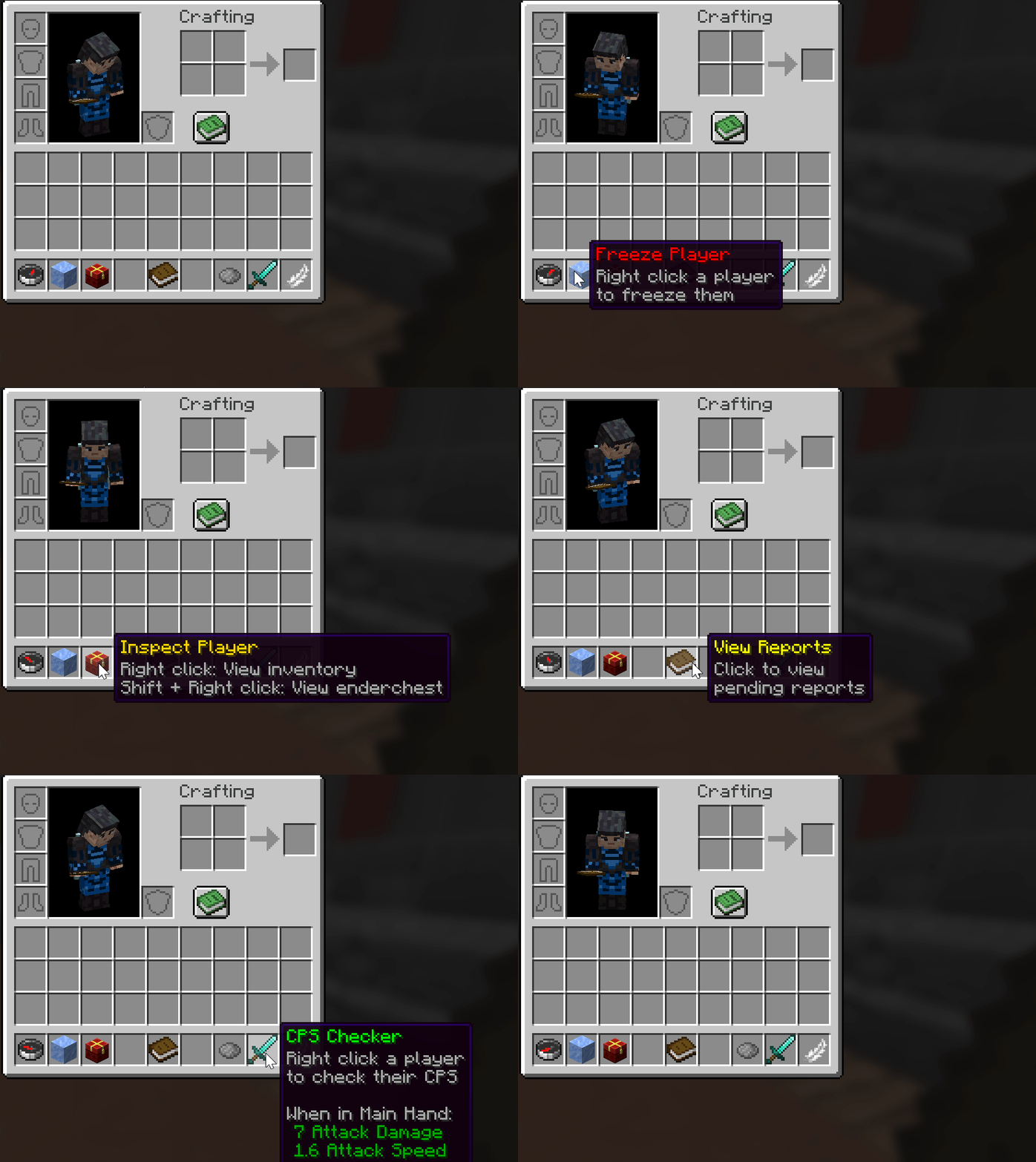
Toggle Staff Mode with /staffmode and get the toolkit in your hotbar. Inventory, armor, and gamemode are saved and restored automatically.
Using it
Run /staffmode to toggle staff mode on or off. The command has several aliases, so use whichever your team prefers.
| Command | Aliases | Permission |
|---|---|---|
/staffmode | /sm, /staff, /mod, /modmode | atstaffmode.use |
This command can only be run by a player. Running it from the console does nothing useful, because there is no inventory to save.
What happens when you enable it
Your things are saved
The plugin stores your inventory contents, your armour, your game mode, your flight state and your current location.
Your inventory is cleared
Both the main inventory and the armour slots are emptied, so the staff toolbar has room.
Staff features are applied
Vanish, flight and god mode are switched on, as long as those features are enabled in the config.
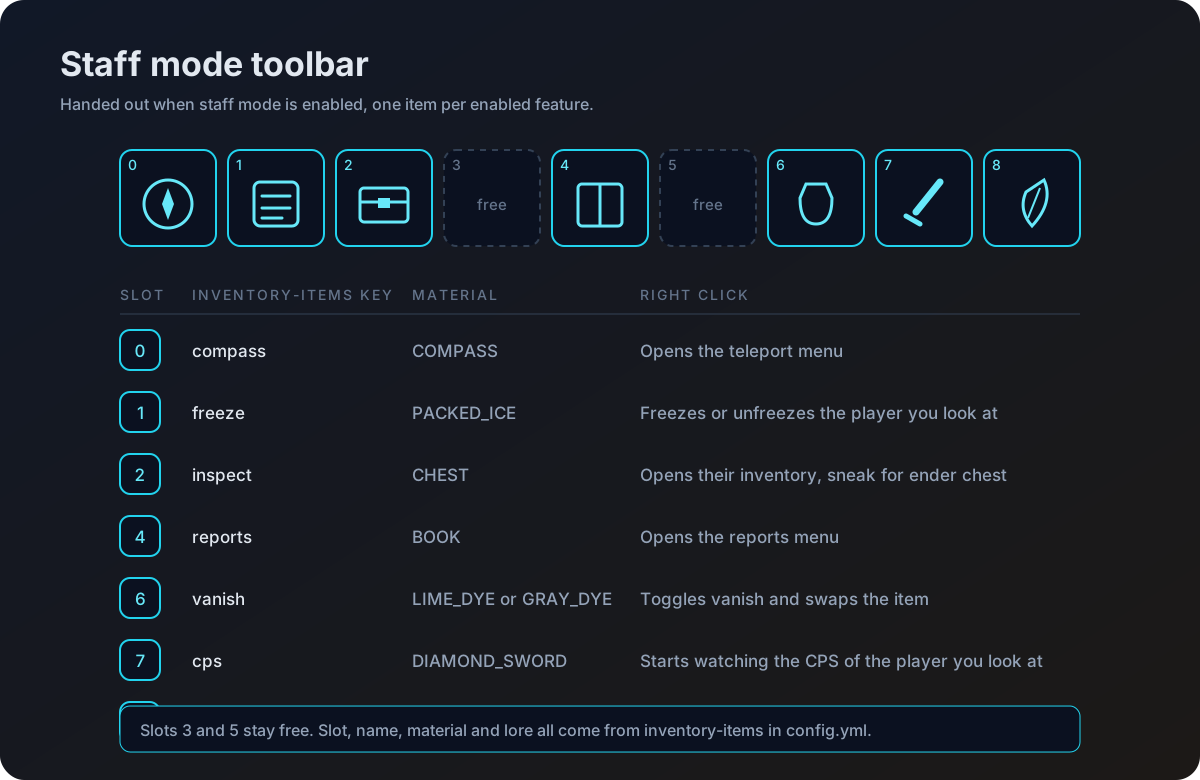
The toolbar is handed out
You receive one item per enabled tool. See Staff Tools for what each one does.
What happens when you disable it
Turning staff mode off reverses each step. Your inventory contents and armour are put back, your game mode and flight state are restored, and you are teleported back to the location you were standing in when you enabled staff mode. Vanish is removed and invulnerability is switched off.
Leaving and rejoining
When a staff member quits, the plugin always restores their items first, so nothing is lost. It then records whether they should still be in staff mode next time they join.
This is the default. The saved state says the player was in staff mode, so the next time they join they are put back into staff mode automatically, as long as they still hold atstaffmode.use.
staff-mode:
  disable-on-leave: false
When the server shuts down, every player still in staff mode is taken out of it, so their real inventory is written to disk rather than the toolbar.
Locking the inventory
While a player is in staff mode you usually do not want them moving, dropping or picking up items by accident.
staff-mode:
  restrict-inventory: true
With this on, inventory clicks, item drops and item pickups are all cancelled while in staff mode. Give atstaffmode.bypass.inventory to anyone who needs to move items around anyway, such as a head admin building a kit.
Choosing which features are on
The preset key decides where feature switches are read from.
preset: customcustomreads each feature fromfeatures.<name>.enabled.survival,minigameorcreativereads frompresets.<preset>.<name>instead, and thefeaturesblock is ignored.
These are the feature names you can switch: fly, vanish, god-mode, teleport-tool, freeze-tool, inspect-tool, reports, cps-checker and fly-toggle.
What the shipped presets turn on
| Feature | survival | minigame | creative |
|---|---|---|---|
fly | on | on | off |
vanish | on | on | on |
god-mode | on | on | on |
teleport-tool | on | on | on |
freeze-tool | on | on | off |
inspect-tool | on | on | on |
reports | on | off | on |
cps-checker | on | on | off |
fly-toggle | on | on | off |
A tool that is switched off is never handed out, so its hotbar slot stays empty. If a staff member reports a missing item, check the preset in use before checking the item config.