
Menus
Every command from the reference is also a button, in four in-game menus.
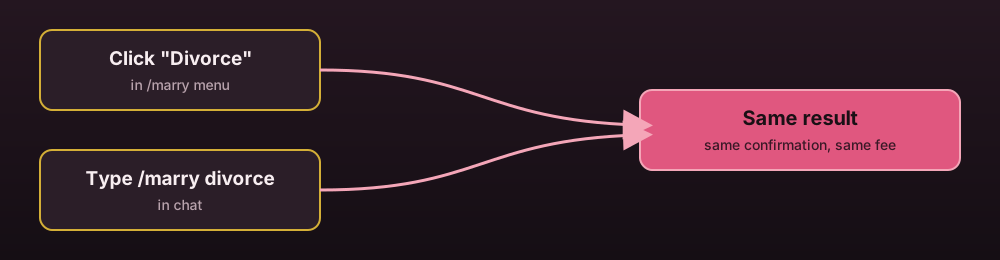
Every button below does exactly what typing the matching command would do, they're two ways into the same thing.
Main menu
/marry menu, or the menu button most other menus close back to.
- A status item showing single, engaged with who, or married with who and since when
- Propose, opening a page of online players' heads to click
- A pending item, showing an incoming proposal or teleport request when there is one
- Home, set home, teleport, gift, kiss and couple chat toggle, for married couples
- A toggles item: left click for chat, right click for tp, shift-left click for gift
- Churches, attend, divorce and help
Church list menu
One item per ready church, clicking teleports there if churches.public-teleport is on.
Busy churches show the ceremony in progress instead and, if clicked, seat you as a guest.
Ceremony menu
Opened by right clicking the Father NPC:
- Start ceremony
- Choose vows, a preset list from
vows.presets - Info
Admin menu
A church list with a create button, and clicking a church opens a small editor with one
button per setup step, corner 1, corner 2, altar, father, entrance, add seat, coloured
rose when that step is already done and grey when it isn't. Each button closes the menu
and runs the matching /marry admin church ... command using wherever you're standing
at the moment you click, exactly like typing the command by hand would.
Editing the menus
main:
  rows: 6
  mask:
    items:
      - black_stained_glass_pane name:" "
    pattern:
      - '111111111'
      - '100000001'
  slots:
    status:
      row: 2
      column: 5
      item: nether_star
      lore:
        - '<white>Your current marriage status.'
mask is the filler pattern, items in the order they're listed map to the numbers in
pattern. Every named slot under slots takes row, column, an eco item lookup
string for item, and an optional lore list. A slot without its own lore falls back
to the top level default-lore key.