 NovaFFA
Installation
Requirements, step-by-step setup, and the plugin folder layout
Requirements
| Server software | Paper. No Spigot fallback layer exists |
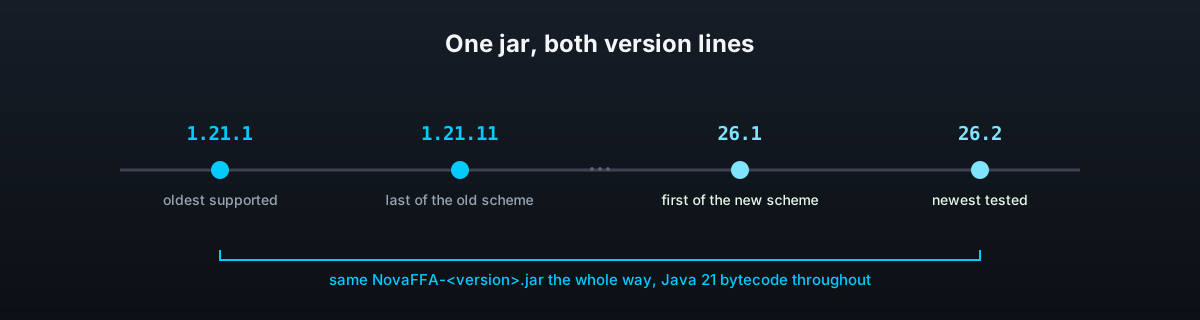
| Minecraft | 1.21.1 through 1.21.11, or 26.1 through 26.2, same jar either way |
| Java | 21, the jar is Java 21 bytecode throughout, including the bundled libraries |
| Hard dependency | FastAsyncWorldEdit, matching your server's version line |
| Soft dependency | PlaceholderAPI, only needed if you want NovaFFA's placeholders elsewhere. SkinsRestorer, only needed for player heads on a cracked server. Vault with an economy plugin, only needed to sell kits or pay money for kills |
FastAsyncWorldEdit is not optional. NovaFFA checks for it on start and disables itself if it is missing or failed to enable, because arena regeneration has nothing to run without it.
Install
Stop the server
Shut it down fully before adding jars.
Add FastAsyncWorldEdit
Drop the build matching your Minecraft version line into plugins/.
Add NovaFFA
Drop NovaFFA-<version>.jar into plugins/ alongside it. See Download if you have not bought it yet.
Start the server
NovaFFA creates its data folder and default files on this first start.
First run
Kits, arenas, layouts, player stats and the lobby file only appear once you create them, see Storage for the full picture including what gets generated later.
Set up a lobby
Every server needs a lobby before anything else, it is where /leaveffa and arena regeneration send players back to.
- Stand where players should land, then run
/lobby set. - Mark the lobby's bounds with
/lobby corner1and/lobby corner2standing at opposite corners. This is whatcombat_tag.block.lobby_regionchecks a tagged player against.
Create your first kit and arena
Read Kits and Arenas and Regeneration for the full walkthrough. In short:
/ffa arena create <name>, mark its corners and spawn, then save it as a schematic so it can regenerate.- Build the loadout in your inventory, then run
/ffa kit create <name>to capture it; set an icon if needed. /ffa arena edit <arena> link <kit>to connect the two.
Optional: PlaceholderAPI
Install PlaceholderAPI and NovaFFA's ffa expansion registers itself automatically, no config key to flip. See Placeholders for the full list.
Optional: SkinsRestorer
Only worth installing on a cracked server. A player there has a uuid made up locally, so Mojang cannot say what skin belongs to it and a menu head naming that player is drawn with the default face. With SkinsRestorer installed NovaFFA reads the skin it holds, no config key to flip, and the hook is reported in the console at start. See Where a player's skin comes from.