Scoreboard and Bars
The on-screen info during a match: the sidebar scoreboard, the boss bar, the action bar, and the tab list. Every line can be edited and translated.
Sidebar scoreboard
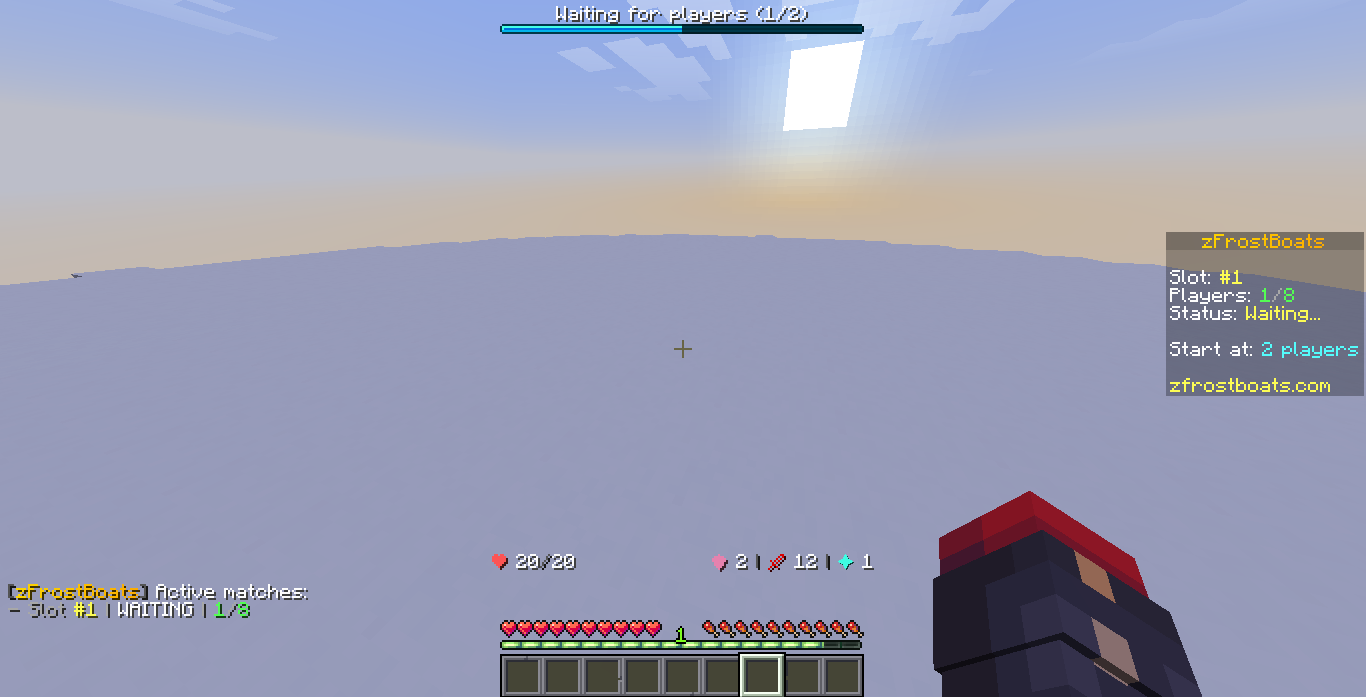
The scoreboard on the right of the screen updates live. What it shows depends on the match state:
| State | Shows |
|---|---|
| Waiting | Slot number, player count, how many players are needed to start |
| Countdown | Slot number, players, seconds until start |
| In game | Your territory percent, players alive, time, and the current top players |
| Spectating | Eliminated banner, players alive, time, top players |
| Ending | Winner, winning territory, and your own placement and stats |
Boss bar
The bar at the top of the screen shows the match status at a glance: waiting for players, the countdown, time left in game, an eliminated note, or match over.
Action bar
Short pop-up messages above the hotbar react to what just happened:
- A territory claim shows how much you just gained.
- Shattering a rival shows who you took out.
- Getting eliminated shows that you shattered.
- Spectating shows a reminder that you can fly around.
Tab list
The player list header and footer show the plugin name, your slot number, and your color.
Editing the text
All of these lines live in the language files, so you can reword or translate them. Colors and gradients are supported. See:
- Messages and Language for editing the text.
- Colors and Styles for color tags and named styles.
Placeholders fill in automatically
Lines use {placeholders} like {slot}, {pct}, and {time}. Leave those in place and the plugin fills them in for each player. The list of placeholders for each line is shown in the language file.