
Crafting recipes
The heart and revive beacon crafting recipes, and how to change them.
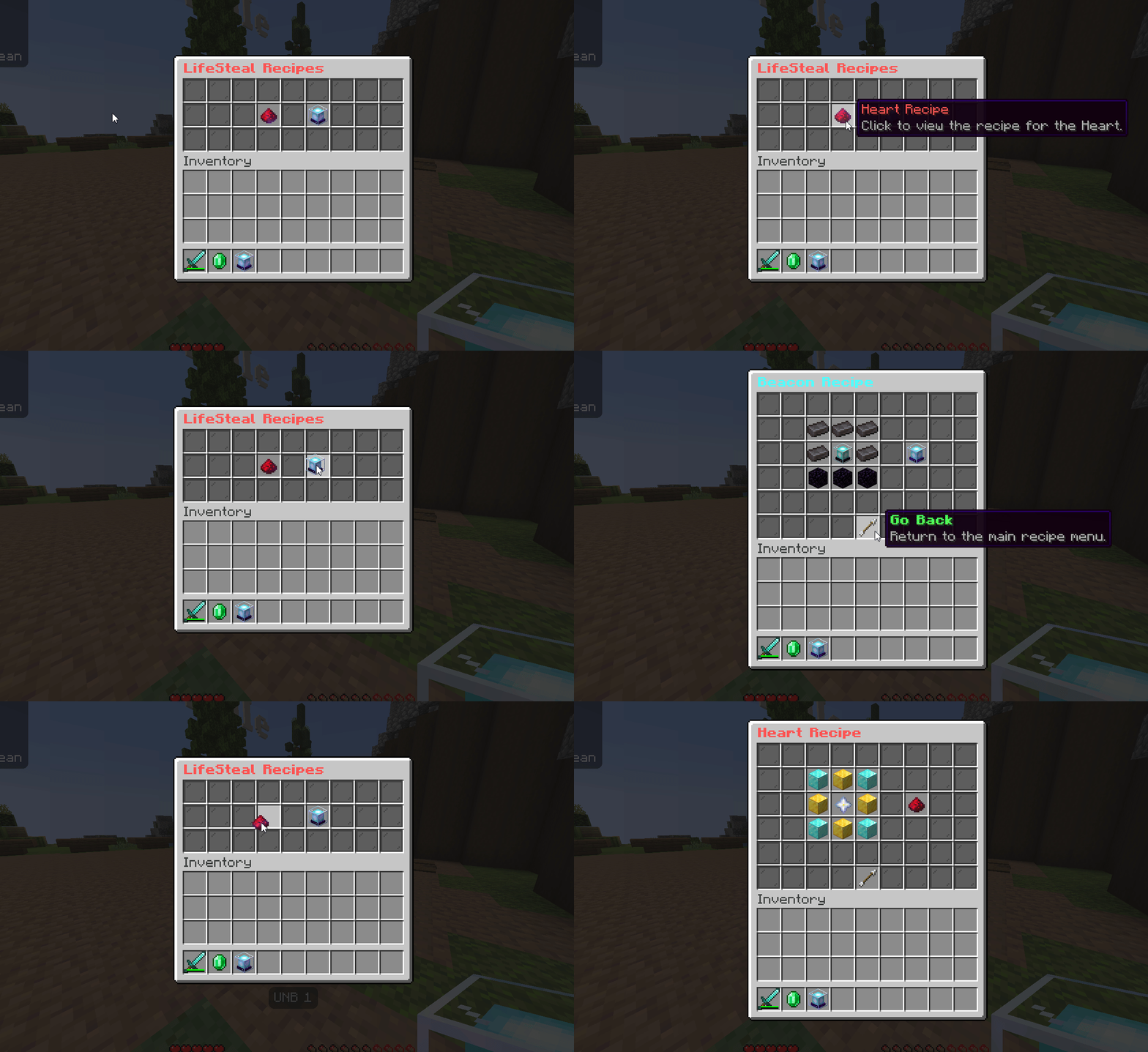
zLifeSteal adds two crafting recipes: one for a heart item and one for a revive
beacon. Both are on by default and both can be changed or turned off in the
config. Players can view the active recipes in game with /ls recipe.
Heart recipe
The default heart recipe is:
D G D
G Q G
D G D| Symbol | Ingredient |
|---|---|
D | Diamond block |
G | Gold block |
Q | Nether star |
Config block:
crafting-recipe:
  enabled: true
  shape:
    - "DGD"
    - "GQG"
    - "DGD"
  ingredients:
    D: "DIAMOND_BLOCK"
    G: "GOLD_BLOCK"
    Q: "NETHER_STAR"
Beacon recipe
The default revive beacon recipe is:
N N N
N B N
O O O| Symbol | Ingredient |
|---|---|
N | Netherite ingot |
B | Beacon |
O | Obsidian |
Config block:
beacon-crafting:
  enabled: true
  shape:
    - "NNN"
    - "NBN"
    - "OOO"
  ingredients:
    N: "NETHERITE_INGOT"
    B: "BEACON"
    O: "OBSIDIAN"
Changing a recipe
- The
shapeis three rows of three slots. Each letter maps to one ingredient. - Use
"AIR"for an empty slot. - Each letter in
ingredientsmust be a valid Spigot material name. - Set
enabled: falseto remove the recipe entirely.
Every letter used in the shape must have a matching entry under ingredients,
or the recipe will not register. Reload with /ls reload after editing.
Viewing recipes in game
Players run /ls recipe to open a menu that shows the current recipes. This
needs the lifesteal.user permission.
Hiding the heart button from the menu
If you want to keep the heart recipe craftable but remove its button from the
/ls recipe viewer (for example, to leave only the revive beacon), set
enabled: false in guiconfig.yml:
main_recipe_menu:
  items:
    heart_recipe:
      enabled: true # set to false to hide the Heart Recipe button from /ls recipe
This only hides the button in the viewer; it does not disable heart crafting.
To stop hearts being craftable entirely, use crafting-recipe.enabled: false
in config.yml instead. Reload with /ls reload after editing.