Messages & Screens
Change any wording players or staff see. PhantomBans keeps text in a few files so you can find things fast.
| File | Holds |
|---|---|
messages.yml | Most in-game text: command replies, errors, list headers, the alt-detection alert. |
appearance.yml | Chat formatting and punishment broadcast messages. |
screens.yml | The full-screen messages shown on disconnect (ban, kick, and so on). |
menus/*.yml | The layout of every in-game menu. See Menus. |
MiniMessage formatting
All text uses MiniMessage, a simple way to add colour and style with tags. A few examples:
<red>This text is red</red>
<bold>This text is bold</bold>
<gradient:#9B30FF:#FF3A6E>A purple to pink gradient</gradient>
The brand colours are PRIMARY #9B30FF, SECONDARY #FF3A6E, TERTIARY #1AFFB2, HIGHLIGHT #FFD166,
and NEUTRAL #C8C8C8. Use them to keep your messages on-brand, or change them to match your server.
Most messages start with <prefix>, which inserts the PhantomBans tag. Edit the prefix line in
messages.yml to rebrand every message at once.
Placeholders inside messages
Many messages accept placeholders in curly braces, filled in by the plugin. For example a ban message
might use {player}, {reason}, and {expiry}. Keep these tags in place so the message still makes
sense, and move them around as you like.
The ban / temp-ban / IP-ban screens, the kick screen, the punishment broadcasts, the muted-player notice (mute.blocked), and the warning notice (warn.received) all share this set:
| Placeholder | Fills in |
|---|---|
{player} | The punished player’s name |
{staff} | Who issued the punishment |
{reason} | The punishment reason |
{duration} | The length of a temporary punishment |
{expiry} | When the punishment expires |
{date} (or {start_date}) | The date and time the punishment was issued |
{server} (or {scope}) | The server or network scope it applies to |
{id} | The punishment ID |
{type} | The punishment type (BAN, MUTE, WARN, and so on) |
Player-supplied text such as a report reason or a punishment reason is shown as plain text: any formatting tags inside it are escaped, so a player cannot inject colours or clickable links into what staff or other players see.
Multi-line chat messages
Every message key in messages.yml, plus the format and format-silent lines of each broadcast in appearance.yml, accepts either a single string or a list of lines. A list is sent as one chat message with a line break between entries, so you can build a boxed notice instead of cramming everything onto one line:
mute:
  blocked:
    - "<color:#FF3A6E><bold>MUTED</bold></color>"
    - "<gray>Reason: <white>{reason}</white></gray>"
    - "<gray>Expires: <white>{expiry}</white></gray>"
Single strings keep working exactly as before. See Multi-line Messages for the full format, the YAML rules, worked examples, and which keys to keep on one line.
mute.blocked and warn.received ship as multi-line lists from 1.3.0. An upgrading server keeps its existing single-line values: the config updater adds new keys but never overwrites a value you already have. To pick up the new defaults, delete messages.yml and restart.
Disconnect screens
screens.yml controls what a player sees when they are kicked or denied entry.
| Screen | Shown when |
|---|---|
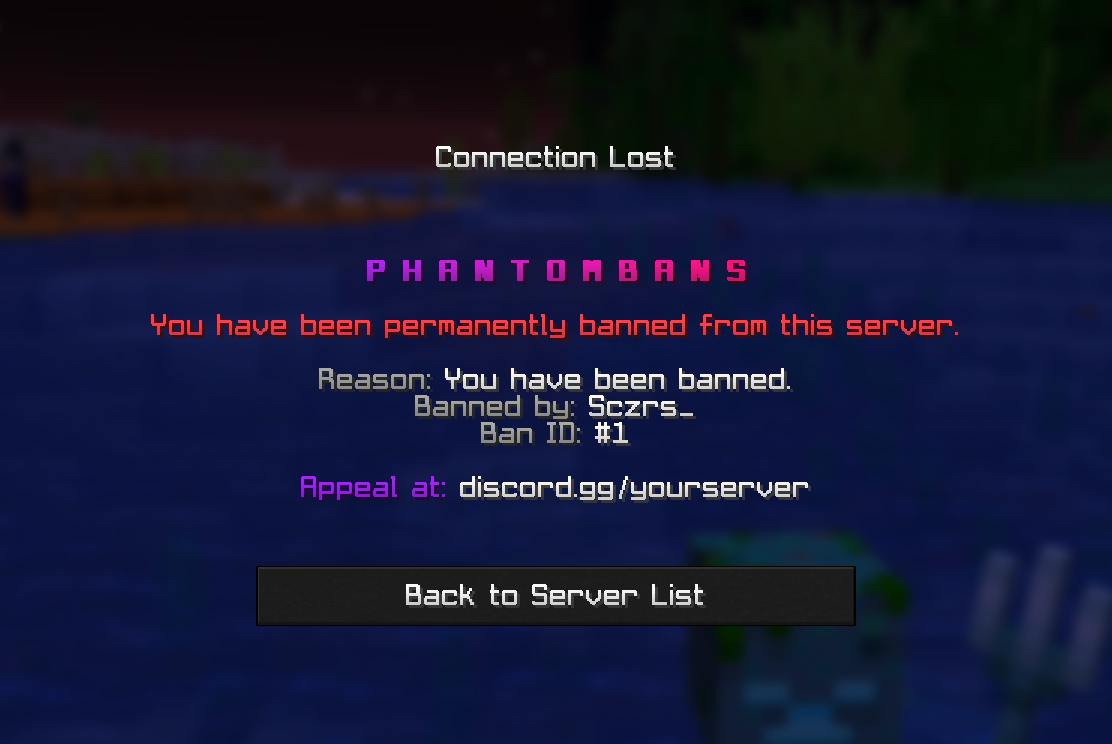
ban | A banned player tries to join. |
tempban | A temporarily banned player tries to join. |
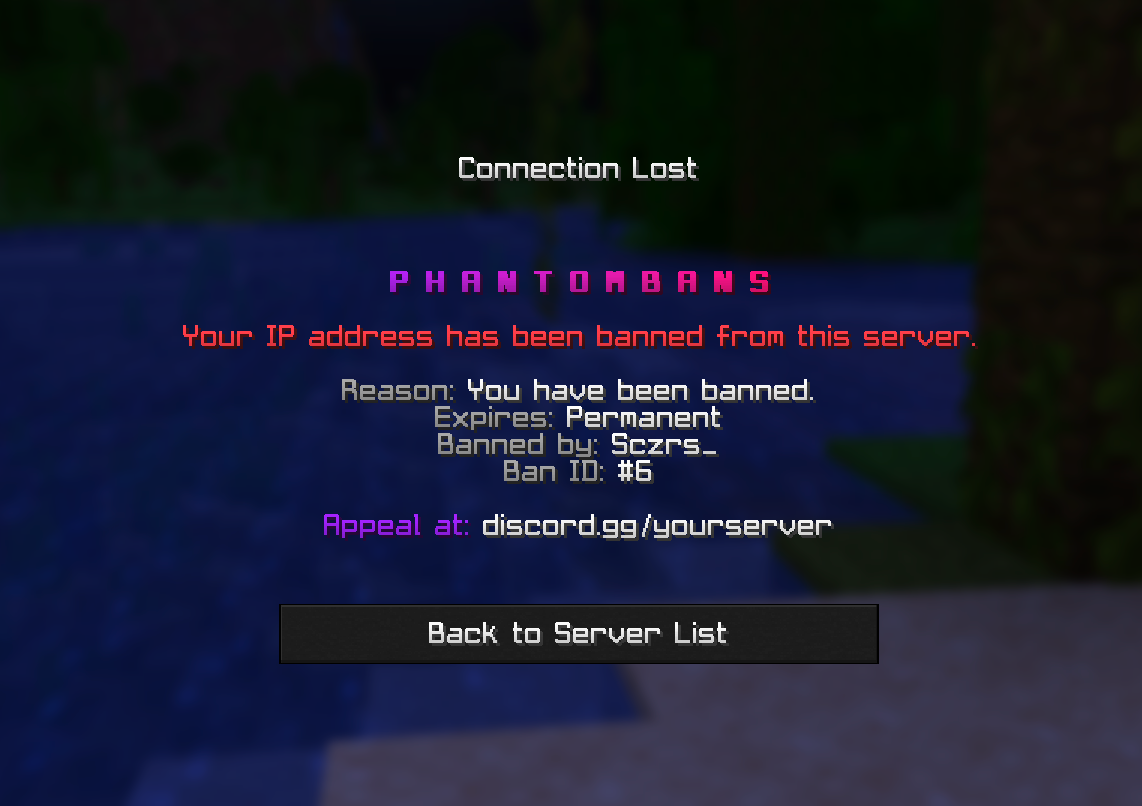
ipban | An IP-banned player tries to join. |
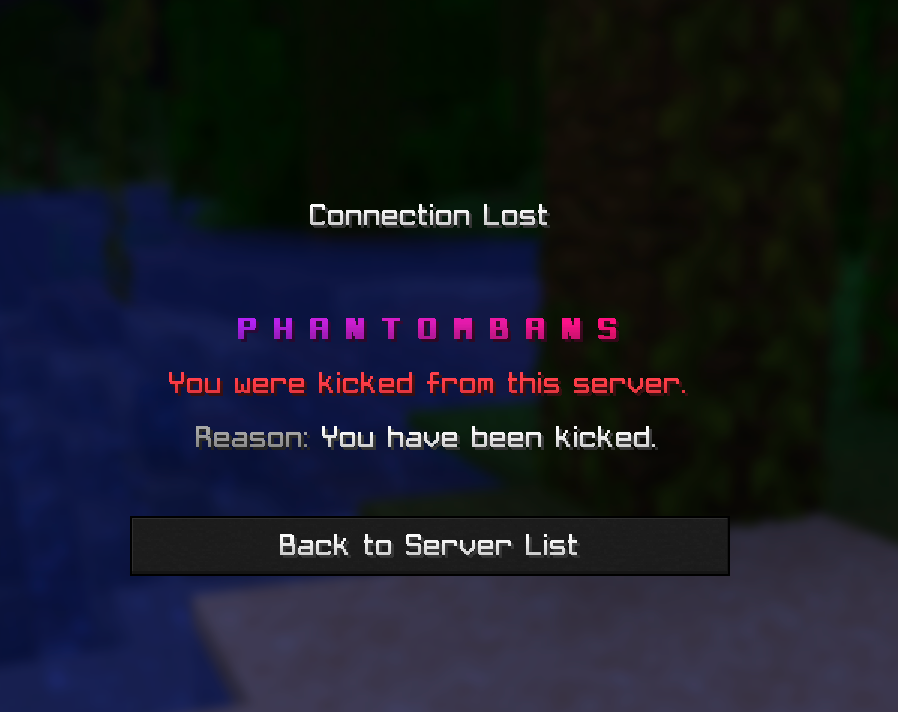
kick | A player is kicked. |
country-blocked | A player is blocked by a country rule. |
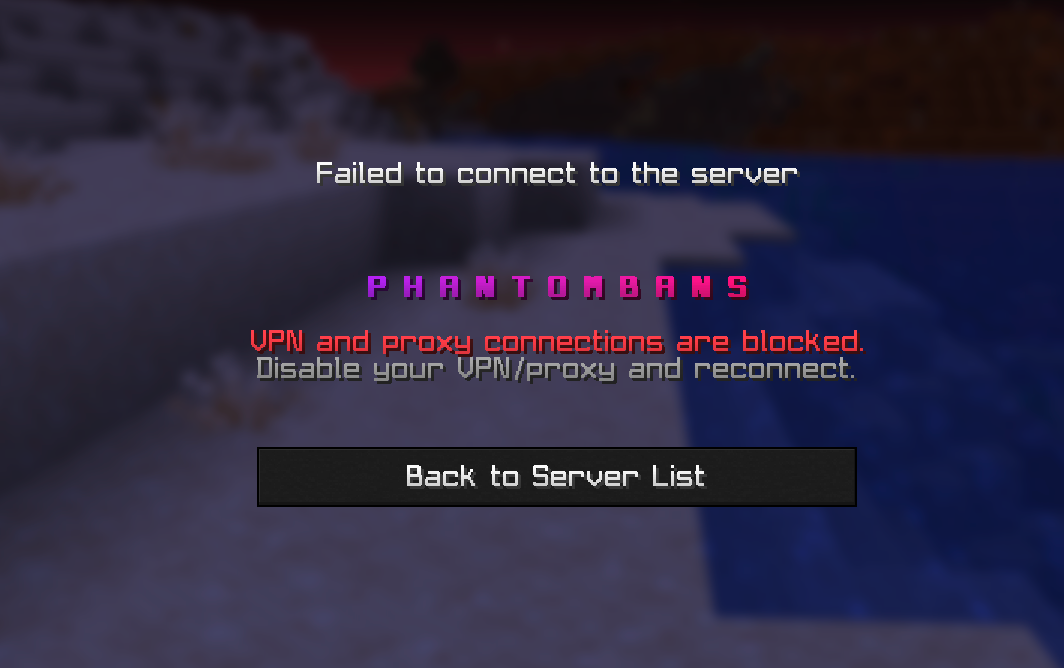
vpn-blocked | A player is blocked as a VPN or proxy. |
Each screen is a list of lines, so you can lay out a tidy multi-line message. If a screen is left empty,
the plugin falls back to the ban screen.
What a banned player sees:
The kick screen:
What an IP-banned player sees:
The VPN block screen:
Apply your changes
After editing any of these files, run:
/phantombans reloadThe messages-version and appearance-version lines are managed by the plugin. Do not edit them.