
Pouches
How players open pouches, and every option you can set on a pouch in pouches.yml.
A pouch is one entry in pouches.yml. It says what the item looks like, what is inside
it, and what happens when someone opens it.
Three ways to open one
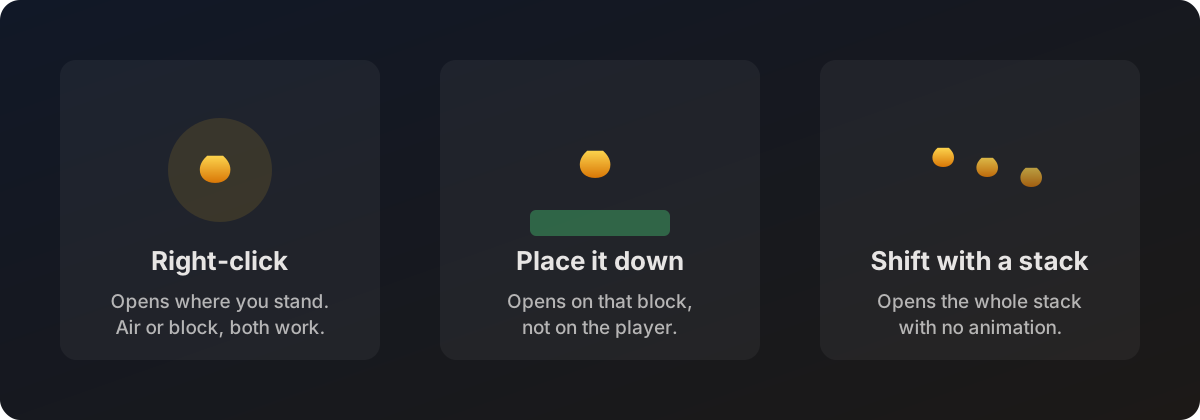
| Action | What happens |
|---|---|
| Right-click, holding the pouch | The animation plays where the player stands. Works clicking air or a block. |
| Place the pouch as a block | The block placement is cancelled and the animation plays on that spot instead. Good for group openings, everyone can watch. |
| Shift and right-click, or shift and place, with more than one pouch in hand | The whole stack opens at once with no animation. Rewards from every pouch land together. |
While a player is mid animation they cannot start another one. They get the
already-opening message until the current opening finishes.
A minimal pouch
pouches:
  starter:
    item:
      material: LEATHER
      name: "&a&lStarter Pouch &7(Right-Click)"
      lore:
        - "&7A basic pouch for new players"
        - ""
        - "&e&lRIGHT-CLICK &7to open!"
    animation: DEFAULT
    effect: SOUND_WAVE
    reward-amount: 2
    rewards:
      0:
        chance: 100
        commands:
          - "give %deluxepouches_player% minecraft:stone_pickaxe 1"
      1:
        chance: 100
        commands:
          - "give %deluxepouches_player% minecraft:bread 16"
The key under pouches: (here starter) is the pouch id. That is what you type in
/dp give, and it is stored on the item so the plugin recognises it later. Keep it
lowercase, no spaces.
After editing the file, run /dp reload.
Every pouch option
The item
Everything under item: describes the physical item players hold.
| Key | What it does | Default |
|---|---|---|
material | Required. A vanilla material such as DIAMOND, or a custom item such as nexo:my_pouch. See Custom items. | none |
name | Display name, colour codes allowed. | material name |
lore | List of lore lines. | none |
glow | true adds the enchantment shimmer without showing an enchantment. | false |
model-data | Custom model data number for a resource pack. | none |
skull-texture | Base64 head texture. Only works when material is SKULL or PLAYER_HEAD. | none |
flags | List of item flags, for example HIDE_ATTRIBUTES. | none |
The opening
| Key | What it does | Default |
|---|---|---|
animation | Which animation plays. See Animations. | NONE |
effect | What fires when the rewards land. See Effects. | NONE |
effect-parameters | Per pouch overrides for that effect, such as radius or colors. | none |
opening-sound | A sound name played at the end, for example ENTITY_PLAYER_LEVELUP. | none |
reward-amount | How many rewards are drawn. See Rewards. | 1 |
rewards | The reward list itself. Required, a pouch with none logs a warning. | none |
Messages and access
| Key | What it does | Default |
|---|---|---|
opening-message | One line sent when the pouch opens. | the global opening-message in config.yml |
opening-messages | A list of lines instead of one. Takes priority over opening-message. | none |
permission | Extra permission needed for this pouch specifically. Empty means anyone with deluxepouches.use can open it. | none |
hologram | Floating text for this pouch. See Holograms. | none |
cooldown | Shown in the pouch menu as information. | 20 |
cooldown is displayed in the menu but it is not enforced. Players are only stopped
from opening a second pouch while an animation is still running.
A full example
pouches:
  legendary:
    item:
      material: DRAGON_EGG
      name: "&6&lLegendary Pouch &7(Right-Click)"
      lore:
        - "&7An ancient pouch containing"
        - "&7the most valuable treasures"
        - ""
        - "&e&lRIGHT-CLICK &7to open!"
      glow: true
    animation: PORTAL_RIFT
    effect: FIREWORK
    reward-amount: 3
    permission: pouches.legendary
    opening-messages:
      - "&6&l✦✦✦ &eLEGENDARY POUCH OPENED! &6&l✦✦✦"
      - "&e%deluxepouches_player% &7is about to discover incredible treasures!"
    hologram:
      enabled: true
      height: 1.25
      lines:
        - "&6&l✦ Legendary Pouch ✦"
        - "&7Opened by &f%deluxepouches_player%"
    rewards:
      0:
        chance: 100
        commands:
          - "give %deluxepouches_player% minecraft:netherite_ingot 2"
      1:
        chance: 50
        commands:
          - "give %deluxepouches_player% minecraft:totem_of_undying 1"
      2:
        chance: 10
        commands:
          - "give %deluxepouches_player% minecraft:elytra 1"
          - "broadcast &6&lLEGENDARY! &e%deluxepouches_player% &7found an &bElytra&7!"
How the plugin recognises a pouch
When a pouch is created the plugin stamps the pouch id onto the item, hidden inside the item data. That tag is what identifies it later, so renaming the item in an anvil does not break it, and a player cannot fake one by naming a piece of leather.
Pouches handed out before version 2.1.0 have no tag. Those still work, they fall back to matching on name and lore. Once your players have cycled through their old stock you can forget about it.
Handing pouches out
| How | Example |
|---|---|
| Command | /dp give Steve legendary 3 |
| From the menu | /dp gui, then left-click a pouch |
| From another plugin | Run the give command from a crate, a vote listener, a quest reward, anything that can dispatch a command |
| From code | See Developer API |
Players never need a command to open one. Handing them the item is enough.