
Animations
The seven opening animations, what each one looks like, and how to pick one per pouch.
The animation is the show between the click and the rewards. Each pouch names one with
the animation key.
animation: SPIRAL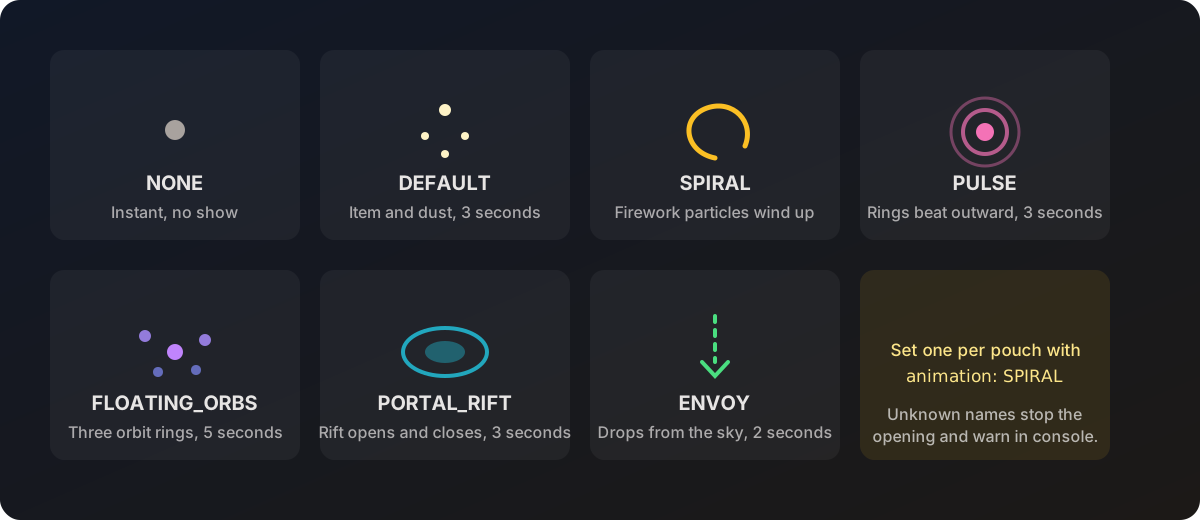
The seven animations
| Name | What it looks like | Roughly how long |
|---|---|---|
NONE | No show. Rewards arrive almost at once. | Under a second |
DEFAULT | The pouch item floats in place with white dust around it. | 3 seconds |
SPIRAL | Firework particles wind up around the floating item. | About 3 seconds |
PULSE | Coloured rings beat outward from the item. | 3 seconds |
FLOATING_ORBS | Orbs form, orbit in three rings, then collapse into the item. | 5 seconds |
PORTAL_RIFT | A portal tears open, the item rises out of it, the rift closes. | 3 seconds |
ENVOY | The pouch drops from the sky with firework bursts on the way down. | 2 seconds |
Names are not case sensitive, but the examples keep them uppercase to match the config.
A name the plugin does not know stops the opening. The player gets the
invalid-animation message and a warning goes to console. Check spelling first if a
pouch refuses to open.
Picking one
There is no wrong choice, only pacing. A rough guide:
- Common pouches your players open dozens at a time:
NONEorDEFAULT. Nobody wants to sit through five seconds a hundred times. - Mid tier:
SPIRALorPULSE. - Rare and event pouches:
FLOATING_ORBS,PORTAL_RIFTorENVOY. Save the long ones for the moments worth watching.
Remember that shift clicking a stack skips the animation completely, so a slow animation does not punish players who open in bulk.
Where the animation happens
| How the pouch was opened | Where it plays |
|---|---|
| Right-clicked in hand | At the player |
| Placed on the ground | On that block, so bystanders can watch |
Placing a pouch turns the spot into a temporary barrier block for the duration, which holds the animation in place. It is removed when the opening finishes.
Performance
Animations respect the caps under settings.performance in config.yml:
| Key | Effect on animations |
|---|---|
limit-particles | Halves particle density in the spiral animation and caps effect particles. |
max-particles | Ceiling on particles per effect. |
animation-tick-rate | Ticks between spiral animation updates. Higher is cheaper and choppier. Clamped between 1 and 5. |
If your server feels the pouches, raise animation-tick-rate to 3 before you start
cutting animations.
The animations: block near the bottom of config.yml lists duration and speed per
animation. Those values are not read by the plugin, timings are fixed in code. Only
the performance keys above change how an animation runs.