 Ascend
Ability Menu & Codex
Open the in-game ability menu to check your slots, toggle the HUD, unbind your primary, and browse every ability in the codex.
The ability menu is a chest-style screen that shows everything about your abilities in one place. Open it with:
/sparkgui
/abilities and /amenu do the same thing. Anyone with the default ascend.use permission can open it; see Commands.
Clicking items in this menu never lets you take them out. It is a display, not a real chest.
What the menu shows
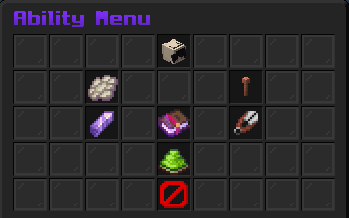
Hover any item to read its details. Here is each part of the menu:
Your information
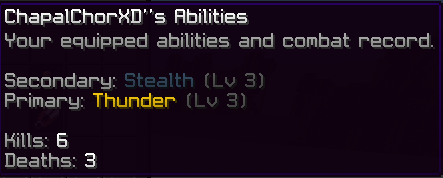
Your head shows your equipped secondary and primary plus your lifetime kills and deaths.
Secondary slot
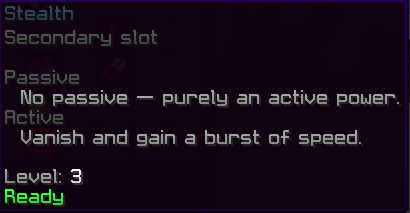
Lists your secondary's passive, active, and level, with a live status: green Ready, or a red Cooldown with the time left.
Primary slot
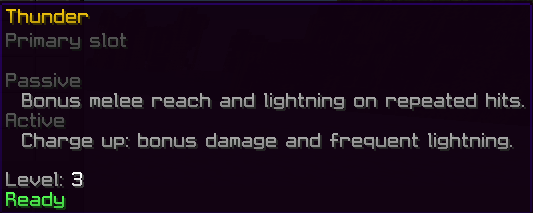
Same layout as the secondary slot. If you have no primary yet, the slot shows as empty.
Ability Shard info
A reminder that you reroll your secondary by using an Ability Shard in the world, not from this menu. See Crafting & Binding.

HUD toggle
Turns your on-screen ability bar off and on. The button label updates to show the current state. More on the bar itself in The HUD.
Unbind Primary
Click it twice: the first click asks you to confirm, the second unbinds your primary and returns its item to your inventory. If you have no primary, it tells you so. Event abilities cannot be unbound here; an admin removes those with a command.

Ability Codex button
Opens the codex described below. There is also a close button at the bottom of the menu.

The Ability Codex
The codex is a paginated list of every ability in the plugin, including event abilities. Use the arrow buttons to change pages and the back button to return to the main menu.
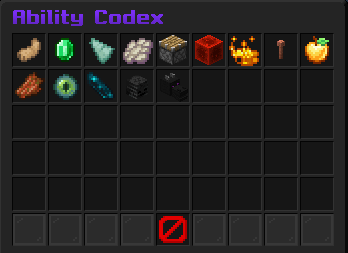
Each entry shows:
- Which slot the ability belongs to (secondary or primary).
- Its passive perk and active power.
- For craftable primaries, a visual recipe preview laid out like a crafting grid, with a legend naming each ingredient. Abilities that cannot be crafted say so: they are granted or rerolled instead.
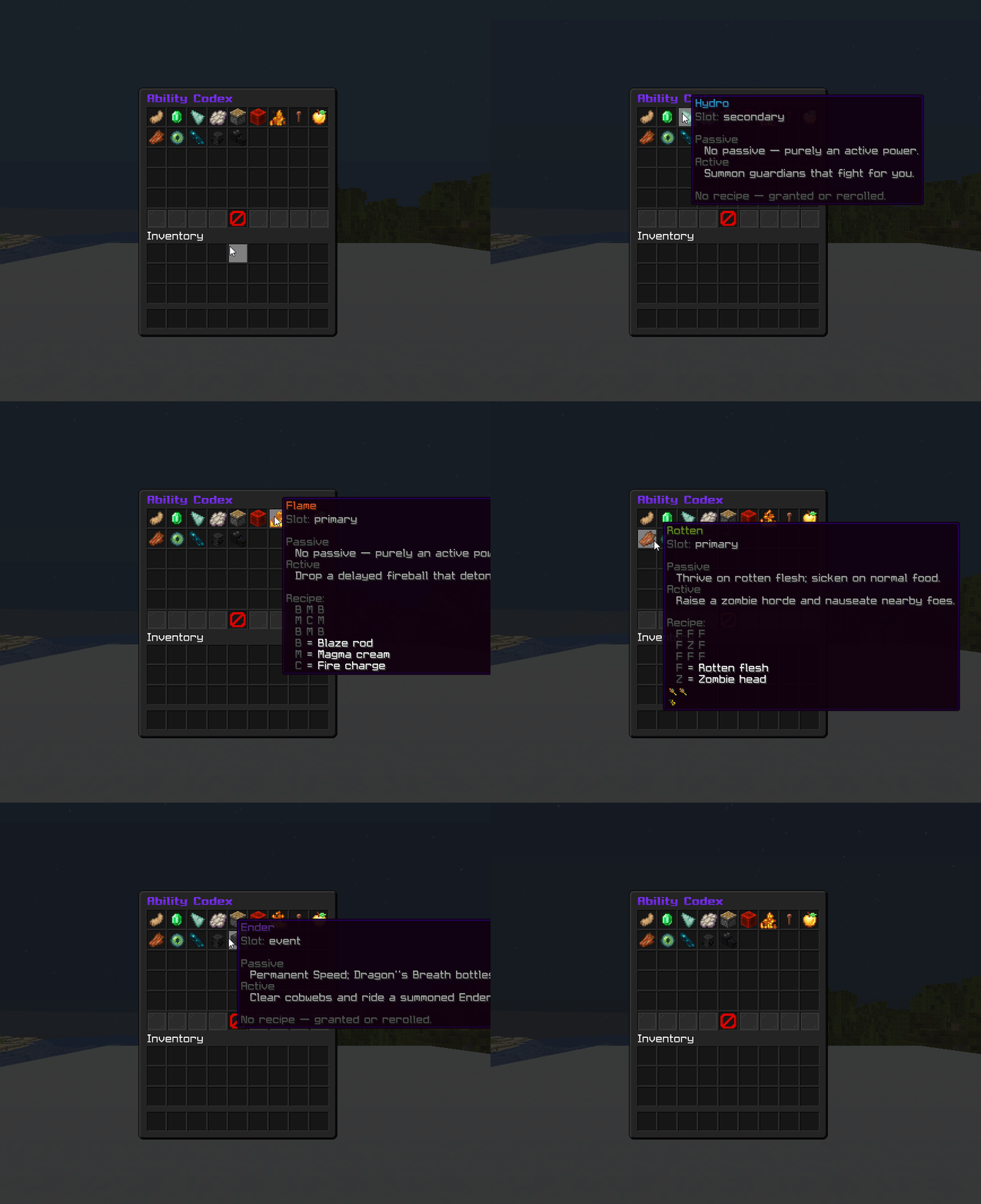
The codex always reflects your server's current recipes, so if the owner customized recipes.yml, this is the quickest place to see what to craft. See Custom recipes.