
Slots and rerolls
Learn how player slots, the server cap, overflow and Slot Rerolls work.
Slots limit how many different Dolphins a player can keep active at once. A server-wide cap limits each player's usable slots, and the Slot Reroll item changes the player's saved slot count.
How slots and the cap fit together
The player's saved slot count and the server cap are separate. A player can use the lower of those two values, and lowering the server cap does not overwrite the saved count.
Here is one player with 3 saved slots and three active Dolphins while an admin moves the cap.
| Server cap | Saved slots | Usable slots | What happens |
|---|---|---|---|
| 3 | 3 | 3 | All three Dolphins stay active |
| Lowered to 2 | 3 | 2 | The last activated Dolphin no longer fits and goes through overflow, by default back into the inventory |
| Raised to 3 | 3 | 3 | The third slot is free again, and the player can activate the returned item |
The cap is configurable from 1 to 5 and defaults to 2. An admin can change it in config.yml or use /dolphincap <1-5>. When the cap rises later, a player's stored slot count is available again up to the new cap. A Dolphin returned through overflow stays inactive, so the player can activate that item again to use the open slot.
First join
New players receive a random slot count from slots.first-join.minimum to the current cap by default. Set slots.first-join.random to false to use the fixed value in slots.first-join.fixed-amount instead.
Use a Slot Reroll
Right click the Slot Reroll item to choose a slot count in the configured range. The result is always different from the player's current effective count.
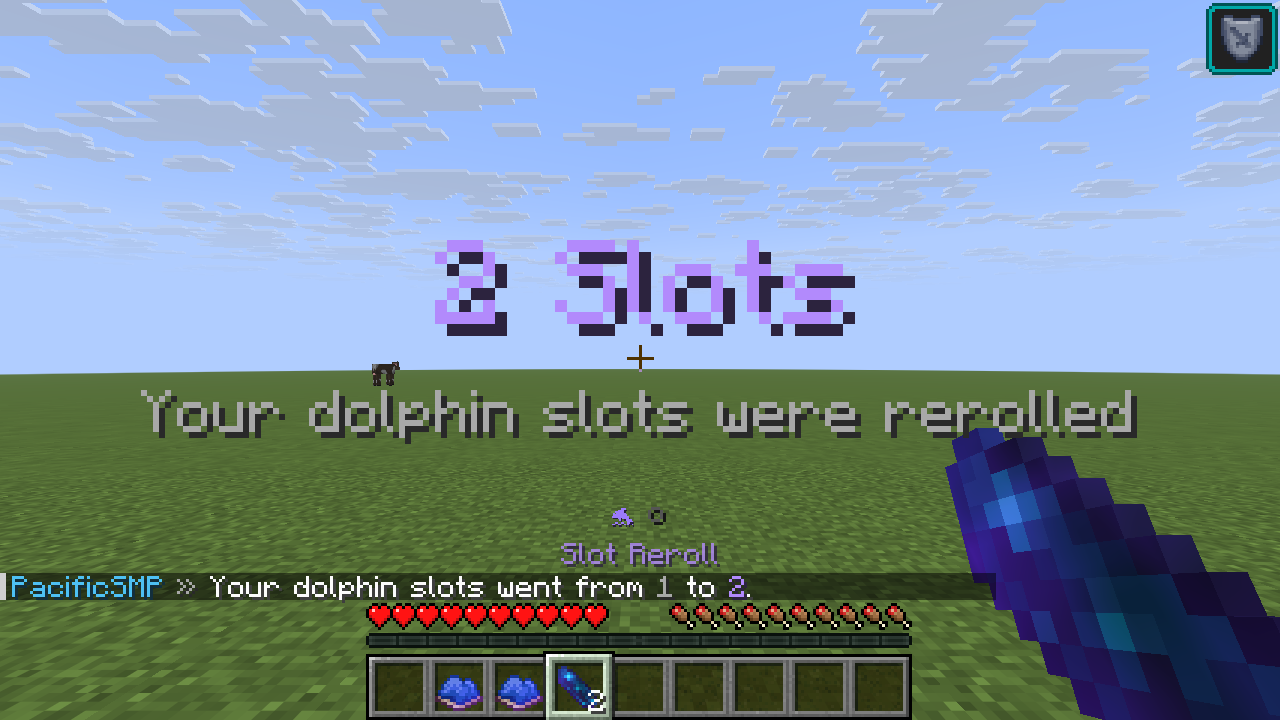
The reroll range starts at reroll.minimum and ends at the server cap. If that range has no value other than the current count, the reroll does not consume the item and sends a message instead.
If the new slot count is lower than the number of active Dolphins, the extra active ones are handled by the configured overflow mode.
Overflow
Overflow runs when a slot change leaves too many active Dolphins. It removes the last activated Dolphin first, then repeats until the player is within their effective slot count.
slots.overflow value | Result |
|---|---|
RETURN | Return the Dolphin item to the player's inventory. If the inventory is full, it drops at the player's feet. |
DROP | Drop the Dolphin item at the player's feet. |
REMOVE | Remove the active Dolphin without returning an item. |
Overflow is enforced when a player joins, a player rerolls, the cap changes, an admin sets the player's slots, or files are reloaded. Lowering only the server cap does not reduce the saved slot count, but active Dolphins that no longer fit are handled at once.
Prevent duplicate types
A player cannot have two Dolphins of the same type active. This rule is separate from the slot count, so two free slots do not allow two active Dark Dolphins.