 Duel-Regen
Arena Regions
Three ways to tell Duel-Regen which blocks belong to each arena.
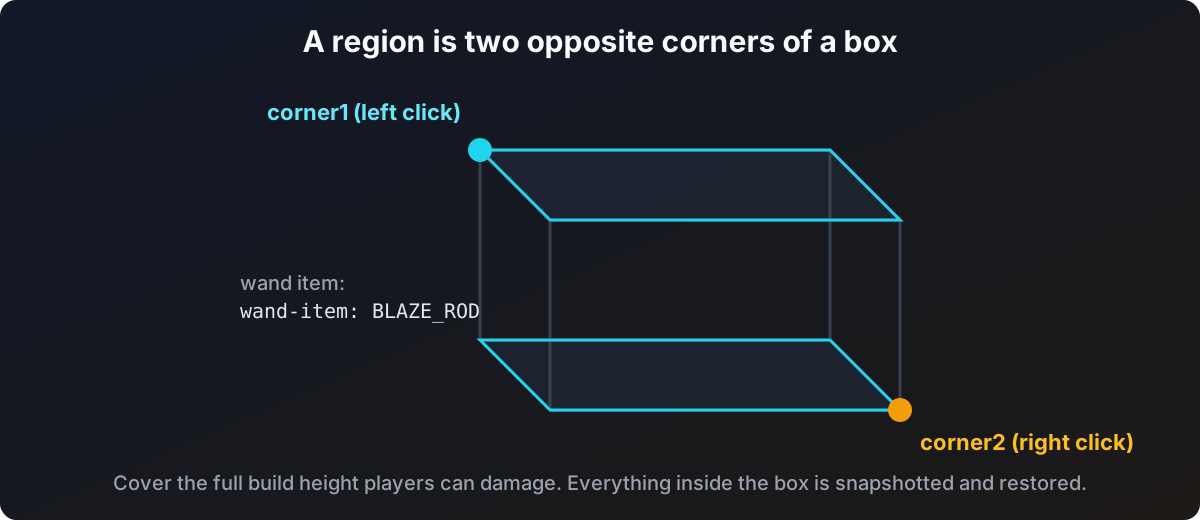
A region is a box defined by two opposite corners. Everything inside it is snapshotted and restored. Each Duels arena gets one region, set up once.
Region names must be the Duels arena names, not world names. This is the number one setup mistake. See Name matching below.
Method 1: the wand
Get the wand
/duelregen wandYou get the selection item (a blaze rod by default, changeable with wand-item).
Pick the corners
Left click a block to set corner 1, right click to set corner 2. Pick opposite corners of the arena, and remember to cover the height players can build up or fall down to.
Save the region
/duelregen setregion <arena>Use the arena's name in Duels. The region is written to the config immediately.
To redo a selection from scratch, /duelregen setagain <arena> clears it and saves automatically once you have picked both corners again.
Method 2: standing at the corners
No wand needed. Stand at one corner and run:
/duelregen setcorner <arena> 1then stand at the opposite corner and run:
/duelregen setcorner <arena> 2Method 3: editing the config
If you already know the coordinates (for example from a WorldGuard region), typing them into config.yml is quicker than clicking blocks:
arenas:
  Arena2:
    world: arena_2
    corner1:
      x: -23
      y: -64
      z: -35
    corner2:
      x: 23
      y: 319
      z: 33
Run /duelregen reload (or restart) afterwards.
Name matching
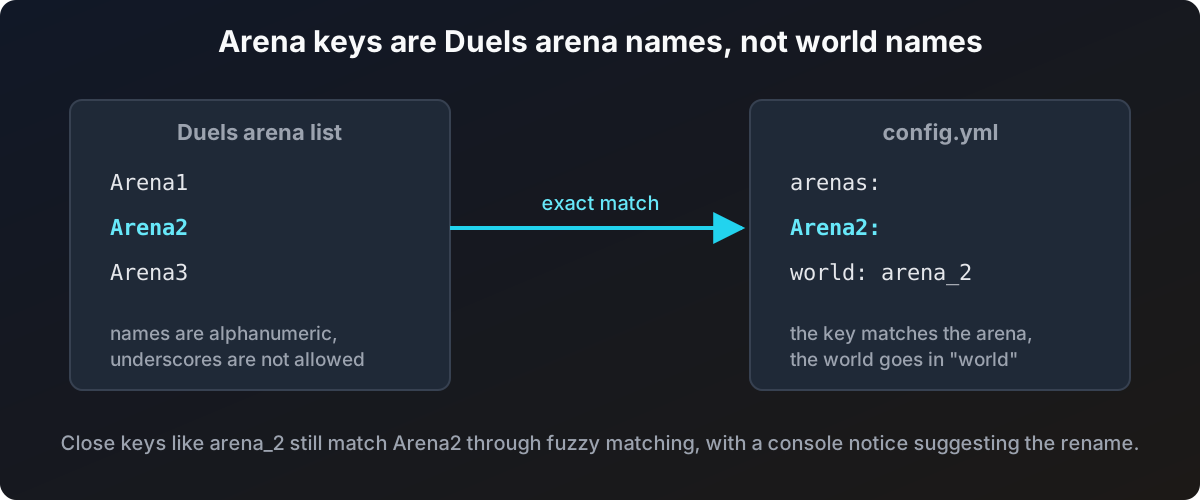
The key under arenas: must be the arena's name in Duels. The world name goes in the world field. Duels arena names are alphanumeric, so a key with an underscore can never be a Duels arena name.
Duel-Regen is forgiving about near misses: a key like arena_2 will still be matched to the Duels arena Arena2 (case and separators are ignored), with a console notice suggesting the rename. At startup the plugin also compares your config against the live Duels arena list and reports:
- keys that match no Duels arena at all
- keys that only match through fuzzy matching, with the exact name to rename to
- Duels arenas that have no region yet
Managing regions
| Command | What it does |
|---|---|
/duelregen list | All configured regions, with world and size |
/duelregen info <arena> | Corners, volume, world status, snapshot status for one arena |
/duelregen tp <arena> | Teleport to the arena |
/duelregen remove <arena> | Delete the region and any held snapshot |
Full syntax on the Commands page.