Tiers and Rewards
Each resource has tiers. Cross a threshold and the player earns that tier's rewards.
How tiers work
A resource lists its tiers in order, each with a threshold and a list of rewards. When a player's progress reaches a threshold, they move up a tier and receive the rewards once.
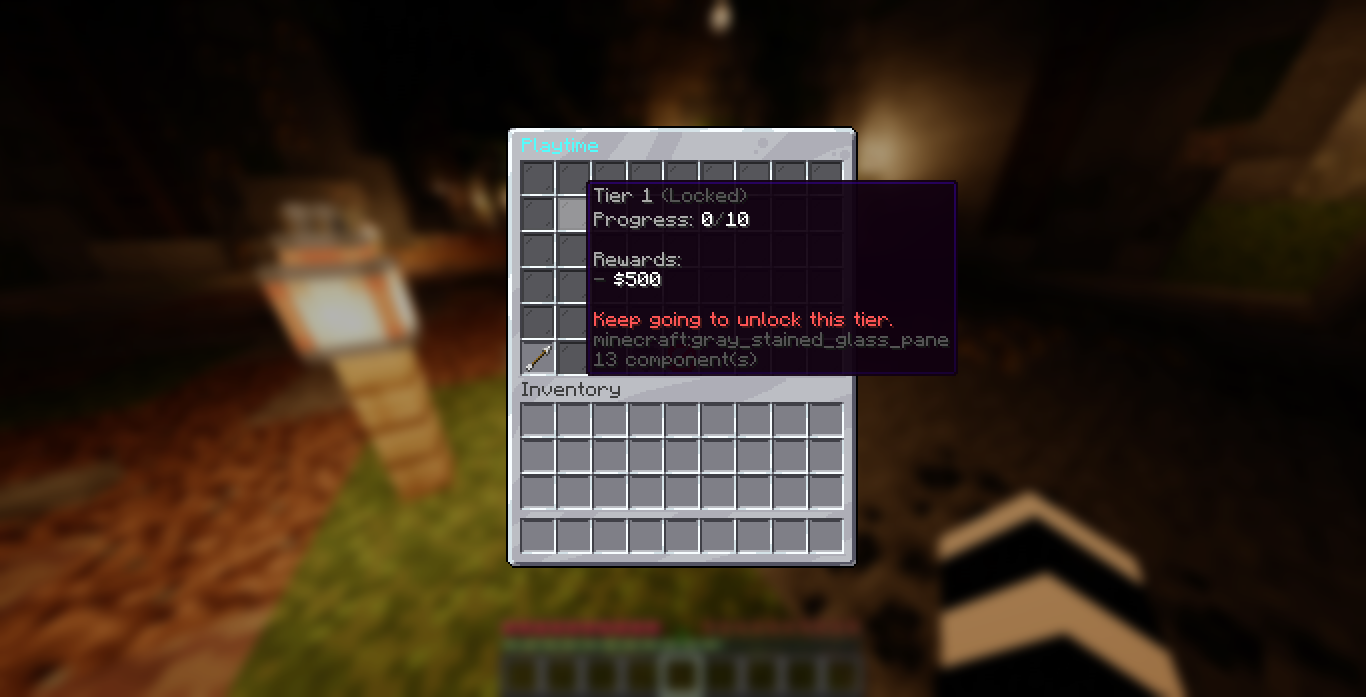
For example, Stone uses these thresholds:
| Tier | Progress needed | Rewards |
|---|---|---|
| 1 | 300 | money and a broadcast |
| 2 | 1000 | money and 3 diamonds |
| 3 | 2500 | money and a permission |
| 4 | 5000 | money, experience, and a console command |
When a player passes the highest threshold, they are at max tier for that resource and keep gathering with no further reward.
A tier-up sends a notification. You set the style in config.yml:
title, chat, action bar, sound, and an optional firework.
Reaching a tier versus claiming it
Reaching a tier and getting its rewards are now two separate steps, controlled by
rewards.mode in config.yml:
claim(default) - reaching a tier makes it claimable, but pays nothing yet. The player opens the resource menu (click a discovered resource) and clicks each completed tier to claim it. The main menu also has a single Claim All button that claims every completed tier across all collections at once. Each tier shows one of three states: locked (not reached), ready to claim, or already claimed.auto- rewards are paid the instant a tier is reached, with nothing to claim. This is how earlier versions behaved.
Clicking a claimable tier claims every completed-but-unclaimed tier up to and including it,
so a player who is several tiers ahead can catch up in one or two clicks, or just press Claim
All on the main menu. When Claim All grants anything, the chat lists each tier it unlocked on
its own line with the rewards it paid out, so the player sees exactly what was claimed. In
auto mode there is nothing to claim, so the menu simply tells the player rewards are paid
automatically.
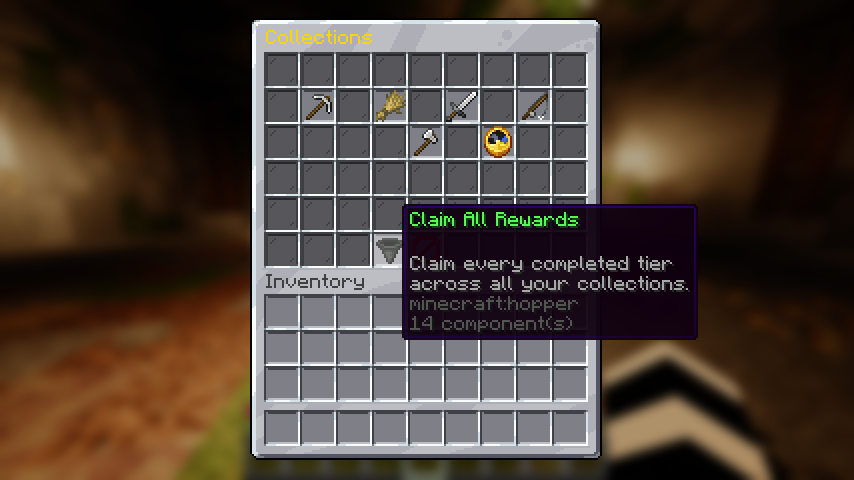
The wording for these menu items lives in the language file under menu.resource-menu, and
the claim result messages (claim-success, claim-none, claim-auto, plus the Claim All
header claim-all-header and per-tier line claim-all-line) live under messages.
See Messages and Language.
Island membership wait
A resource can require the player to stay on the same island for a set time
(island-membership in categories.yml, 48 hours for the built-in island level) before it
unlocks at all. Changing island restarts the wait. Once the wait is done, the tiers the
island reaches are unlocked for good and can be claimed later, even after leaving. Until then
the resource shows as undiscovered, on every new island, unless it still holds unlocked tiers
waiting to be claimed; tiers above those show a fourth state, Island lock. Claimed tiers are remembered per player
so a tier is never paid twice. See
Island membership lock.
Reward types
A reward is a single line of text in categories.yml. You
can list as many as you want per tier. There are five types.
| Type | Format | What it does |
|---|---|---|
| Money | money:500 | Gives 500 of your economy currency. Needs Vault and an economy plugin. |
| Item | item:DIAMOND:3 | Gives 3 diamonds. Uses a Minecraft material name. |
| Command | command:give {player} netherite_ingot 1 | Runs a command from the console. |
| Permission | permission:zcollections.title.stonemaster | Grants a permission node by running a console command. Works with LuckPerms out of the box. |
| Experience | exp:500 | Gives 500 experience points. |
The {player} placeholder
In a command reward, {player} is replaced with the player's name before the command
runs. So command:give {player} netherite_ingot 1 gives the item to whoever tiered up.
Notes on each type
- Money is skipped if Vault or an economy plugin is missing. The rest still work.
- Item uses standard Minecraft material names, like
DIAMOND_BLOCKorTNT. The amount is optional and defaults to 1, soitem:DIAMONDgives a single diamond. - Command runs from the console, so it can do anything a console command can.
- Permission is handy for unlocking cosmetic titles or perks. It works by running a
console command, which defaults to LuckPerms. If you use a different permission plugin, set
rewards.permission-commandinconfig.ymlto that plugin's command.
Editing rewards
All thresholds and rewards live in categories.yml. Change a
number, add a reward line, or remove one, then reload with /collection reload.
Related pages
- Progression explains how progress is counted toward a threshold.
- Categories shows the full file format with examples.
- Commands covers
/collection reload.